4.5 Dispense Water
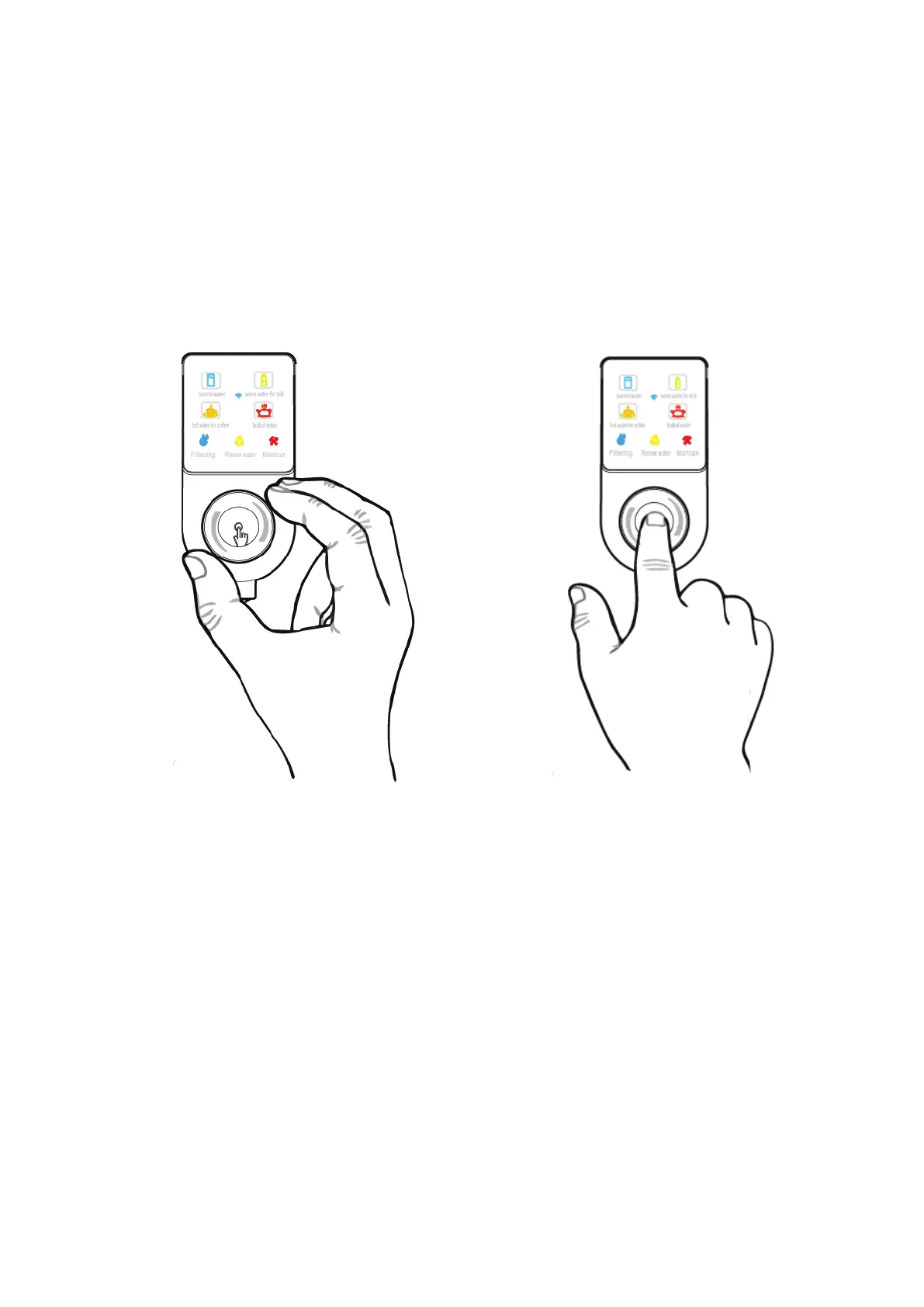
• Place the water container on the tray (see Figure 1). Rotate the knob to
select the desired water temperature (Figure 5), and then click on (or push
on for 3 seconds) the middle part of the knob (see Figure 6) to dispense
one cup (or bottle) of water. Click the knob again if you want to stop getting
water. Note: the system will automatically stop water after 30 seconds if
you do not click the knob and will automatically stop after 60 seconds if you
hold the button for 3 seconds.
4.6 Sleeping state
• The system will automatically enter sleeping state when it is idle for more
than 1 hour. If there is any knob or button operation, it will immediately
return to service and then flush for 20 seconds.
4.7 Power off
• The system will automatically power off if the machine stays in sleeping
mode for 1 hour. If there is any knob or button operation, it will power on
automatically.
FIGURE 5 FIGURE 6
10



 To Next Page