EasyManua.ls Logo

oticon Opn 1 miniRITE - Minirite T

oticon Opn 1 miniRITE
42 pages
Print Icon
To Next Page IconTo Next Page
To Previous Page IconTo Previous Page
Loading...
12 13
About Startup Handling Options Tinnitus Warnings More info
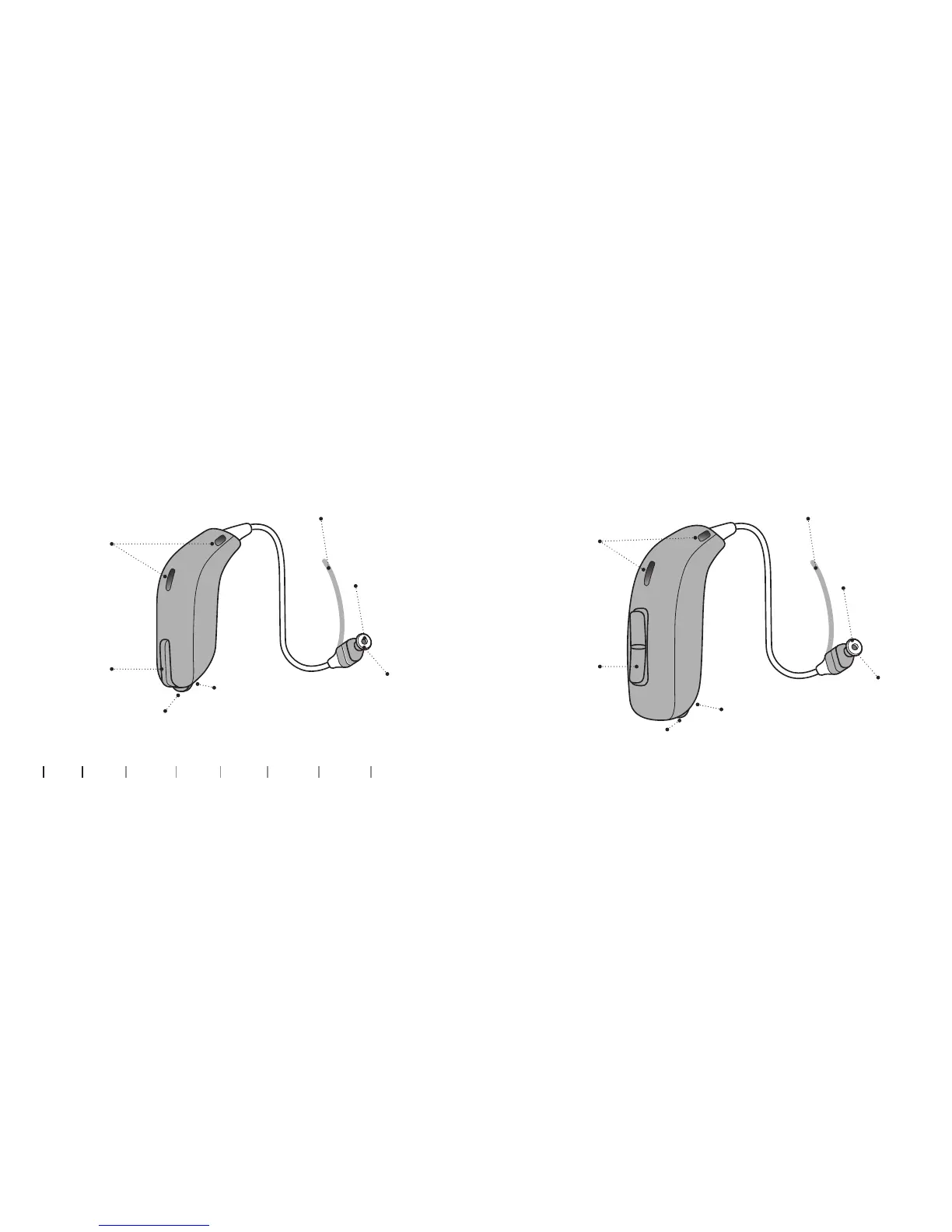
miniRITE
What it is and does
Push button
Mute, change
volume, and
programs
Microphones
Sound in
Battery drawer
Contains the battery
and functions as an
on/off switch
Wax filter
Wax pro-
tection of
speaker
Speaker
Sound out
Ear grip
Holds the speaker
in place (optional)
Nail grip
Open the
battery drawer
miniRITE T
What it is and does
Battery drawer
Contains the battery
and functions as an
on/off switch
Wax filter
Wax pro-
tection of
speaker
Speaker
Sound out
Ear grip
Holds the speaker
in place (optional)
Push button
Mute, change
volume, and
programs
Microphones
Sound in
Nail grip
Open the
battery drawer

Related product manuals