16 17
About Startup Handling Options Tinnitus Warnings More info
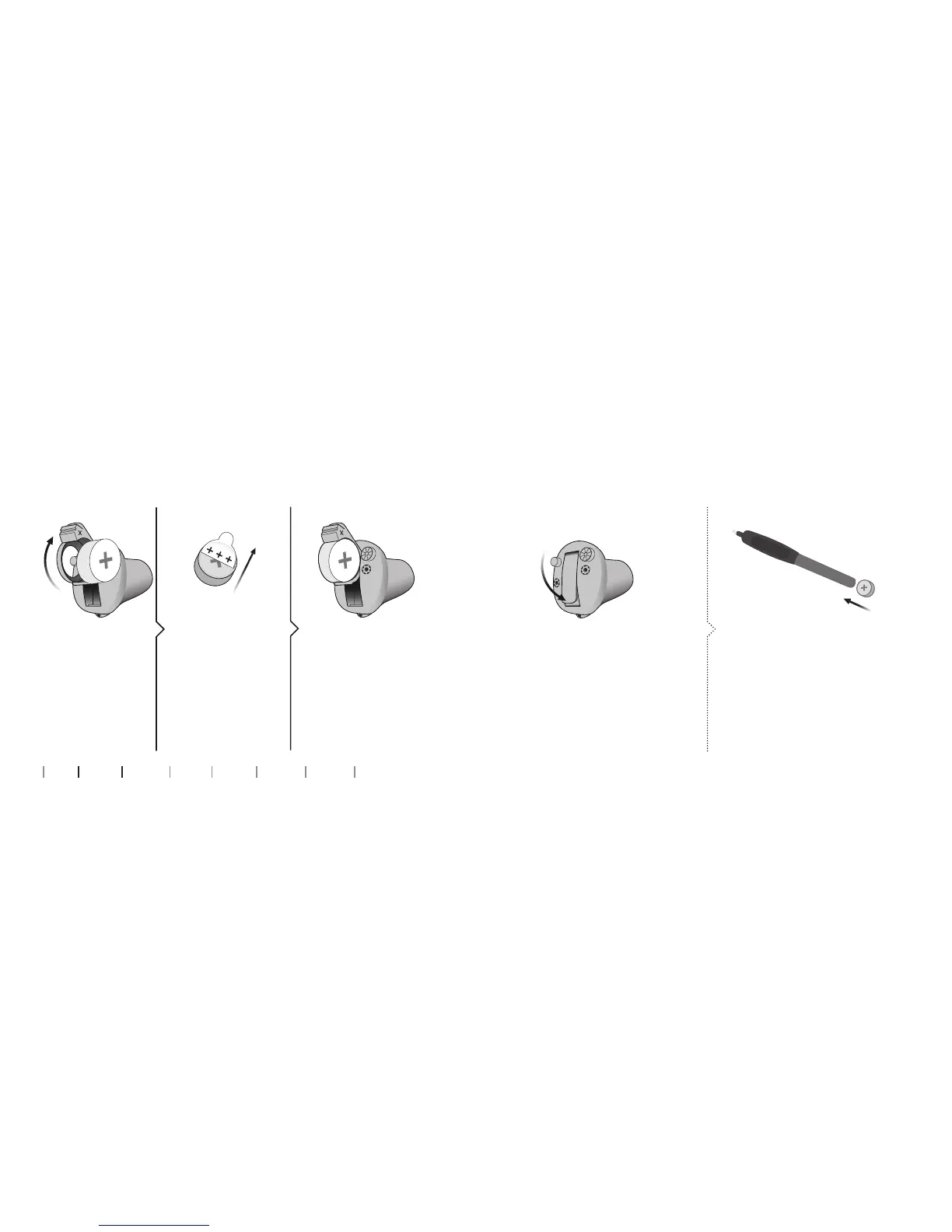
How to replace the battery
2. Uncover 3. Insert
Fully open the
battery drawer.
Remove the battery.
Remove the sticky
label from the + side
of the new battery.
Tip:
Wait 2 minutes so that
the battery can draw
air, to ensure optimal
functioning.
Insert the new
battery into the
battery drawer.
Make sure the
+ side is facing up.
1. Remove
MultiTool
Close the battery drawer. The
hearing aid will play a jingle.
Hold the hearing aid close to your
ear to hear the jingle.
The MultiTool can be used for
battery change. Use the magnetic
end to remove and insert batteries.
The MultiTool is provided by
your hearing care professional.
4. Close Tip










 To Next Page