36
About Start-up Handling Options Tinnitus Warnings More info
Mute
Use the mute function if you need to silence the hearing aid. The
mute function only mutes the microphone(s) on the hearing aid.
Optional LED
Green and red flashes, continuously repeated, to indicate mute.
IMPORTANT NOTICE
Do not use the mute function as an off switch, as the hearing aid still
draws current from the battery in this mode.
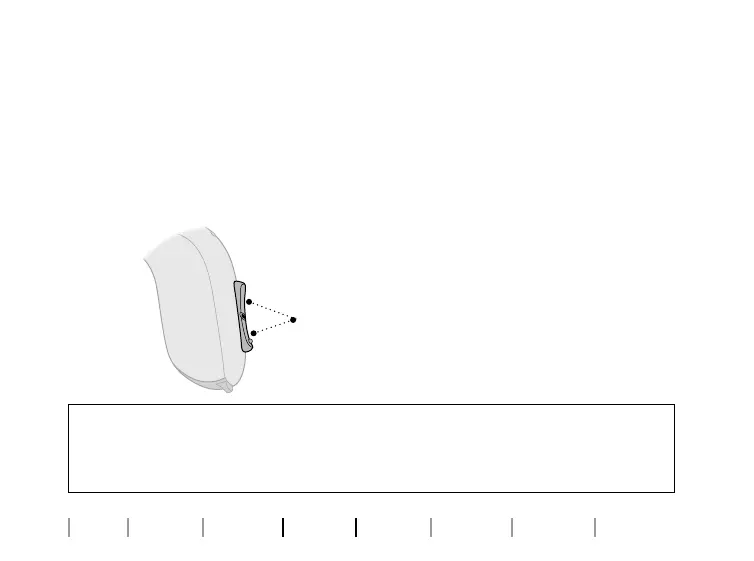
Apply a long press (4 seconds) to either end
of the button to mute the hearing aid.
To reactivate the hearing aid, push the
button briefly.









 To Next Page