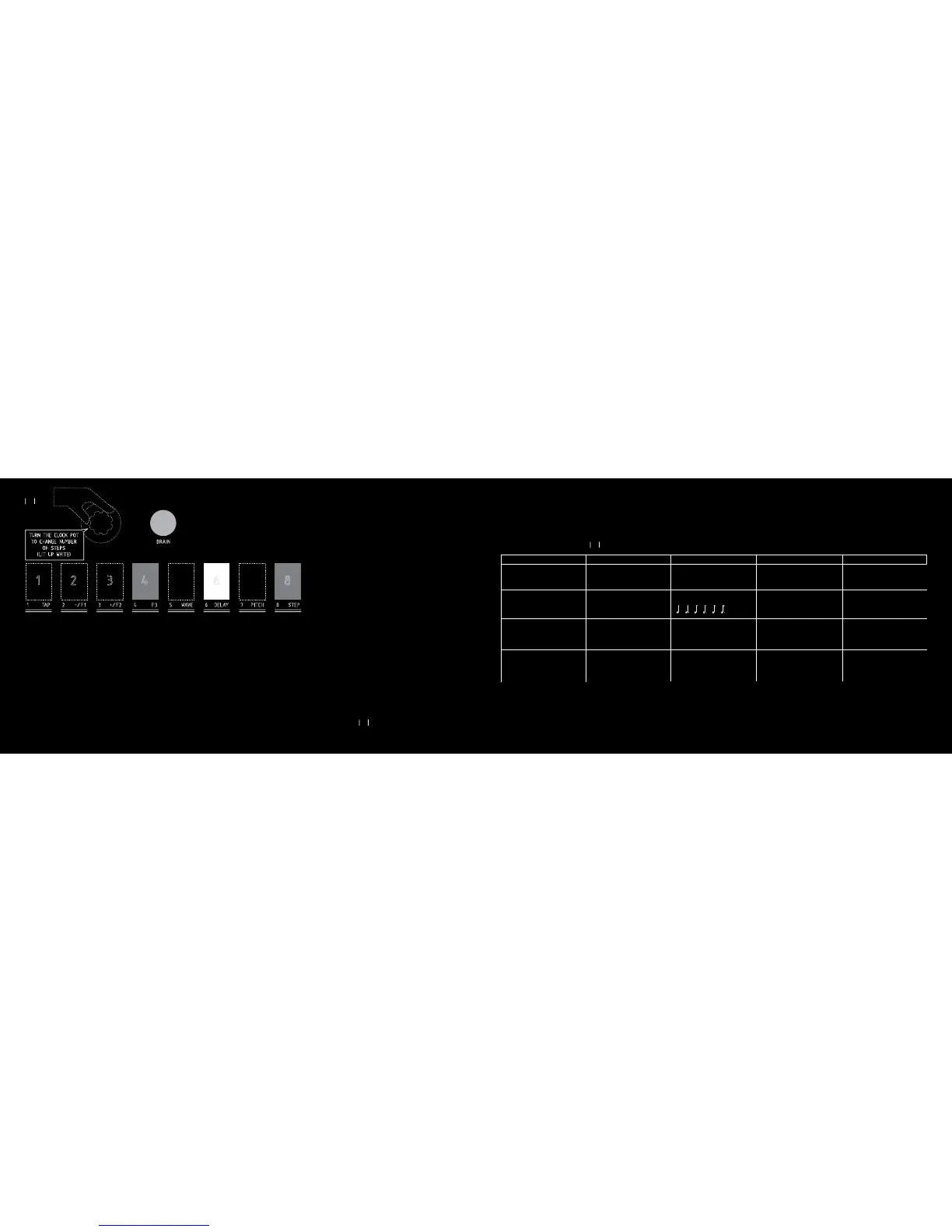
Summary of the fx parameters :
NB 1 : The CLOCK pot sets the filter attack for the WAVE number 6, 7 and 8 (oscillators).
NB 2 : Use the CLOCK pot to modify the parameters.
NB 3 : The CLOCK pot select the pitch : - 2 oct, - 1 oct, - 5th, detune, + 3rd m, + 3rd M, + 5th, + 1 oct.
-/F1
-
SELECT ONE OF THE 8 WAVESHAPER
DIVISION (2)
NOT USED
WRITE
SELECT THE STEP WITH CLOCK
MOVE FREQ TO WRITE
+/F2
+
SELECT ONE OF THE 8 WAVESHAPER
FEEDBACK (2)
FROM 0 TO 100%
NOT USED
RUN
SPEED (2) : x1 x2 x4 x8 or x24
PLAY MODE (hit TAP) : fwd, alt, random
TAP
NOT USED
TAP TEMPO
NOT USED
TAP TEMPO
& SELECT THE PLAY MODE
WHEN F2 IS LIT UP
WAVESHAPER (1)
DELAY
PITCH SHIFTER (3)
STEP FILTER
F3
NOT USED
FREE CLOCK (2)
DELAY TIME
NOT USED
NUMBER (2)
2, 3, 4, 6 or 8 STEPS
21
4/ Speed x1 : The STEP FILTER goes at the TAP TEMPO or MIDI BEAT
CLOCK Speed.
5/ Speed x2 : The STEP FILTER goes twice as fast as the TAP TEMPO or
MIDI BEAT CLOCK Speed.
6/ Speed x4 : The STEP FILTER goes four times as fast as the TAP TEMPO
or MIDI BEAT CLOCK Speed.
7/ Speed x8 : The STEP FILTER goes eight times as fast as the TAP TEMPO
or MIDI BEAT CLOCK Speed.
8/ Speed x24 : The STEP FILTER goes 24 times as fast as the TAP TEMPO
or MIDI BEAT CLOCK Speed.
F3 : NUMBER : When the switch lit up red, you can choose the number of
steps with the CLOCK pot. One of the 2, 3, 4, 6, 8 switches lit up white
indicating the current number of steps.



 To Next Page