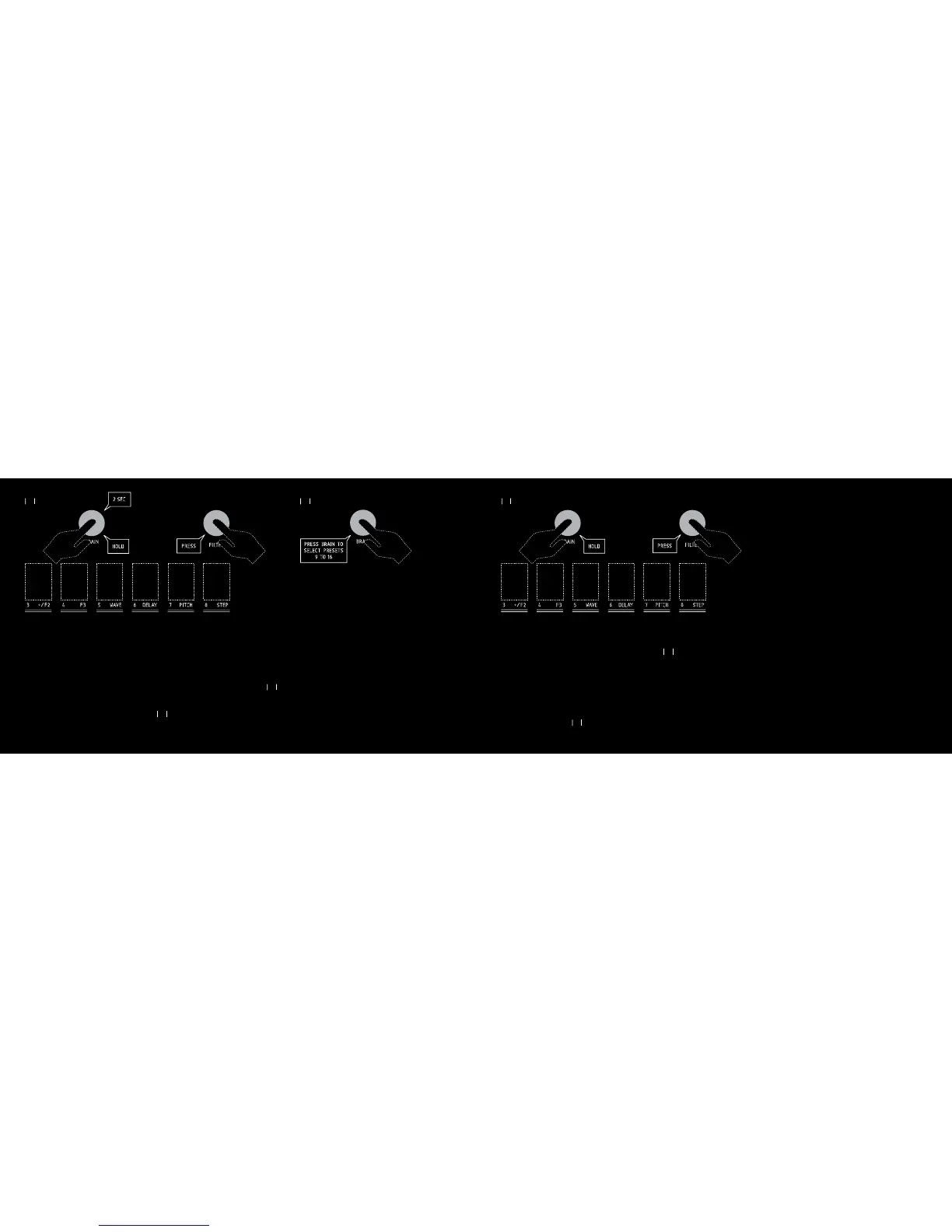
4.2 RECALLING A PRESET
While pressing the BRAIN switch, press the FILTER switch.
The switches 1 to 8 flash white. Press one of the switches 1 to 8 to recall
the desired preset. Switches stop flashing. The selected switch will light
up for 2 seconds.
Switches then revert to the display of the 8 bits status.
To recall one of the presets 9 to 16, do the same as explained above.
When the 8 switches are flashing white, press the BRAIN switch again. The
BRAIN switch turns blue. You can now select one of the presets 9 to
16, by pressing the switches 1 to 8.
To exit the « saving a preset » or « recalling a preset » mode, press again
the FILTER switch while pressing the BRAIN switch, or wait for 10 seconds.
BISCUIT will revert to its regular state.
02%33
(/,$
&),4%2
&
"2!).
0)4#( 34%0& 7!6% $%,!9
23
24
24
4. PRESETS
You can save all the BISCUIT functions (pots position, switches, filter, by-
pass, fx) in one of the 16 presets.
4.1 SAVING A PRESET
While pressing the BRAIN switch, press the FILTER switch.
Keep pressing the BRAIN switch for 2 seconds.
The switches 1 to 8 flash red. Press one of the switches 1 to 8, all the
Biscuit functions will be saved in the corresponding preset.
Switches will then revert to the display of the 8 bits status.
To save the presets 9 to 16, do the same as explained above. When the 8
switches flash red, press the BRAIN switch again. The BRAIN switch turns
blue. You can then save to one of the presets 9 to 16 by pressing one
of the switches 1 to 8.
02%33
(/,$
&),4%2
&
"2!).
0)4#( 34%0& 7!6% $%,!9
3%#
"2!).
02%33"2!).4/
3%,%#402%3%43
4/



 To Next Page