5.3 PRESETS DUMP
This sub-menu allows you to save one or all BISCUIT presets to a computer
and recall them back later, using a SysEx (System Exclusive MIDI message)
library utility. Connect BISCUIT to your computer’s MIDI interface to send
and receive presets.
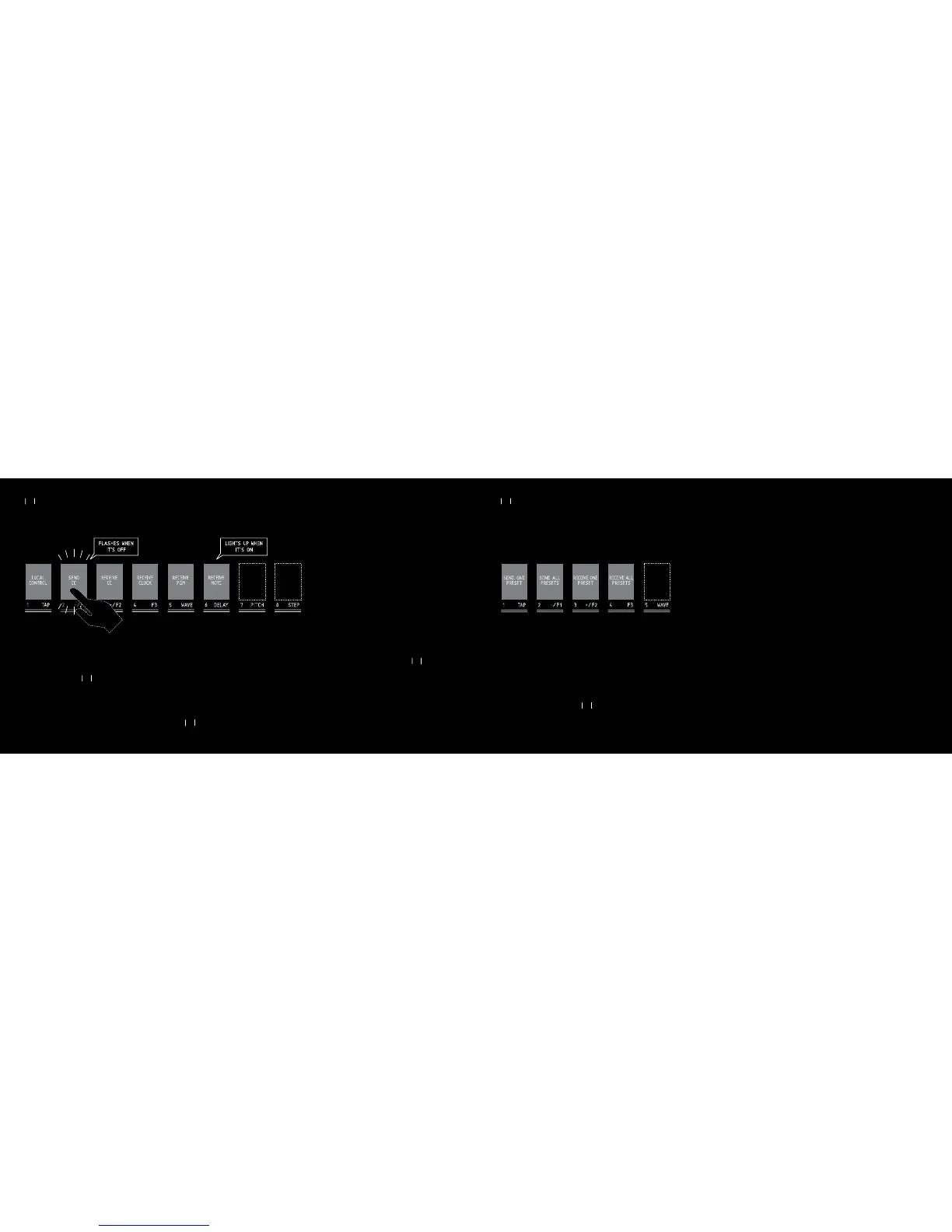
The switches 1 to 4 light up red. Press one of the switches 1 to 4 to access
the following DUMP actions :
1/ SEND ONE PRESET : The switches 1 to 8 flash white. Press one of the
switches 1 to 8 to send the desired preset as a SysEx file.
To send one of the presets 9 to 16, do the same as explained above. When
the 8 switches are flashing white, press the BRAIN switch again. BRAIN
switch turns blue. You can now send one of the presets 9 to 16, by pressing
the switches 1 to 8.
2/ SEND ALL PRESETS : The 16 presets will be sent in an unique SysEx file.
3/ RECEIVE ONE PRESET : The switches 1 to 8 flash red. Press one of the
switches 1 to 8 to select the preset destination. The corresponding switch
will turn pink, waiting for a manually sent SysEx file from the computer.
4!0 & & & 7!6%
3%.$/.%
02%3%4
3%.$!,,
02%3%43
2%#%)6%!,,
02%3%43
2%#%)6%/.%
02%3%4
4!0 & & & 7!6% $%,!9 0)4#( 34%0
&,!3(%37(%.
)43/&&
,)'(43507(%.
)43/.
,/#!,
#/.42/,
3%.$
##
2%#%)6%
##
2%#%)6%
#,/#+
2%#%)6%
0'-
2%#%)6%
./4%
5.2 MIDI FILTERS
The switches 1 to 6 light up or flash red. When the switch is flashing, the
corresponding function is inactive, and when the switch is on, the function
is active. Press one of the switches 1 to 6 to activate or deactivate the
following functions :
1/ LOCAL CONTROL : Internal connection between the physical controls
(pots and switches) and the BISCUIT electronics can be enabled or dis-
abled. This can be useful with an external sequencer.
2/ SEND CC : Enables the physical controls (pots and switches) to send
their corresponding CONTINUOUS CONTROLLER message.
3/ RECEIVE CC : Enables BISCUIT functions (drive, filter,...) to be con-
trolled by incoming CONTINUOUS CONTROLLER messages
4/ RECEIVE CLOCK : Enables DELAY and STEP FILTER tempo to be syn-
chronised to the incoming BEAT CLOCK messages (including START and
CONTINUE).
5/ RECEIVE PGM : Enables BISCUIT to follow incoming PROGRAM CHANGE
messages.
6/ RECEIVE NOTE : Enables BISCUIT to accept incoming NOTE ON
messages. (for Waveshapers nr 6,7,8 & Pitch shifter).
33
37
37
33



 To Next Page