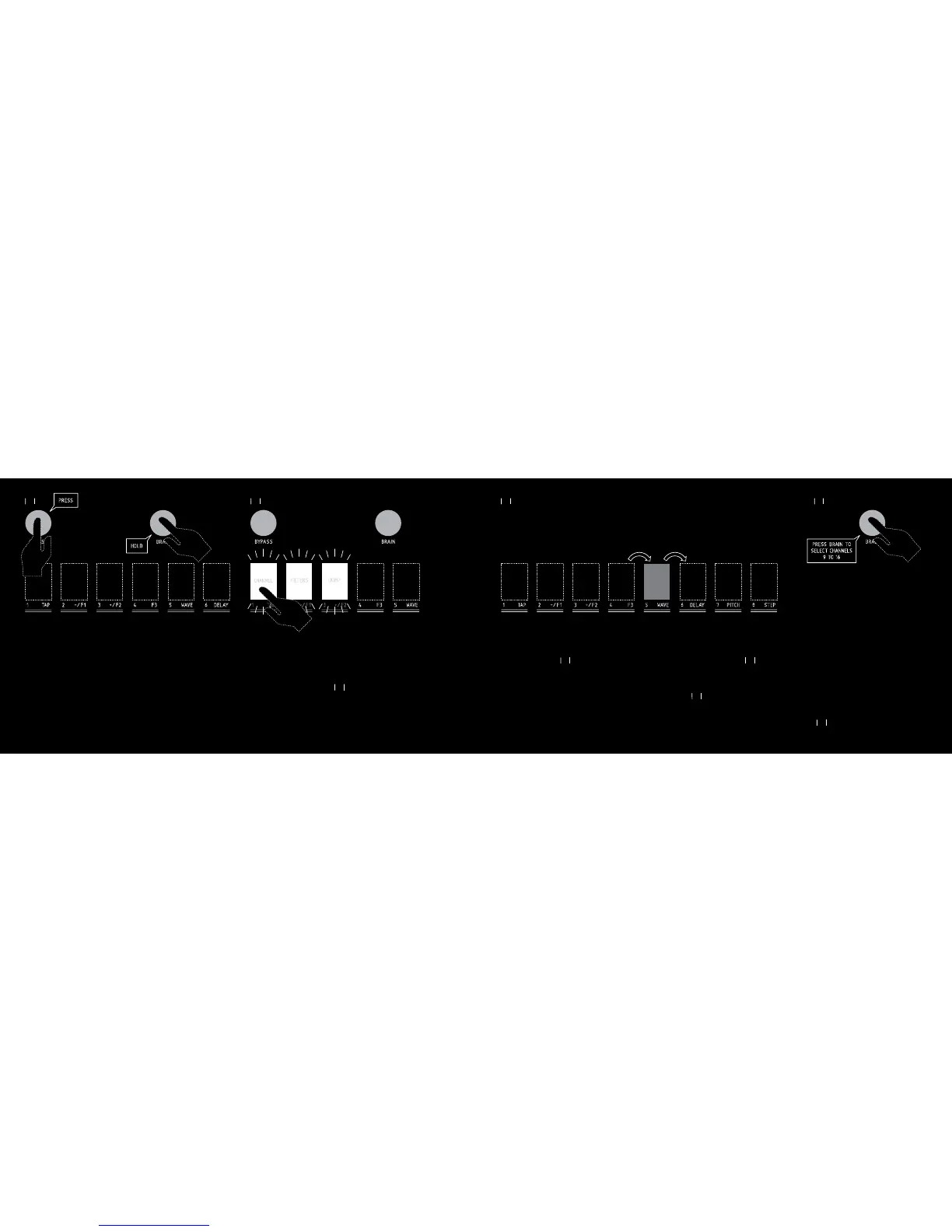
While pressing the BRAIN switch, press the BYPASS switch to enter the
MIDI SETTING mode.
The 1 to 3 switches flash white to let you know that you have 3 sub-menus
in the MIDI SETTING mode.
Press one of the 1 to 3 switches to access the following sub-menus :
5.1 MIDI CHANNEL
The switches 1 to 8 light up red alternately, in a forward/ backward move-
ment.
Press one of the switches 1 to 8 to assign the desired MIDI CHANNEL to
BISCUIT. The MIDI Channel selected will be the same for transmission and
reception of MIDI data.
To assign one of the MIDI channel 9 to 16, do the same as explained
above. When you see the blinking movement, press the BRAIN switch
again. BRAIN switch turns blue. You can now select one of the MIDI
channel 9 to 16, pressing the switches 1 to 8.
30
31
31
32
32
29
Switches then revert to their regular function.
To recall one of the factory presets 9 to 16, do the same as explained
above. When the 8 switches are flashing pink, press the BRAIN switch
again. The BRAIN switch turns blue. You can now select one of the factory
presets 9 to 16, by pressing the switches 1 to 8.
To exit the « factory preset » mode, press the FILTER switch while press-
ing the BRAIN switch, or wait for 10 seconds. BISCUIT will revert to its
regular state.
NB : When you recall a factory preset, it doesn’t erase the corresponding
user preset.
5. MIDI
BISCUIT is MIDI compatible. Every pot and switch can send its own Con-
tinuous Controller (known as « CC »).
BISCUIT accepts the following incoming MIDI messages:
• CONTINUOUS CONTROLLER for all BISCUIT controls
(pots, switches and effects),
• BEAT CLOCK,
• PROGRAM CHANGE,
• NOTE ON (for Waveshapers nr 6,7,8 & Pitch shifter)



 To Next Page