
 Need help?
Do you have a question about the otometrics madsen itera ii and is the answer not in the manual?
Steps to set up the connection between the device and OTOsuite software.
How to run the Configuration Wizard to establish communication.
Instructions for correctly placing headphones on the patient's ears.
Guidance on selecting and inserting earphones for children.
Instructions for mastoid placement of the bone oscillator.
Overview of performing tone audiometry tests.
Steps for conducting speech audiometry tests.
Warnings regarding servicing and repair of the device.
Type identification, channels, and pure tone frequencies.
General safety warnings and precautions for using the device.
 General
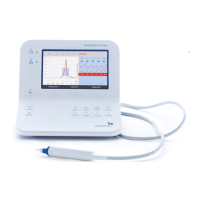
| Type | Audiometer |
|---|---|
| Brand | Otometrics |
| Model | Madsen Itera II |
| Channels | 2 |
| Display | Integrated LCD |
| Intensity Range | -10 dB HL to 120 dB HL |
| Transducers | Headphones, Bone Conductor, Insert Earphones |
| Testing | Speech, Masking |
| Measurement Types | Air Conduction, Bone Conduction, Speech Audiometry |
| Connectivity | USB |
| Frequency Range | 125 Hz to 8 kHz (air), 125 Hz to 8 kHz (bone) |










 To Next Page
