
 Need help?
Do you have a question about the otometrics MADSEN Astera2 and is the answer not in the manual?
Connects the ACP to the MADSEN Astera² and the PC via USB.
Steps to power on and off the MADSEN Astera² using its external power supply.
Guide to establishing the connection between MADSEN Astera² and OTOsuite software.
Steps for performing tone audiometry, including transducer placement and test sequence.
Procedures for performing speech audiometry using the OTOsuite software.
Warnings regarding device disassembly and professional servicing for safety.
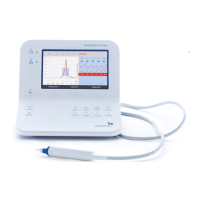
Detailed technical data for the MADSEN Astera² audiometer.
Technical specifications for the Audiometer Control Panel (ACP).
 General
| Type | Audiometer |
|---|---|
| Brand | Otometrics |
| Model | MADSEN Astera2 |
| Channels | 2 |
| Power Supply | 100-240V AC, 50/60 Hz |
| Frequency Range | 125 Hz - 8 kHz |
| Intensity Range | -10 dB to 120 dB HL |
| Testing | Air conduction, bone conduction |
| Special tests | ABLB, Stenger, Tone Decay, SISI |
| Display | Color |
| Connectivity | USB |











 To Next Page