3 Unpacking
1. Unpack the device carefully.
When you unpack the device and accessories, it is a good idea to keep the packing material in which they were
delivered. If you need to send the device in for service, the original packing material will protect against damage dur-
ing transport, etc.
2. Visually inspect the equipment for possible damage.
If damage has occurred, do not put the device into operation. Contact your local distributor for assistance.
3. Check with the packing list to make sure that you have received all necessary parts and accessories. If your package is
incomplete, contact your local distributor.
4. Check the Test Report (Calibration Certificate), make sure that the transducers (headphones and bone oscillator) are
the correct ones, and that they comply with the ordered calibration standards.
4 Installation
Install OTOsuite on the PC before you connect to MADSEN Astera² from the PC.
For instructions on installing OTOsuite, see the OTOsuiteInstallation Guide, which you can find on the OTOsuite install-
ation medium (disk or memory stick).
To mount MADSEN Astera² on the wall or under the desktop, see the MADSEN Astera² Reference Manual.
Caution• To connect MADSEN Astera² to the PC, use the supplied USB cable. The cable length must not
exceed 3 m (approx. 10 feet).
MADSEN Astera² is fully assembled on delivery, and you simply have to connect cables.
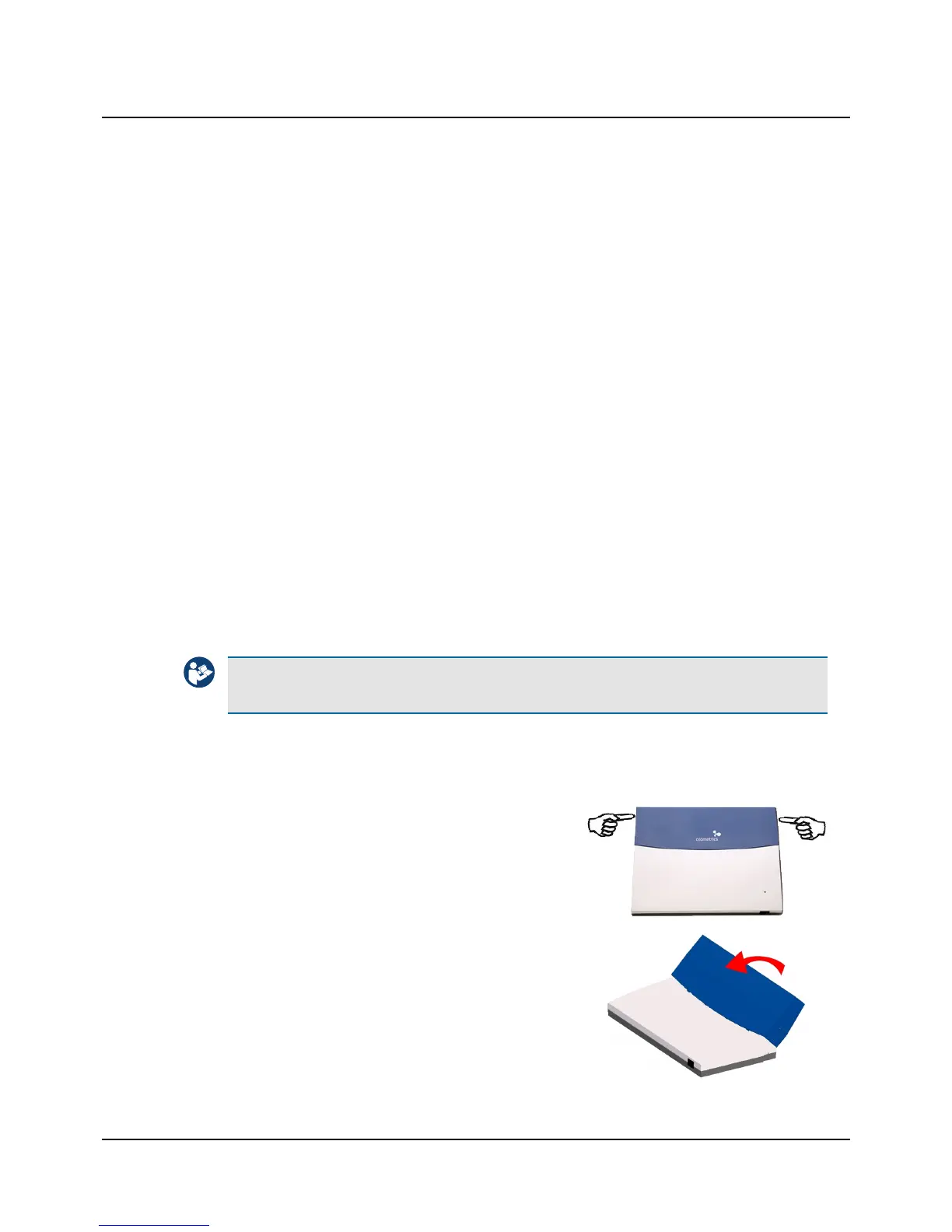
Remove the cable cover
1. To remove the cable cover from MADSEN Astera² press the releases
on both sides of the cable cover, swing the cover up into vertical
position and lift it off MADSEN Astera².
2. Lift off the cable cover.
Otometrics - MADSEN Astera²
5
3 Unpacking












 To Next Page