EasyManua.ls Logo

otometrics MADSEN OTOflex 100 - User Manual

otometrics MADSEN OTOflex 100
52 pages
Print Icon
To Next Page IconTo Next Page
Loading...
MADSEN OTOflex 100 &
OTOsuite Immittance Module
User Guide
Doc. No.7-50-1590-EN/03
Part No.7-50-15900-EN

Other manuals for otometrics MADSEN OTOflex 100

Questions and Answers

Summary

Device Description

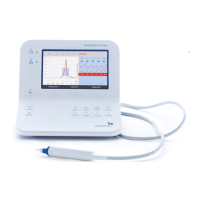
MADSEN OTOflex 100 Overview

Basic description of the MADSEN OTOflex 100 immittance test device.

Bluetooth Connectivity

Information on wireless connection using Bluetooth technology.

Typographical Conventions

Explanation of symbols and formatting used in the manual.

Installation and Setup Procedures

Unpacking and Initial Inspection

Steps for safely unpacking and checking the device components.

Software Installation

Instructions for installing the OTOsuite software on a PC.

Desktop Installation Steps

Guide to installing the device on a desktop.

Wall Mount Installation

Wall Mount Installation Guide

Detailed instructions for mounting the device on a wall.

Charger and Power Setup

Desktop Charger Assembly

Steps to mount the charger on its base for desktop use.

Powering the Device

Information on the device's power sources and battery types.

Battery Management

Inserting Batteries

Step-by-step guide for inserting batteries correctly.

Setting Battery Type

Procedure to configure the device for NiMH or Alkaline batteries.

Device Powering and Charging

Power Indicator Icon Explanation

Explanation of the icon indicating the device's power source.

Connecting the Charger Unit

Instructions for connecting the charger to a mains power outlet.

Charging the Device

Procedure for charging the device's batteries.

Device Status and Connectivity

Charging Status Indicators

Description of the charging indicator lights on the charger.

Device Power Status Icons

Icons indicating device power source and battery capacity.

Connecting to OTOsuite

Steps to establish a connection between the device and OTOsuite software.

Handling and Basic Operation

Device Handling and Grip

How to hold and operate the MADSEN OTOflex 100 device.

Powering the Device On and Off

Procedure for powering the device on and off.

OTOsuite Toolbar Icons Overview

Introduction to toolbar icons in the OTOsuite immittance module.

OTOsuite Interface and Controls

Tympanometry Toolbar Functions

Explanation of icons and controls for tympanometry in OTOsuite.

Reflex Toolbar Functions

Explanation of icons and controls for reflex testing in OTOsuite.

General Test Control Buttons

Description of buttons for starting, pausing, and stopping tests.

MADSEN OTOflex 100 Keypad Functions

Scroll Wheel Operation

How to use the scroll wheel for navigation and selection.

Keypad Button Functions

Detailed explanation of each key's function on the device.

MADSEN OTOflex 100 Menu System

Softkey Usage and Navigation

How softkeys are used for menu selections and actions.

Main Menu Options Explained

Overview of the main menu items and their functions.

Text Editor for Data Entry

Entering Patient Data

Instructions for entering text and numeric data using the editor.

Text Editor Operations

Editing Data Fields

Methods for accessing and editing data in various fields.

Character Editing and Deletion

Steps for modifying or removing characters in data entry.

Editing Settings and Options

How to adjust settings and select options within the editor.

Preparing for Testing

Pre-Test Checklist

Essential steps to perform before starting patient testing.

Probe Preparation and Connection

Instructions for preparing and connecting the probe to the device.

Probe Setup and Checks

Connecting Probe and Insert Phone

Steps to connect the probe and insert phone correctly.

Daily Probe Check Procedure

Procedure for ensuring probe functionality at the start of the day.

Probe Insertion Techniques

Fitting Eartips onto the Probe

Guide to selecting and attaching the correct eartip.

Inserting Probe into Patients Ear

Techniques for proper probe insertion into the ear canal.

Test Flow and Setup Configuration

Configuring the Test Flow

Setting up test sequences and patient data management.

Selecting and Using Test Setups

How to choose and apply different test configurations.

Test Setup Loading and Probe Issues

Loading Test Setups on the Device

Steps to load test setups directly from the MADSEN OTOflex 100.

Loading Test Setups in OTOsuite

Steps to load test setups using the OTOsuite software.

Probe Issues and Leakage Troubleshooting

Common Causes of Test Leakage

Factors that can lead to leakage during immittance tests.

Troubleshooting Probe Blockages

Identifying and resolving issues with occluded or blocked probes.

Interpreting Probe Status Indicators

Understanding the meaning of different probe status icons.

Core Testing Procedures

Fast Routine Testing Guide

Step-by-step instructions for performing routine tests quickly.

Sequence Testing Overview

How to perform a series of immittance tests in sequence.

Screening Test Procedures

Screening Test Configuration

Setting up the device for screening tests (T+RS).

Screening Test Preparation

Steps to prepare the patient and equipment for screening.

Performing Screening Tests

Procedure for conducting tympanometry and reflex screening.

Diagnostic Tympanometry

Diagnostic Tympanometry Procedure

Detailed steps for performing diagnostic tympanometry.

Diagnostic Tympanometry Execution

Conducting Diagnostic Tympanometry

Execution of diagnostic tympanometry tests.

Interpreting Tympanometry Results

How to analyze and understand the results of tympanometry tests.

Acoustic Reflex Testing Overview

Curve Selector Functionality

Using the curve selector to view specific tympanogram curves.

Tympanometry Screen Display

Description of the information shown on the tympanometry screen.

MADSEN OTOflex 100 Results View

How test results are displayed on the device.

Reflex Threshold Testing

Managing High Intensity Levels

Guidelines for handling high stimulus levels during testing.

Reflex Threshold Testing Procedure

Steps for performing acoustic reflex threshold measurements.

Reflex Threshold Testing Execution

Automatic Reflex Threshold Testing

Performing reflex threshold tests automatically.

Semi-Automatic Reflex Threshold Testing

Performing reflex threshold tests semi-automatically.

Manual Reflex Threshold Testing

Performing reflex threshold tests manually.

Pausing and Resuming Reflex Tests

How to pause and resume acoustic reflex tests.

Reflex Test Progression and Results

Reflex Test Progression and Display

How acoustic reflex tests progress and results are displayed.

Continuing Reflex Threshold Tests

Steps to continue testing after initial measurements.

Interpreting Reflex Threshold Field Results

Understanding the meanings of different fields in reflex threshold results.

Reflex Decay Testing Procedure

Reflex Decay Testing Procedure

Steps for performing acoustic reflex decay measurements.

Reflex Decay Testing Execution

Automatic Reflex Decay Testing

Performing reflex decay tests automatically.

Manual Reflex Decay Testing

Performing reflex decay tests manually.

Pausing and Resuming Reflex Decay Tests

How to pause and resume reflex decay tests.

Reflex Decay Test Progression and Results

Reflex Decay Test Progression

How reflex decay tests progress and results are displayed.

Continuing Reflex Decay Tests

Steps to continue reflex decay testing.

Interpreting Reflex Decay Field Results

Understanding the meanings of different fields in reflex decay results.

Eustachian Tube Function (ETF-P) Testing

ETF-P Test Preparation

Steps to prepare for Eustachian Tube Function (ETF-P) testing.

Eustachian Tube Function (ETF-P) Testing Execution

Performing ETF-P Test

Procedure for conducting the ETF-P test.

Interpreting ETF-P Test Results

How to analyze the results of the ETF-P test.

Managing Test Results

Swapping Ear Results for a Patient

Procedure to swap test results between ears for a patient.

Deleting Test Measurements

How to delete specific tympanometry or reflex threshold measurements.

Options for Deleting Test Data

Methods for deleting current tests, individual patients, or all patients.

Uploading Test Results to OTOsuite

Process for transferring patient data to the OTOsuite software.

Data Synchronization and References

Synchronizing Data with OTOsuite

How to synchronize data between the device and OTOsuite.

Other Information Sources

Accessing Online Help and Manuals

Where to find additional information and guides for the system.

Service, Cleaning, and Calibration

Equipment Service Guidelines

Important safety and service recommendations for the device.

Device Cleaning and Screen Care

Instructions for cleaning the main unit and its display.

Probe Tip Cleaning and Disinfection

Procedures for cleaning and disinfecting the probe tip.

Probe Maintenance Procedures

Regular Probe Tip Cleaning Methods

Routine surface cleaning methods for the probe tip.

Ultrasonic Cleaning for Probe Tips

Using ultrasonic cleaning to remove contaminants from probe tips.

Probe Tip Disinfection Methods

Various methods for disinfecting the probe tip.

Probe Tip Autoclaving Procedure

Instructions for autoclaving the probe tip according to standards.

Probe Tip Cleaning Details

Detailed Probe Tip Cleaning

Specific instructions for cleaning the probe tip's sound channels.

Probe Maintenance and Calibration

Replacing the Wax Filter

Steps for changing the wax filter in the probe tip.

Cleaning the Test Cavity

Procedure for cleaning the test cavity in the charger unit.

Device Calibration Information

Details regarding the calibration status and requirements of the device.

Technical Specifications Overview

Device Type Identification

Identification details for the MADSEN OTOflex 100.

Compliance Measuring System Specs

Specifications for the device's measurement system.

Acoustic Reflex Specifications

Technical details for acoustic reflex testing parameters.

Technical Specifications: Stimulation and Systems

Contralateral Stimulation Specifications

Technical parameters for contralateral stimulation.

Ipsilateral Stimulation Specifications

Technical parameters for ipsilateral stimulation.

Air Pressure System Specifications

Technical details of the air pressure system.

Graph Axis Unit Definitions

Units used for the admittance graph's X and Y axes.

Technical Specifications: Device Components

Display and Bluetooth Antenna Specs

Specifications for the device's display and Bluetooth antenna.

Power Supply and Battery Details

Information on power supply voltage and battery types.

Operating and Storage Environment

Recommended conditions for operation, storage, and handling.

Device Dimensions and Weight

Physical dimensions and weight of the device and charger.

Technical Specifications: Charger and Standards

Charger Unit Specifications

Technical details pertaining to the charger unit.

Charger Power and Consumption

Power requirements and consumption of the charger unit.

Miscellaneous Charger Unit Specs

Other specifications related to the charger unit.

Calibration and Essential Performance

Requirements for calibration and essential performance criteria.

Applicable Standards and Safety

List of relevant safety and EMC standards.

Technical Specifications: Accessories and EMC

List of Available Accessories

A comprehensive list of accessories for the MADSEN OTOflex 100.

Electromagnetic Compatibility (EMC) Notes

Important considerations regarding EMC for the device.

Technical Specifications: EMC Declarations

EMC Declaration: Electromagnetic Emissions

Manufacturer's declaration on electromagnetic emissions.

EMC Declaration: Electromagnetic Immunity

Manufacturer's declaration on electromagnetic immunity.

Technical Specifications: RF Considerations

RF Emissions and Separation Distances

Specifications for RF emissions and recommended separation distances.

Technical Specifications: RF Guidelines

RF Separation Distance Guidelines

Guidelines for RF separation distances based on transmitter power.

Definition of Symbols

MADSEN OTOflex 100 Device Symbols

Explanation of symbols used on the MADSEN OTOflex 100 device.

Compliance and Regulatory Symbols

Explanation of FCC, IC, and other compliance symbols.

Definition of Symbols: Compliance

FCC Compliance Information

Details and conditions related to FCC compliance.

Industry Canada (IC) Compliance

Details and conditions related to Industry Canada compliance.

Definition of Symbols: Markings

Classified US Safety Markings

Explanation of the Classified US safety markings.

FCC and IC Compliance Statements

Further details on FCC and IC compliance requirements.

Safety Warnings and Precautions

Charger Unit Safety Warnings

Specific safety warnings related to the charger unit.

OTOsuite Immittance Module Warnings

Warnings concerning the OTOsuite immittance module.

General MADSEN OTOflex 100 Warnings

Key warnings for safe operation of the MADSEN OTOflex 100.

Safety Warnings and Precautions (Continued)

Service, Handling, and Environment Safety

Warnings regarding service, handling, and environmental conditions.

Interference and Accessory Safety

Warnings about interference and the use of specified accessories.

Modification, FCC, and Canadian Operation Safety

Warnings on modifications, FCC, and Canadian operation.

Device Misuse, Disposal, and Battery Safety

Warnings about device misuse, disposal, and battery handling.

Safety Warnings and Precautions (Final)

Accessory and Calibration Safety Warnings

Warnings related to accessory calibration and potential damage.

Charger Unit Specific Warnings

Additional safety warnings specifically for the charger unit.

Manufacturer Information

Company Contact Details

Contact information for Natus Medical Denmark ApS.

Manufacturers Responsibility Statement

Statement outlining the manufacturer's responsibilities.

otometrics MADSEN OTOflex 100 Specifications

General IconGeneral
CategoryMedical Equipment
Compliance Range0.2 to 5.0 ml
Reflex Frequencies500 Hz, 1000 Hz, 2000 Hz, 4000 Hz
DisplayColor LCD
ConnectivityUSB
Frequency Range226 Hz
Pressure Range+200 to -400 daPa
Probe Tone226 Hz
Power SupplyAC adapter
Test TypesTympanometry, Reflex
TypeOtoacoustic Emissions (OAE) and Tympanometry

Related product manuals