Connect accessories
See Connecting accessories to MADSEN Astera² ► 9.
Connect the ACP
If you are using the ACP:
See Connecting the ACP to MADSEN Astera² ► 6 and Connecting the ACP to the PC ► 7.
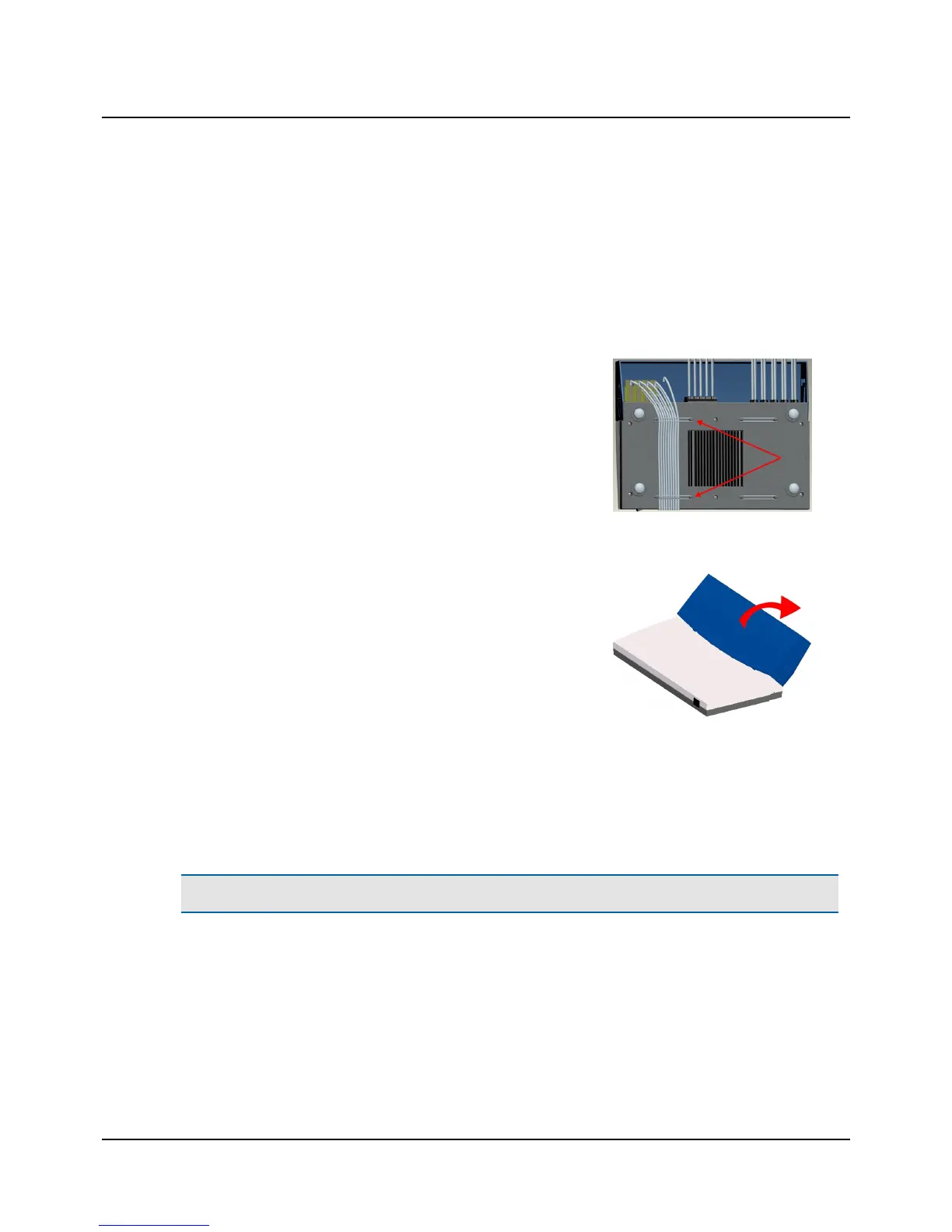
Secure cables to MADSEN Astera²
1. Secure the cables to the back of MADSEN Astera² with the rubber
bands provided.
Remount the cable cover
1. Remount the cable cover by inserting the blue tags of the cable cover
into the grooves of MADSEN Astera² and swinging the cover into place
until you hear a click.
Connecting to OTOsuite
• Run the OTOsuite Configuration Wizard to connect to and set up communication with MADSEN Astera²: Select Tools>
Configuration Wizard...
4.1 Connecting the ACP to MADSEN Astera²
Caution• Install OTOsuite on the PC before you connect to MADSEN Astera² from the PC.
6 Otometrics - MADSEN Astera²
4 Installation












 To Next Page