13
TT TV BOX
14
TT
TV BOX
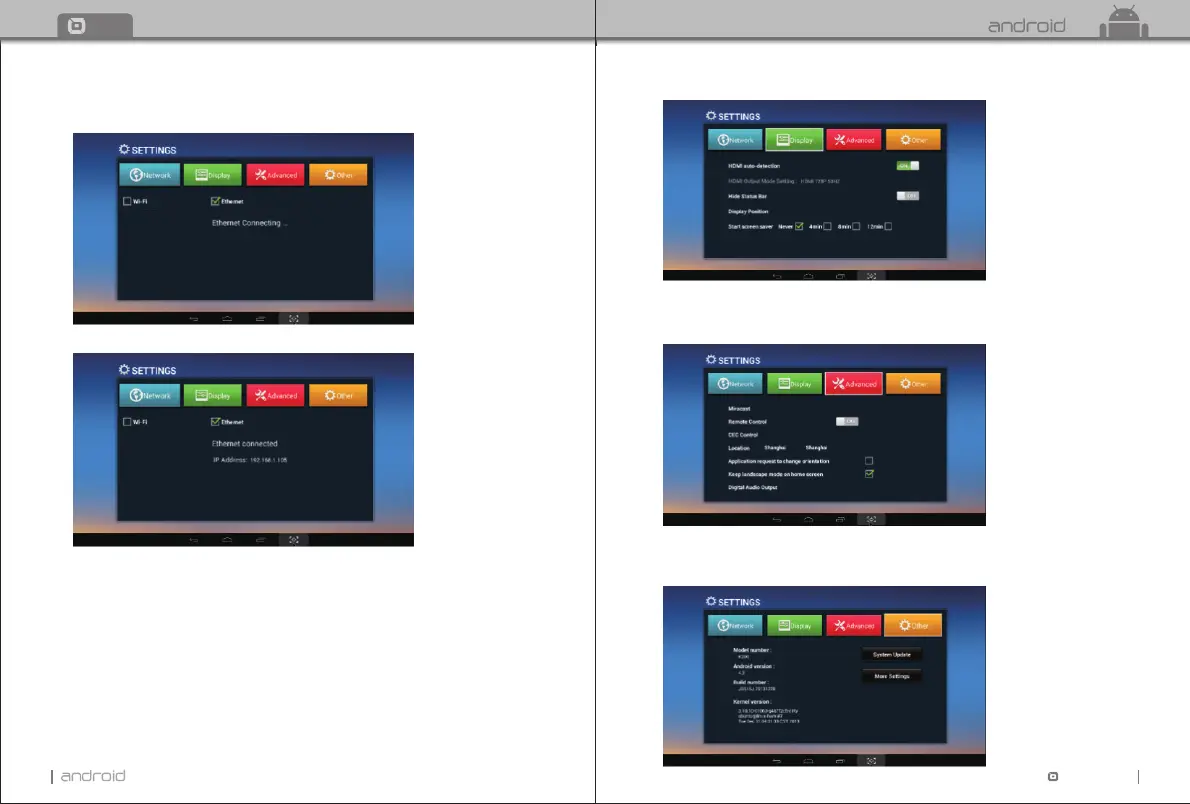
Ethernet:
Select “Ethernet” System will start scanning Ethernet automatically.
When the IP address appears, the Ethernet connected.
6.2 Display
Move to “Display”.
Here you can set wallpaper, HDMI audio output mode, turn on/off hide status bar,
display position, choose the time of start screen saver.
6.3 Advanced
Move to “Advanced” to choose advanced settings. Here you can set Miracast, remote control,
CEC control, location, orientation, home screen and digital audio output.
6.4 Other
Move to “Other” to see more TV Box information.
You can do system update and adjust more settings here.


 To Next Page