31
8.3 Introduction: Setting OTT netDL operating parameters
How to set the OTT netDL operating parameters using a PC:
Establish the PC/OTT netDL communication link (refer to Chapter 8.2).
If you have not already done so: Connect the OTT netDL unit to operating
v
oltage. After a few seconds, the OTT netDL unit is ready to use (the LCD
display shows various messages and then turns off).
Start the operating program.
In the "Device" menu, select the "netDL 500/1000" option.
Read the current OTT netDL configuration into the operating program: In the
"netDL 500/1000" menu, select the "Read" option or click the "Read" button*
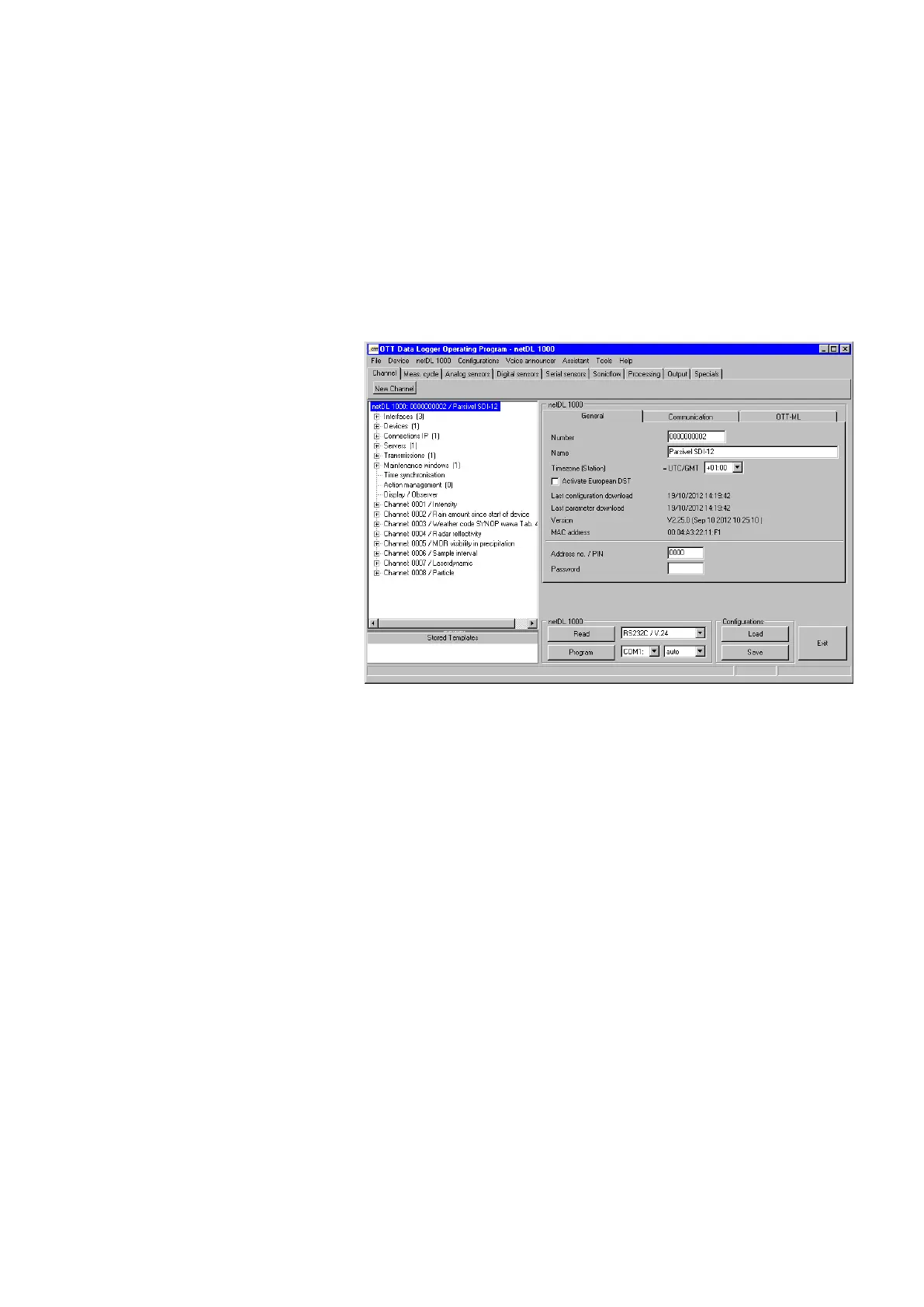
➝ The operating program reads the current (factory default) OTT netDL con -
figuration and displays it in the operating program main window:
Now make the adjustments according to your specific requirements:
– Master data
– Interfaces
– Devices
– Connections IP
– Server
– Transmissions
– Maintenance window
– Time synchronization
– Action management
– Display/Observer
– Channel-related function
– Voice announcer (optional)
Click on the "Program" button.
Acknowledge the message "Warning: Reset OTT netDL and delete data memory
additionally?" by selecting "Yes" (recommended for initial installations).
The OTT netDL is now completely configured and parametrized and starts
processing the measuring and communicating jobs.
For detailed information on how to set the OTT netDL operating parameters,
please refer to the online help of the operating program.
* When the communication link uses a USB cable and several OTT netDL units are connected to the PC
at the same time: First select the desired unit in the selection window and then select "OK".
Fig. 30: Main window of the
operating program.


 To Next Page