17 Creating and printing the terminal connection
diagram
For documentation purposes, the operating program provides the option of print-
ing a terminal connection diagram. This terminal connection diagram is based on
t
he configuration that is saved in the tree view of the OTT netDL. Additionally, the
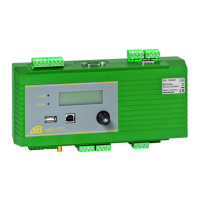
connection diagram includes images of the front panel and rear side of the OTT
netDL model that is required for this configuration.
How to create and print a terminal connection diagram:
Establish the PC/OTT netDL communication link (refer to Chapter 8.2).
Read the current OTT netDL configuration into the operating program: In the
"netDL 500/1000" menu, select the "Read" option or click on the "Read" button.
(Alternatively: create a new configuration in the operating program.
Step 1 can be omitted in this case.)
In the "File" menu, select the "Print Connection diagram" option ➝ The print
preview window opens and shows the conncection diagram.
Click the printer icon ➝ The operating program prints the terminal
connection diagram.
Buttons in the print preview window:
Optimum size; show whole page of connection diagram
Show connection diagram at 100% scale
Scale connection diagram to screen width
Go to first page of the connection diagram
Go to previous page of the connection diagram
Go to next page of the connection diagram
Go to last page of the connection diagram
Printer setup (standard WindEows dialog)
Print the connection diagram
Save connection diagram as "QuickReport" file (*.QRP)
Open saved connection diagram ("QuickReport" file)
Close print preview window
18 Creating and printing a device view
Using the "Device view" feature of the operating program, you may determine,
view, and print the present model of the OTT netDL unit (front and a rear side).
How to create and print a device view:
Establish the PC/OTT netDL communication link (refer to Chapter 8.2).
Select „netDL 500/1000“, "Device view" feature ➝ the print preview window
opens and shows the front and rear views of the OTT netDL.
Select the printer icon ➝ the operating program prints the device view. For an
explanation of the buttons in the print view window, please refer to Chapter 17.
47


 To Next Page