41
10 LED indicators
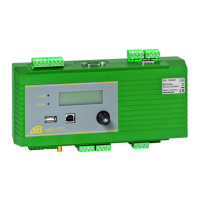
For indicating different operating states, the OTT netDL unit front panel has two
multi-color LEDs:
"Logger" LED – Flashes green; frequency: once every 2 seconds
➝ datalogger active.
– Flashes green; frequency: once per second
➝ IP data communication active.
– Flashes red; frequency: once per second
➝ IP data communication failed.
– Off
➝ datalogger in sleep mode.
"Modem" LED – Continuously illuminates green
➝ internal modem active.
– Continuously illuminates orange
➝ GPRS data communication available.
– Off
➝ internal modem inactive
On the OTT netDL 1000 unit, the RJ-45 socket is provided with two additional
LEDs for checking the Ethernet interface (refer to Figure 28):
LED A (Link Status) – Steady green
➝ Link to an Ethernet LAN or DSL router is established
LED B (Trafic) – Flashing green
➝ Transmitting and receiving activities over the Ethernet
interface are taking place.
When both LEDs are permanently off, the Ethernet interface may be in sleep
mode. Using the
Information | Connections | LAN | Current state
feature (operate/set the OTT netDL on site), you may temporarily enable the
Ethernet interface (refer to Chapter 9.7).


 To Next Page