How to determine and display instantaneous values when
entering a check value (manual value):
Press jog shuttle twice. (Between the first and second presses, the
LCD display
shows the OTT netDL firmware version.)
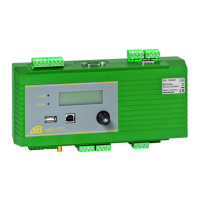
The OTT netDL unit activates the
LCD
display
and shows the selection menu (if password protection for the LCD
display is active ➝ enter the four-digit password first; refer to online help).
Press jog shuttle (Observer). The
LCD display
shows the station name, the sta-
tion number, the current time and, after 2 seconds, the level of the voltage supply.
Press jog shuttle (¥). The
LCD display
shows the screw terminal strip used and
the sensor name/number as well as the instantaneous value of the first channel
(sensor). If the "Suppress display of instantaneous value before input" option in
t
he "Instantaneous value" (OTT netDL Firmware 2.11.0 and earlier:
"Display/Observer" function block) function block is activated, the OTT netDL
unit suppresses the instantaneous value by means of asterisks.
Rotate jog shuttle to √.
Press jog shuttle (√). The check value is now to be entered by character from
right to left. The character to be changed in each case is shown inverted (white
on black background) and flashing.
Rotate jog shuttle until required character appears.
Press jog shuttle to jump to the next character position, etc.
Confirm the entry: Press jog shuttle (√). (Cancel: Rotate jog shuttle to
≈ and press). The OTT netDL unit now determines the current instan taneous
value of the first channel (sensor) and shows it on the
LCD display
(during
measurement, the LCD display shows the
Observer message).
To enter the check value and show the instantaneous values of additional channels,
rotate jog shuttle to ¥ each and press. Then return to step 4 and repeat. After
the instantaneous value of the last channel has been shown, the LCD display
shows the instantaneous value of the first channel again (it is not necessary to
enter a check value again).
To end the display of the instantaneous values, rotate jog shuttle to ≈ and press
(max. twice); then rotate jog shuttle to
End and press. If the jog shuttle is not
used for three minutes, the LCD display shuts off automatically.
Notes
The "Observer" function initiates an instantaneous value measurement. Until
this measurement is complete, the display refers to the last stored value (or the
instantaneous value last displayed, whichever is the most recent). On the dis-
play, this is identified with an "
s" after the channel number (sensor number).
After completing the measurement, the new measured value appears without
additional identification.
The OTT netDL stores each call of the "Observer" function in the info channel
together with date and time. After "Read" and "Accept", this information can
be displayed in the evaluation window of a sensor in the Hydras 3 application
software using the "Info Data | Station | Display" option (observer registration
general).
If the "Observer Manual input" option in the "Display/Observer" function
block is activated, the OTT netDL also stores the check value entered as well as
the currently measured instantaneous value (if other channels are configured,
this also applies to the instantaneous values of these channels). These values
can be displayed in the evaluation window of a sensor after being "Read" and
"Accept" to the Hydras 3 application software using the "Info Data | Sensor |
Display" function (observer registration with check value).
33


 To Next Page