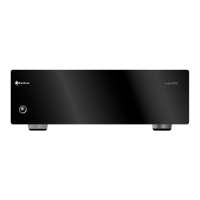
Model 5000 Five-Channel Power Amplier
5
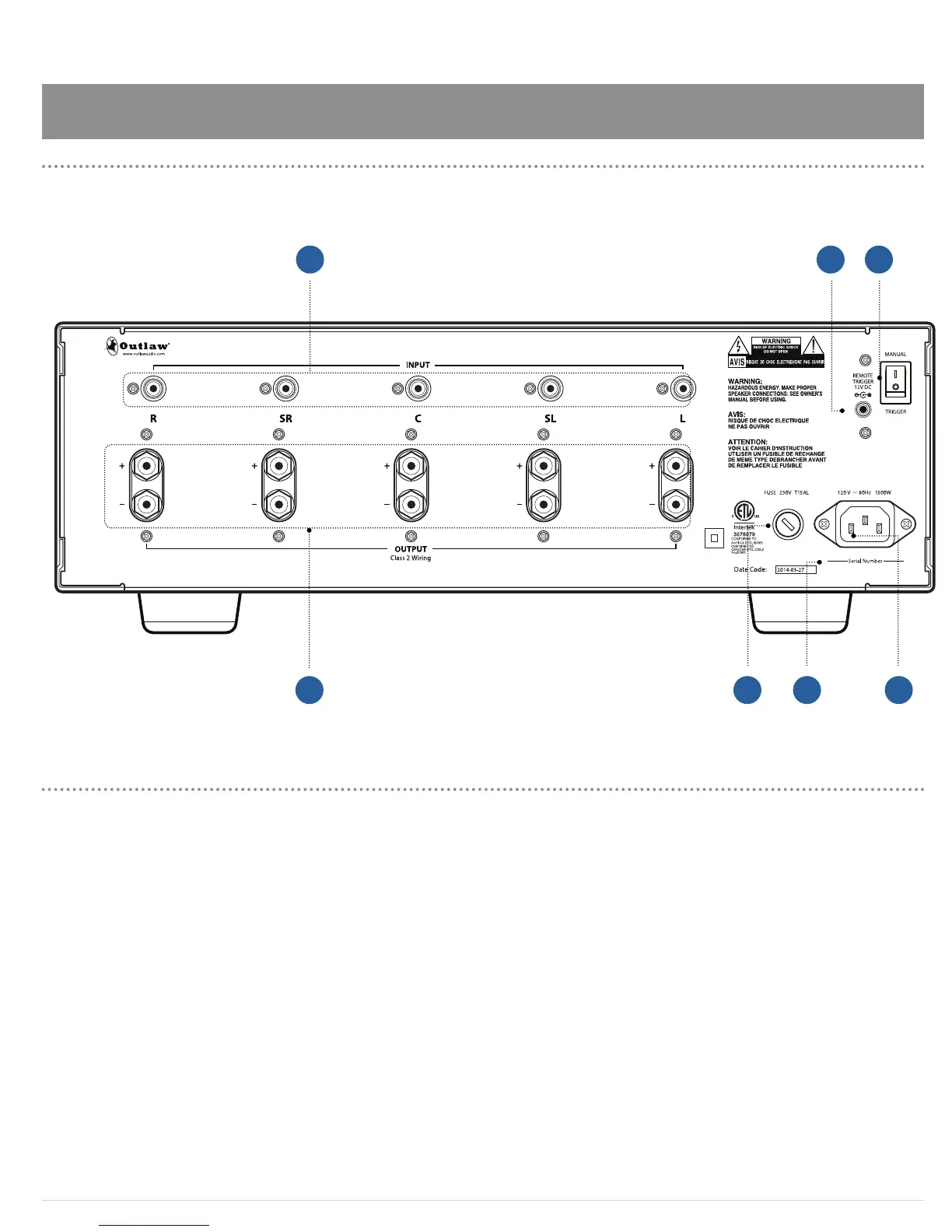
A. Audio Inputs (see page 6)
Use these jacks to connect the Model 5000 to the
outputs of a surround processor such as the Outlaw
Model 975, preamplier, AV receiver with pre-out
connections, DVD/Blu-Ray player with discrete ve
channel outputs, or HDTV product with built-in sur-
round decoder.
B. Remote Trigger Input (see page 8)
Use this jack to connect to a compatible processor or
other product with a 3-32 Volt DC output.
C. Manual/Trigger Power Switch (see page 9)
When this switch is set to MANUAL, the Power button
on the front panel acts as the main AC switch, turning
the Model 5000 on and o. When the amplier is o,
the blue ring around the Power button is dark. When
the amplier is on, the blue ring glows brightly.
When the switch is set to TRIGGER, the Model 5000 can
be turned on and o remotely by a pre-amp processor
or device device connected to the REMOTE TRIGGER
jack. In this mode, the blue ring around the Power
button glows dimly while the amplier is in Standby
mode, and glows brightly when powered on.
D. Speaker Outputs (see page 6-7)
Use these binding posts to connect the Model 5000
to your speakers. The terminals can accept speaker
cable with bare wire (solid or stranded), spade lugs, or
banana plugs.
E. AC Fuse (see page 11)
Protects both the amplier and your speakers from
damage in case of a power surge.
F. Product Serial Number
Write this number in the space provided on page 3 for
future reference.
G. AC Input (see page 9)
Use this input to connect the Model 5000 to an AC
power source with the supplied power cord (see
Rear Panel
Model 5000
Rear Panel
Model 5000
Outlaw Audio LLC
Easton MA USA
Designed in the USA by Outlaw Audio and manufactured in the P.R. China
F G
A B C
ED


 To Next Page