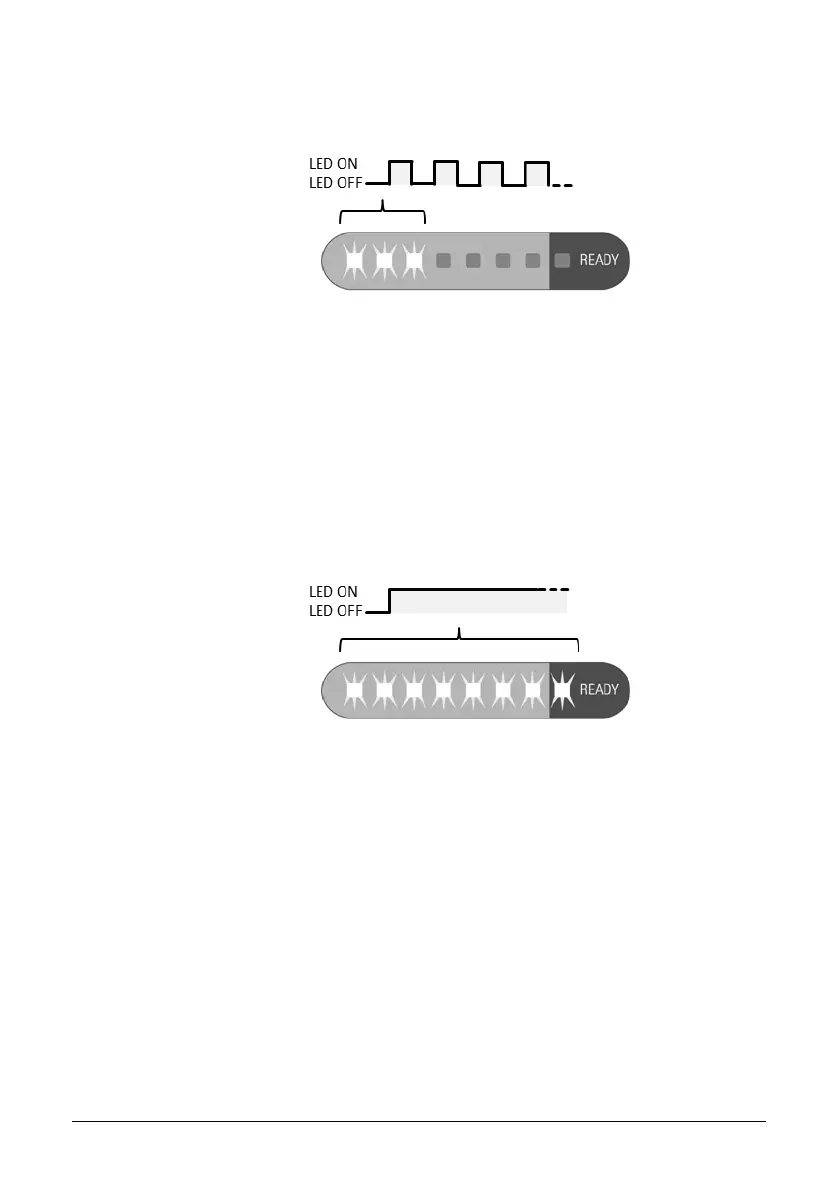
The status display indicates the charge of the remOVE DC Impulse through
green flashing LEDs.
Figure 7: Status display indicates charge during charging phase by flashing
green LEDs corresponding to the charge level
If the remOVE DC Impulse has not been in use for more than two days, the
internal energy storage is fully charged over a time period of about 10
minutes. If the remOVE DC Impulse has been in use in the past two days, the
device might charge faster.
Successful completion of charging cycle is indicated through three short
acoustic signals in quick succession. The status display indicates operational
readiness through emitting constant green light from all eight LEDs.
Figure 8: Status display indicates operational readiness through emitting
constant green light from all eight LEDs
6. As soon as all eight green LEDs are constantly on, the remOVE DC Impulse
is ready for use.


 To Next Page