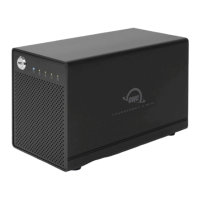
If one of the SATA drives in RAID 1, 0, or Span fails (or is missing or not connected
properly), the corresponding drive LED on the front of the device will light up a solid
red.
•
If the OWC Gemini was configured as a RAID 0, the data on the array is lost and the
disk is no longer usable.
•
When in Span, only the data stored on the failed drive is lost, although data recovery
software will be required to retrieve the data from the other drive.
•
If the drives were configured into Independent mode, then the data on the drive that
did not fail will remain intact.
•
3.2 Replacing Drives
If the Gemini is set up as a RAID 1, a drive that has failed can be replaced to rebuild
the array. The data will remain accessible via the functioning drive until the array is
rebuilt with a new drive.
•
Drives being used as a RAID 0, Independent, or Span don’t have a rebuild option as
the data is loss. If the enclosure was purchased with drives and it is still under
warranty, contact OWC technical support for assistance (see Section 4.4 “Contacting
Support”). If the unit is outside its warranty or was purchased without drives, follow
the assembly instructions to access and replace the failed drive.
•
NOTE
: A failed drive must be replaced with an identical drive (model, capacity, firmware)
NOTE
: The OWC Gemini needs an active data signal to remain powered on. If it is
disconnected from the computer, or if the computer goes to sleep or turns off, the
device will power off. To minimize the rebuild time, it is recommended to keep the
device connected to the computer (with the computer powered on), and disable any
drive sleep settings on the computer for the duration of the rebuild. While rebuilding,
the Drive LED indicator of the original drive has a slow pulsing green light, and the
Drive LED indicator of the new drive will light up a solid red. The Drive LED indicator
statuses will return to normal once the rebuild process is complete.
3.3 OWC Disk Performance




 To Next Page