Download•
OWC SoftRAID for Windows
Please review and follow the steps outlined in•
OWC SoftRAID Installation for Windows
Please consult the support article "•
Mac to Windows – SoftRAID Volume Conversation
" for instructions to convert the Mac formatted OWC SoftRAID RAID to a Windows
formatted device through OWC SoftRAID.
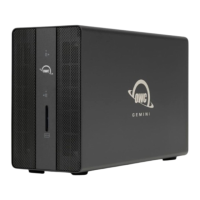
The Mac formatted OWC SoftRAID RAID OWC Gemini can be used in Windows
through the purchase and installation of OWC MacDrive11 Pro. OWC MacDrive11
Pro allows access to software RAID Mac-formatted drives in Windows without
performing a conversion process. Please visit
•
OWC MacDrive Product Details
or
OWC MacDrive Support
for more information.
2.2 Assembly Options
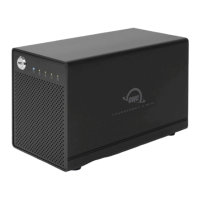
The OWC Gemini offers multiple drive and RAID configuration options. This device
supports 3.5”/ 2.5” SATA and NVMe U.2 drives/adapters.
NOTE : Hardware RAID configurations are not supported with NVMe U.2 SSDs.
NVMe U.2 SSDs can be formatted as an individual drive. Installing only (1) NVMe
M.2 SSDs via adapter per drive bay is recommended.
(2) SATA HDDs configured as a Hardware RAID 0, 1, Independent, or Span.•
(1) M.2 NVMe SSD assembled in (1) U.2 adapter (ShuttleOne) formatted as an
individual drive, and (1) SATA HDDs configured as a Hardware RAID Independent.
•
(2) M.2 NVMe SSDs assembled in (2) U.2 adapters (ShuttleOne) formatted as
individual drives.
•
2.3 Assembly Steps




 To Next Page