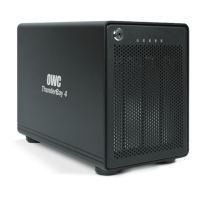
OWC THUNDERBAY 4
TABLE OF CONTENTS
TABLE OF CONTENTS
1. INTRODUCTION ...........................................................................................1
1.1 MINIMUM SYSTEM REQUIREMENTS
1.1.1 Apple® Mac® Requirements
1.1.2 PC Requirements
1.1.3 Supported Drives
1.2 PACKAGE CONTENTS
1.3 ABOUT THIS MANUAL
1.4 FRONT VIEW
1.4.1 Front Features
1.5 REAR VIEW
1.5.1 Rear Features
2. SYSTEM SETUP .............................................................................................3
2.1 HARD DRIVE INSTALLATION
2.2 QUICK START
2.3 SOFTRAID 5
2.3.1 Configuring Email Notifications
2.3.2 Disk Failure, Replacement, and RAID Rebuild
2.4 CHANGING DRIVES
3. APPENDIX ......................................................................................................9
3.1 TROUBLESHOOTING
3.2 ABOUT DATA BACKUP
3.3 ONLINE RESOURCES
3.4 TECHNICAL SUPPORT HOURS AND CONTACT INFORMATION



 To Next Page