Turning The Saw On
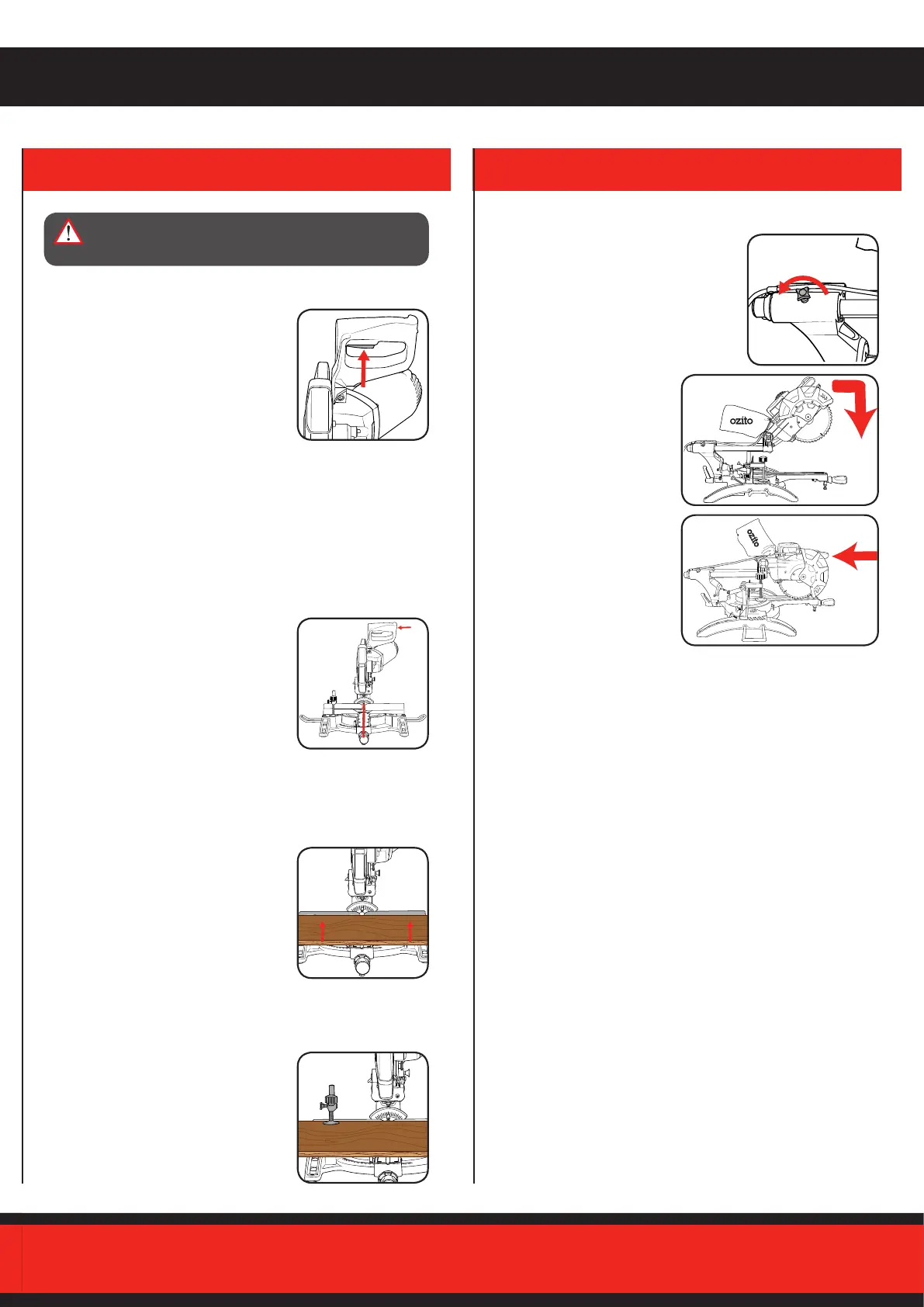
1. To turn the mitre saw on, squeeze the
trigger switch.
2. To turn the mitre saw o, release the
trigger switch.
Note: Before performing a cut, ensure the
blade is at full speed. Failure to do this may
cause the blade to become blunt and cause
the blade to lock-up.
Laser Guide
A laser line is projected onto the material you wish to cut, providing
an exact guide for the cut.
1. To switch the laser guide on, press the
laser guide switch to the On (I) position.
2. To switch the laser guide o, press the
laser guide switch to the O (0) position.
Note: Ensure that the laser guide is switched
o when the saw is not in use.
Workpiece
Place the workpiece at on the mitre table
with one edge securely against the rear
fence.
Note: If the workpiece is warped, ensure the
concave (curves inward) side is against the
rear fence.
Material Clamp
It is extremely important to always secure
the workpiece properly and tightly with the
material clamp.
Slide Action
When cutting wide pieces of wood, ensure
the slide lock is loose.
1. First pull carriage fully, slide
the release lever right with
your thumb and press handle
down.
2. Push carriage toward the rear
fence.
SCMS-8MSS
SAW
4. OPERATING THE SAW
WARNING! THE TOOL IS RECOMMENDED FOR
USE WITH A RESIDUAL CURRENT DEVICE WITH A
RATED RESIDUAL CURRENT OF 30MA OR LESS.



 To Next Page