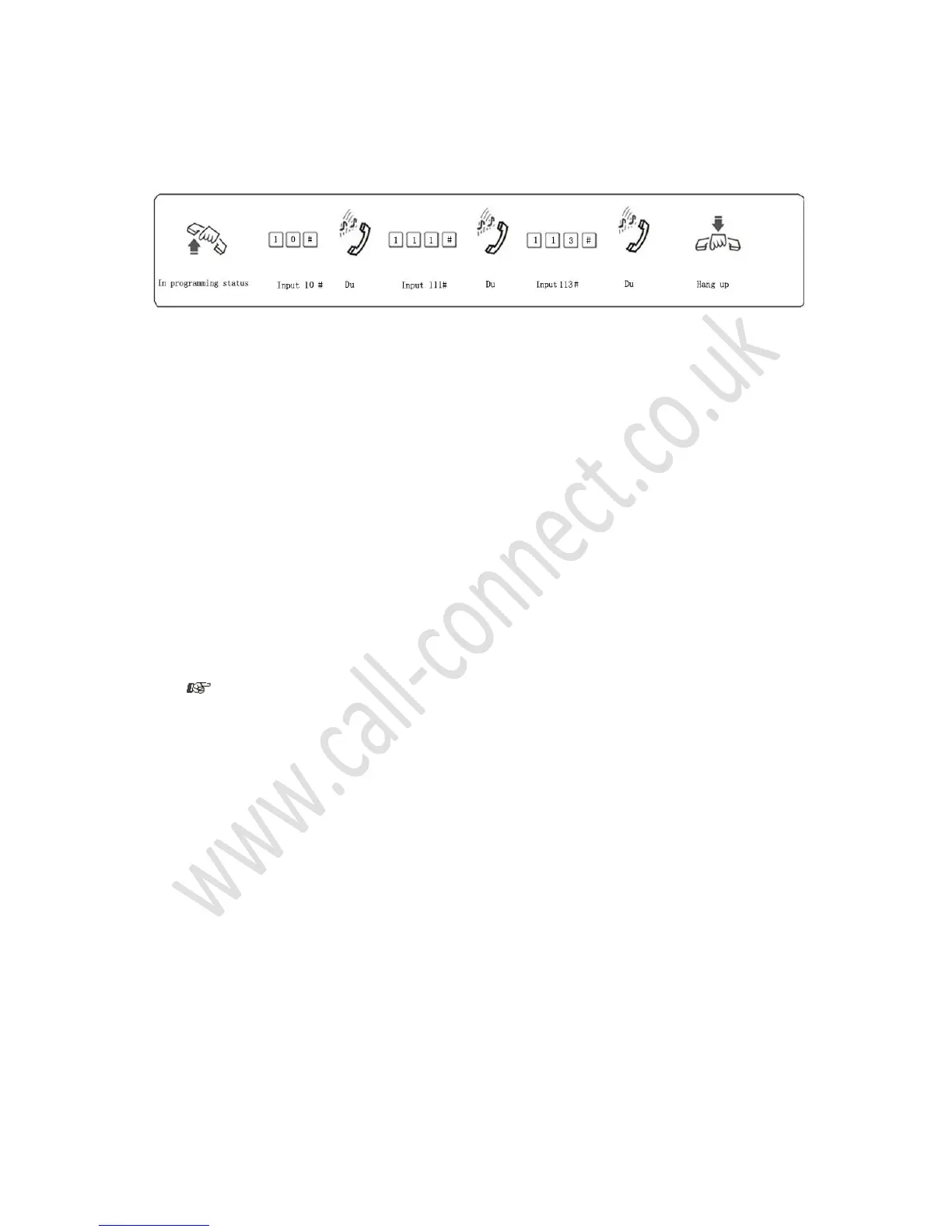
10
Explanation: Where M = C.O. line number (either 1, 2, 3 or 4)
Description: Places specific C.O. lines into Operator mode
Example: Place C.O. line 1 and 3 into Operator mode, C.O. line 2 into Auto-Attendant mode
3.4.5 Enable / Disable OGM Fast Dialing Function
Format: 1546# Cancel AA fast dialing function (default setting)
1547# Set AA fast dialing function
Description: When enabled instead of callers having to dial the full ext number, allows them to Dial 1
for ext 601, dial 2 for ext 602, dial 3 for ext 603 and so on up to dial 8 for ext 608
3.5 Outgoing Message (OGM)
3.5.2 OGM Recording
Format: 1200 #
Description: Set OGM to allow one paragraph up to 20 seconds in length recording time
Record your message e.g. Press ‘601’ for Sales, ‘602’ for Accts - for use in AA Mode.
Initially the extension numbers are 601-608 so these will be the numbers the caller must press to get
to a department.
If you want to have “Press 1” for Sales, “2” for Accts then you must see section 3.4.5 above.
1. The recording time is a maximum of 20 seconds
2. A new message will overwrite the old one
3. Please use a high-quality telephone to ensure a high- quality recording
4. If a caller starts dialing an extension number before the system finishes playing your OGM, the
system will terminate playing the OGM and wait for the caller to complete dialing
5. If a caller dials ‘0’ they will be connected to the extension set as “Supervisor”
3.5.3 Checking your OGM
Format: 1300 #
Description: Listen to the OGM you have recorded. If you are not satisfied you can record it again.
3.6 Hold Music
Format: 14 #
Description: Listen to the internal tune that the system plays to your customers whilst they are on hold.



 To Next Page