© 2020 AAMP Global. All rights reserved. PAC is a Power Brand of AAMP Global.
PAC-Audio.com
Pacific Accessory Corporation
Page 6
Rev: V1
Date: 091120
Advanced Subwoofer Amplier Interface
for Select General Motors Vehicles
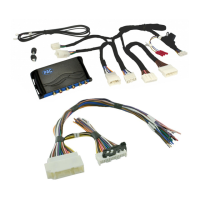
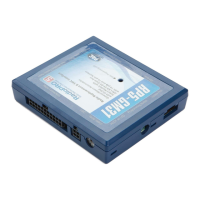
APSUB-GM61
Restoring Factory Settings
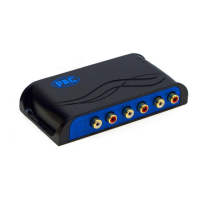
You can restore the interface to factory default settings by pressing and holding the programming button on the side of the module
for 10 seconds until the status LEDs start blinking red. Once the LEDs start blinking red, release the button.
This reset will restore the following settings to their factory defaults:
• Minimum volume level
• Enable / Disable factory EQ
• Factory EQ frequency
• Factory EQ Q factor
• Radio Tuner Setting (when set by using the Home button). See Troubleshooting section 3 for more information.
Troubleshooting
1. Low volume setting on radio is too loud - Set the minimum volume using process outlined in Setup and Conguration, or using
the AmpPRO PC app.
2. If for any reason the APSUB module becomes unresponsive, or will not power up with the key on, you can always reset the
interface by turning the key to the ignition position, then pressing and holding the Power button on the factory radio for 12
seconds or by pressing and holding the reset button on the side of the APSUB module for 10 seconds (until the LEDs alternate
ashing red).
3. No audio out of the left channel when in AM, FM or XM bands (only seen in non-Bose applications) - If you have access to the
APSUB-GM61, ip DIP switch 3 down (on). If you do not have access to the APSUB-GM61, press and hold the Home button
(on the radio control panel) for 12 seconds until 2 chimes are heard through the radio. After this setting is enabled, when in
AM, FM, or XM sources, the left channel audio is a duplicate of the right channel audio. The other audio sources will not be
affected and will still have true stereo separation.
LED Legend
LED 1
Action/Color During Normal Operation
Solid Red Module Active
Solid Amber Minimum Volume Adjustment Mode
Rapid Blink Any Color DSP Activity
LED 2 Blinking Amber USB Connection Detected
Both LEDs Alternate Blinking Red Performing Memory Reset
Technical Support
Email: support@PAC-audio.com
Phone: 727-592-5991
Chat: PAC-Audio.com


 To Previous Page