Manual and Automatic Modes
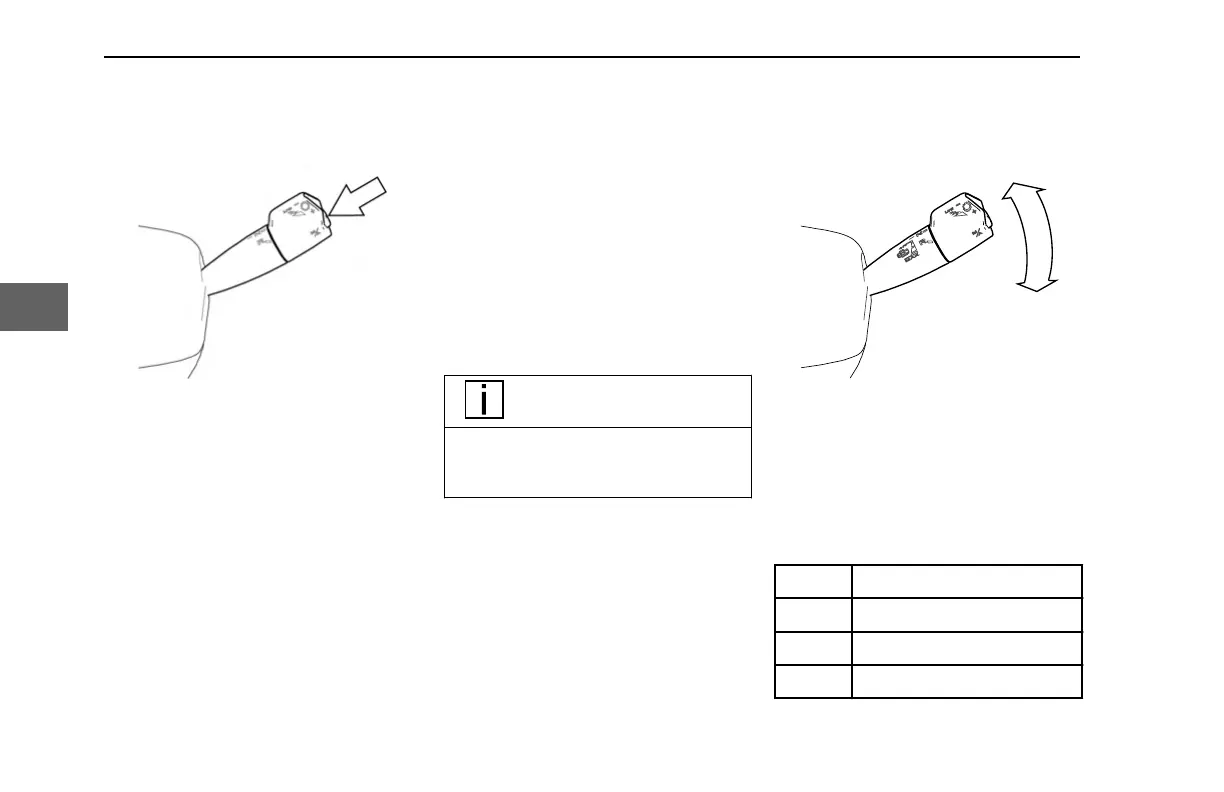
Pressing this button places the
transmission in Manual mode. Manual
mode allows the operator to select the gear
(See Upshifting and Downshifting on page
29).
To activate, place the column shifter in
Drive mode (D
), and then depress the
Manual Mode Button. When Manual mode
is selected, an M is shown in the
Transmission Gear Display (See
Transmission Gear Display on page 23).
If Hold Gear mode is optioned, the Manual
Mode Button activates Hold Gear mode
(see Hold Gear Mode (option) on page 16).
Exiting Manual Mode
To exit Manual mode
•
Press the Manual Mode Button
• Place the column shifter in Neutral
(N)
Transmission Manual Override
If the vehicle is being back-driven and the
engine is approaching a higher than
acceptable engine operation range, the
transmission system will override Manual
mode and perform an upshift.
NOTE
The transmission initiates upshifts
from Drive,
Manual, and Low modes
for engine overspeed protection.
If the start gear is changed and it causes
the engine to lug at takeoff, the
transmission system will override Manual
mode and perform a downshift.
Engine Brake Operation
Moving the shifter down (clockwise) will
engage the engine brake, with each
downward position providing more engine
braking. The bottom-most position
(Position 4) is a momentary position and
activates MAX mode.
Position Amount of Engine Brake
Off 0 %
1 33%
2 66%
CONTROLS - Column Shifter
30 Y53-1349-1A1 (02/2022)
4



 To Next Page