USING THE ZAPPING WINDOW
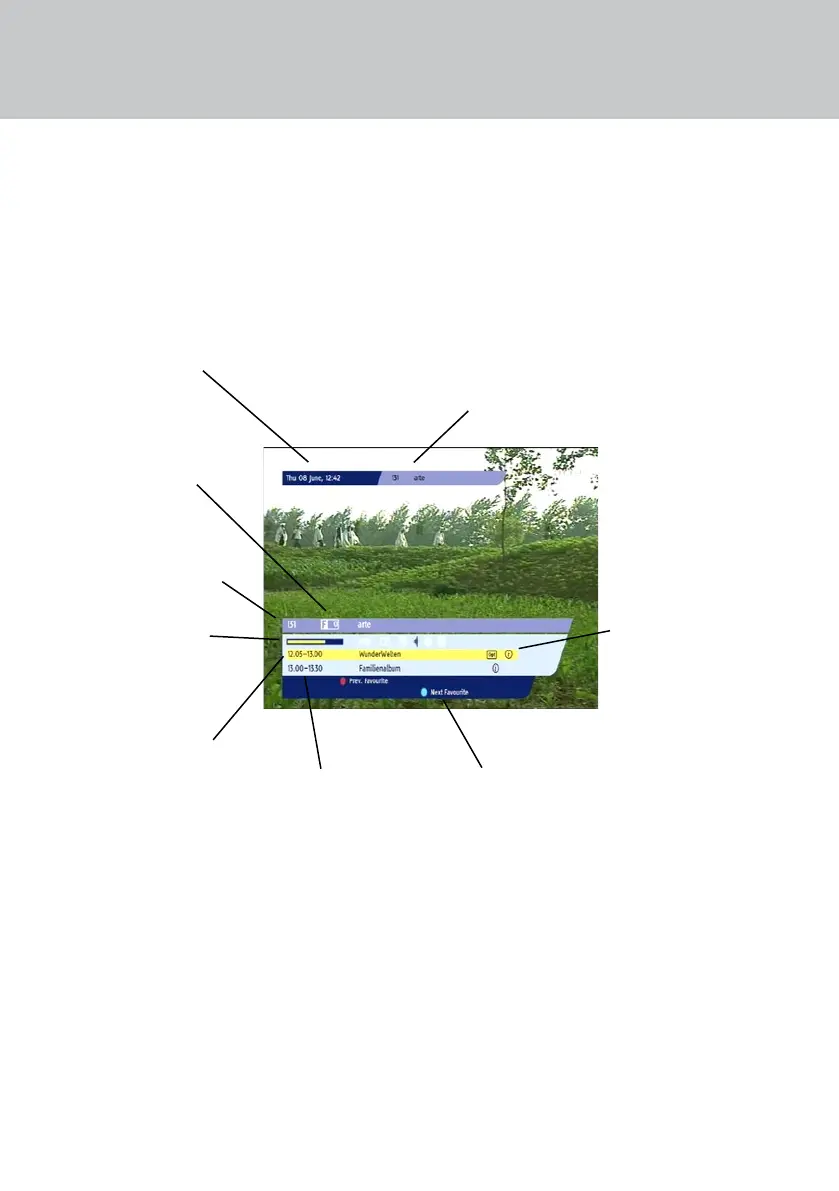
When you change channel, the Zapping Window
appears briey on the screen. To display the Zapping
Window at any other time, press the i button.
FINDING OUT MORE ABOUT WHAT’S ON
Current date and time
NOTE: You can adjust how long the Zapping
Window remains on the screen (see page 31).
The channel’s ‘short-
cut’ number in the
Favourites List
Number and name of
the channel showing in
the Zapping Window
Start and nish times
and the name of a
programme. At rst, the
current programme is
highlighted.
Start and nish times
and the name of the
next programme
The functions of some
of the buttons on your
remote control
Number and name of the
channel currently showing
on the TV
Various symbols can display
in the Zapping Window.
For their meanings, see
‘Symbols and codes that
display’ on page 19
A progress bar that
shows how much of the
current programme has
already been broadcast


 To Next Page