©2001 PACE Inc., Laurel, Maryland Page 16 of 20
All Rights Reserved
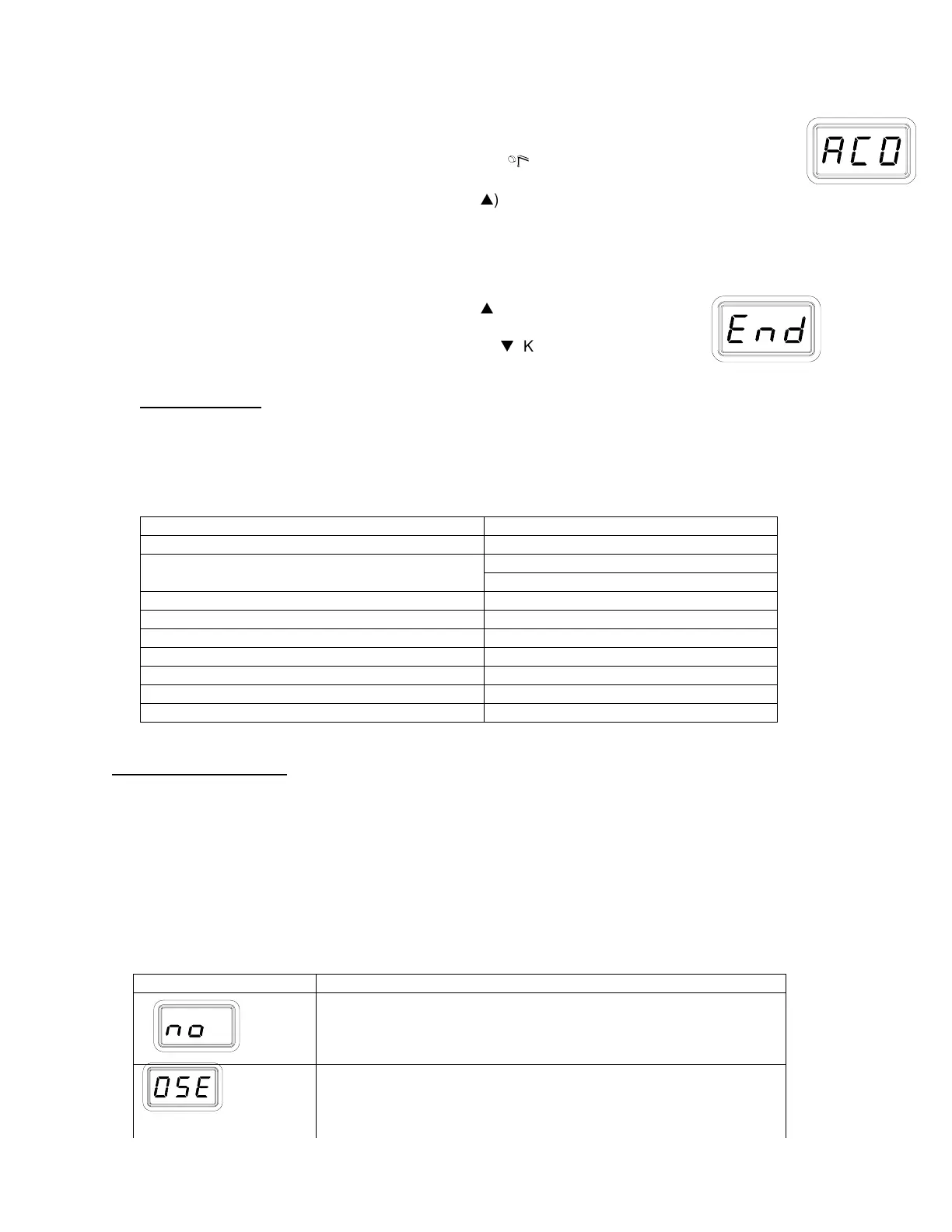
14. The LED Display now shows the Temperature Display Impedance mode as Enabled
or Disabled ("AC0" = Disabled and "AC1" = Enabled). Choose one of the following:
a) Press and release the Program Key (
) to keep the currently stored setting
(Disabled or Enabled).
b) Press and release the Scroll Up (
) Key to change the stored setting (Disabled
or Enabled). Press and release the Program Key to proceed to the next step.
Exiting Set-Up Mode
15. The LED Display now reads "End". The Set-Up Mode procedure is now complete.
Choose one of the following steps:
a) Press and release the Scroll Up (
) Key to exit Set-Up Mode
and return to normal operation.
b) Press and release the Scroll Down (
) Key to return to the start
of the Set-Up Mode procedure. Go back to step 4.
Factory Settings
The ST 45 and ST 55 systems come equipped with a number of features, which may be adjusted as
desired by the user. Listed below are the features and factory settings of each. To change and/or
learn about any of these features, refer to the applicable part of the “Customizing Your System”
section of this manual.
Feature Factory Setting
Password None Entered
°F for 115 VAC SystemsDefault Temperature Scale (°C/°F)
°C for 230 VAC Systems
“HI” (Upper) Temperature Limit 454 °C (850 °F)
“LO” (Lower)Temperature Limit 204 °C (400 °F)
Set Temperature “OFF”
Tip Offset Constant “0”
Temperature Setback Enabled, 30 minutes
Auto Off Enabled, 30 minutes
Temperature Display Impedance Mode Enabled
Table 1: Factory Settings
Corrective Maintenance
System Accuracy and Calibration
No calibration adjustments are necessary to maintain the accuracy of the system.
LED Display Message Codes
Listed below are message codes, which, may be shown on the LED Display if a mistake is made by
the operator (e.g., wrong Password entry) or if the system has malfunctioned.
LED Display Message Description
The incorrect password has been entered. The displayed
message will time out after 6 seconds and revert to normal
operation. Enter the correct password.
No handpiece is connected to the power receptacle. Connect
handpiece.



 To Next Page