3
How to run the machine
14
Subject to change without notice
Group II
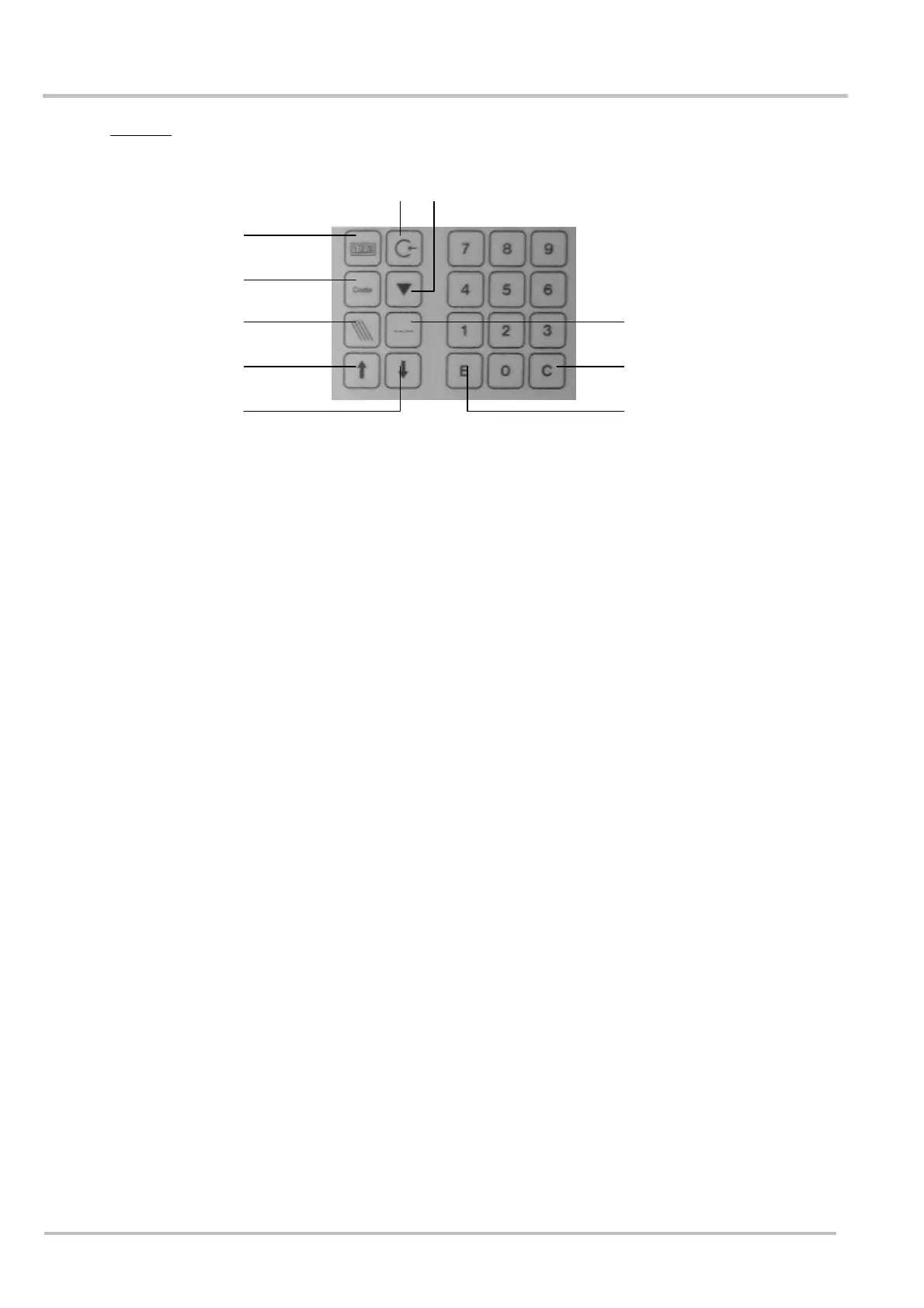
(1) Batch counter When this key is pressed, the display shows the standard
reading. The top row shows the results per hour and the speed
of the press drive. The lower row shows the actual amount of
products located in the shaft. By pressing again, the lower row
shows the pre-set batch count. The pre-set batch count can
also be altered in this mode.
Note: products considered to be waste, which were ejected via
the deflector, are not included.
(2) Total counter When this key is pressed, the lower row of the display shows
the amount of products which have been moved into the shaft
The total count can be deleted in this mode.
Note: products considered to be waste, which were ejected via
the deflector, are not included.
(3) Code When this key is pressed and the relevant code entered, the
machine parameters can be accessed.
(4) Setting Sheet By pressing this key, the next sheet which comes along will be
studied by the photocell near the round belts. All sheets
coming along after this one will be compared to it and, if
necessary, rejected.
(5) Stream delivery: By pressing this key, the machine is put into “stream delivery”
operating mode.
Note: This can be seen at the wide transport belts, which only
run when sheets are delivered to them.
(6) Single sheet By pressing this key, the machine is put into “single sheet”
operating mode.
Note: This can be seen at the wide transport belts, which run
permanently.
(7) Arrow upwards: Important machine parameters may be accessed directly using
this key.
(8) Arrow downwards: Important machine parameters may be accessed directly using
this key.
(9) Enter Key Pressing this key will store newly entered values.
(10) Delete Key Pressing this key will delete values called up.
(8) (9)
(5)
(10)
(6)
(7)
(1)
(3)
(2) (4)


 To Next Page