EasyManua.ls Logo

Panasonic AG-8700E - Page 31

Panasonic AG-8700E
66 pages
Print Icon
To Next Page IconTo Next Page
To Previous Page IconTo Previous Page
Loading...
}
i
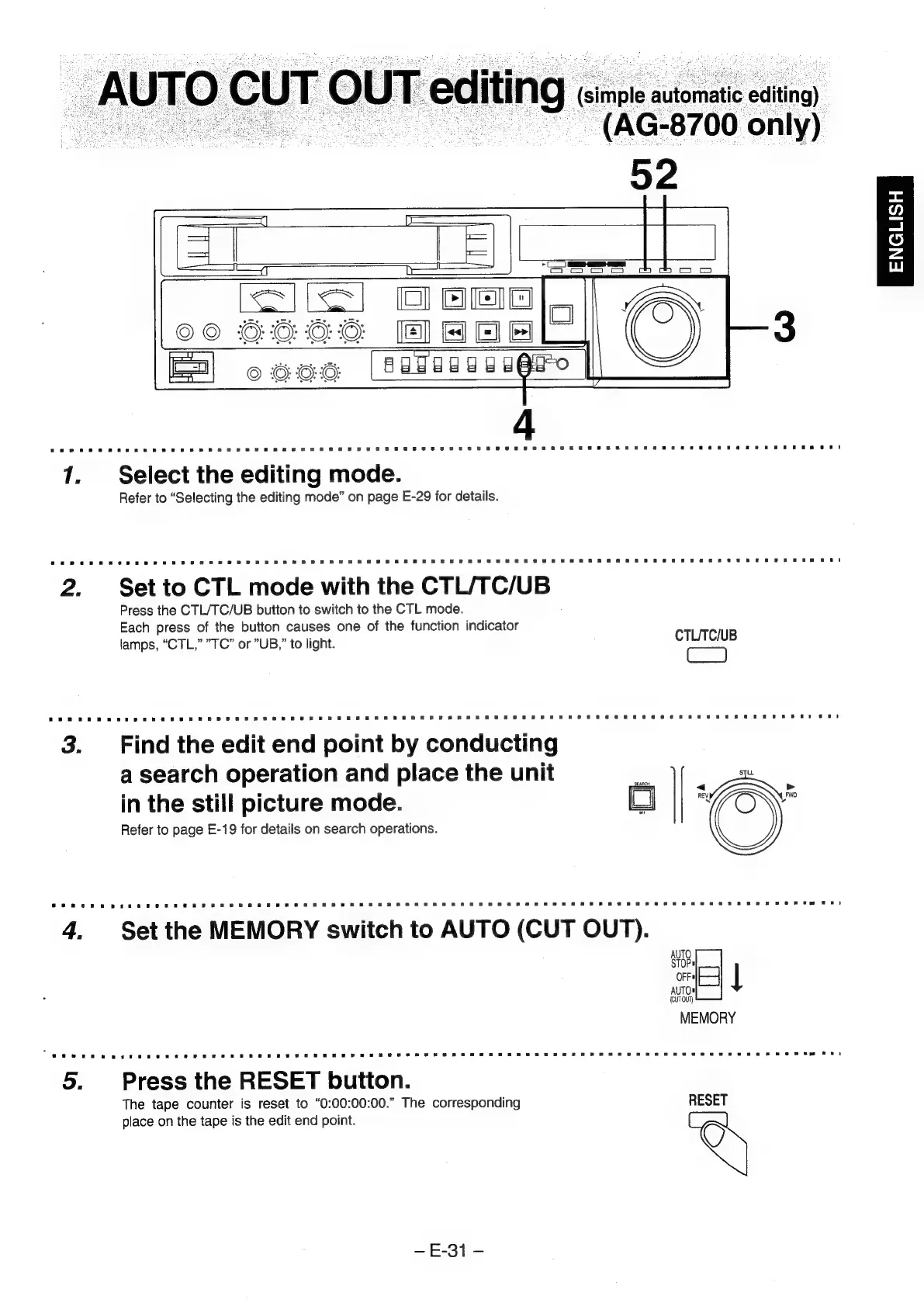
editing).
-(AG-8700
only)
ENGLISH
KEILS!
Oomo
CO
GOOO
HNO
©
OOO:
AGSEGUEEQEO
1.
Select
the
editing
mode.
Refer
to
“Selecting
the
editing
mode”
on
page
E-29
for
details.
2.
Setto
CTL
mode
with
the
CTL/TC/UB
Press
the
CTL/TC/UB
button
to
switch
to
the
CTL
mode.
Each
press
of
the
button
causes
one
of
the
function
indicator
lamps,
“CTL,”
"TC”
or
”UB,”
to
light.
CTLTC/UB
3.
Find
the
edit
end
point
by
conducting
a
search
operation
and
place
the
unit
.
. .
<
»-
in
the
still
picture
mode.
|
+S
Refer
to
page
E-19
for
details
on
search
operations.
Ee
OFFA
AUTO®
5
|
MEMORY
5.
Press
the
RESET
button.
The
tape
counter
is
reset
to
“0:00:00:00.”
The
corresponding
RESET
place
on
the
tape
is
the
edit
end
point.
Seat
=