EasyManua.ls Logo

Panasonic AG-8700E - Page 37

Panasonic AG-8700E
66 pages
Print Icon
To Next Page IconTo Next Page
To Previous Page IconTo Previous Page
Loading...
RESET
button
ENGLISH
oO
CO
GOOO
EIlEK
6.
Repeat
steps
3
to
5.
Set
all
the
items
whose
set-up
is
to
be
changed
to
the
desired
value.
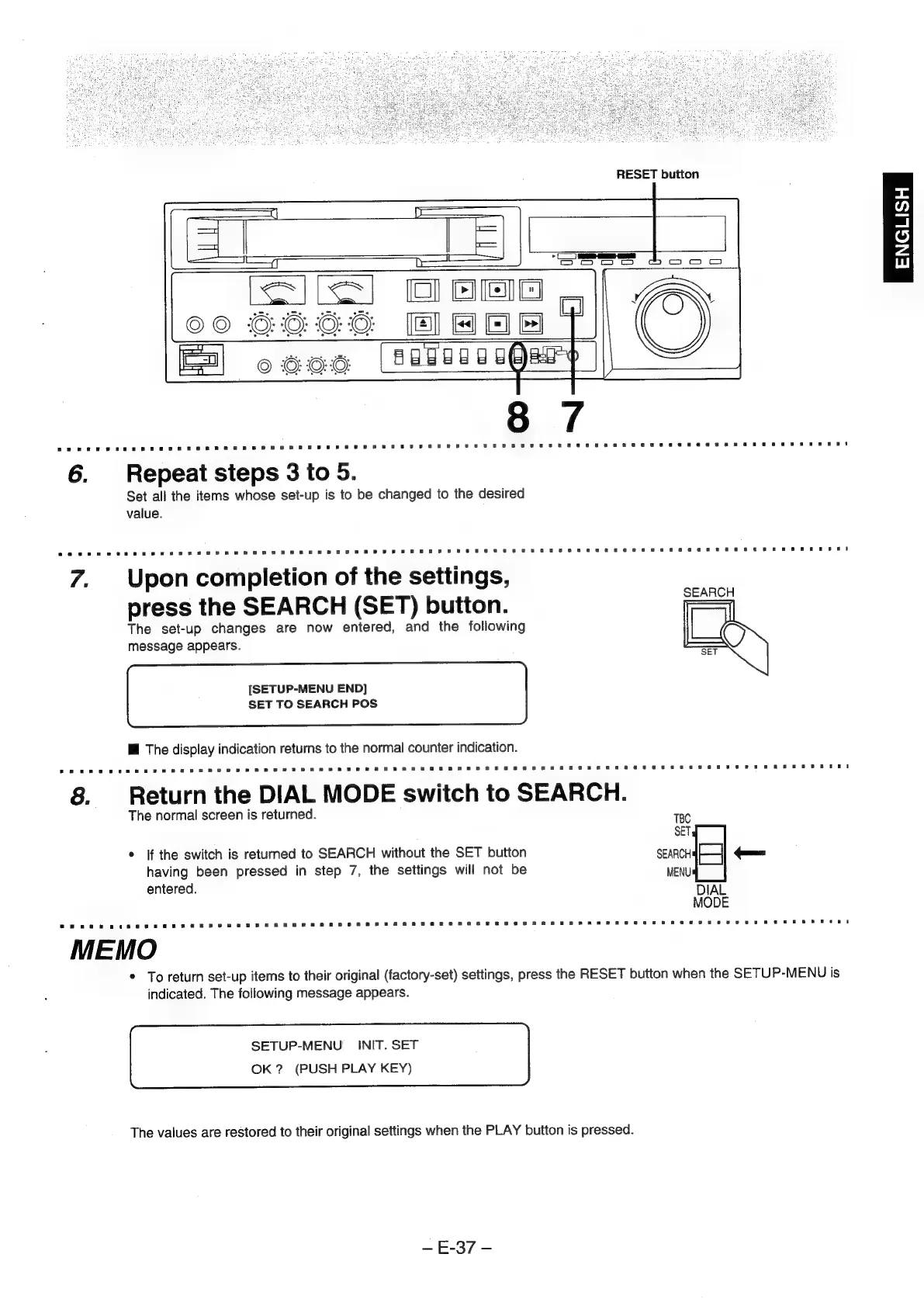
7.
Upon
completion
of
the
settings,
press
the
SEARCH
(SET)
button.
The
set-up
changes
are
now
entered,
and
the
following
message
appears.
[SETUP-MENU
END]
SET
TO
SEARCH
POS
Mf
The
display
indication
returns
to
the
normal
counter
indication.
8.
~
Return
the
DIAL
MODE
switch
to
SEARCH.
The
normal
screen
is
returned.
TBC
SET
*
If
the
switch
is
returned
to
SEARCH
without
the
SET
button
oo
==
having
been
pressed
in
step
7,
the
settings
will
not
be
MENU
entered.
DIAL
MODE
MEMO
*
To
return
set-up
items
to
their
original
(factory-set)
settings,
press
the
RESET
button
when
the
SETUP-MENU
is
indicated.
The
following
message
appears.
SETUP-MENU
_
INIT.
SET
OK?
(PUSH
PLAY
KEY)
The
values
are
restored
to
their
original
settings
when
the
PLAY
button
is
pressed.
—E-37
-