EasyManua.ls Logo

Panasonic AG-8700E - Page 49

Panasonic AG-8700E
66 pages
Print Icon
To Next Page IconTo Next Page
To Previous Page IconTo Previous Page
Loading...
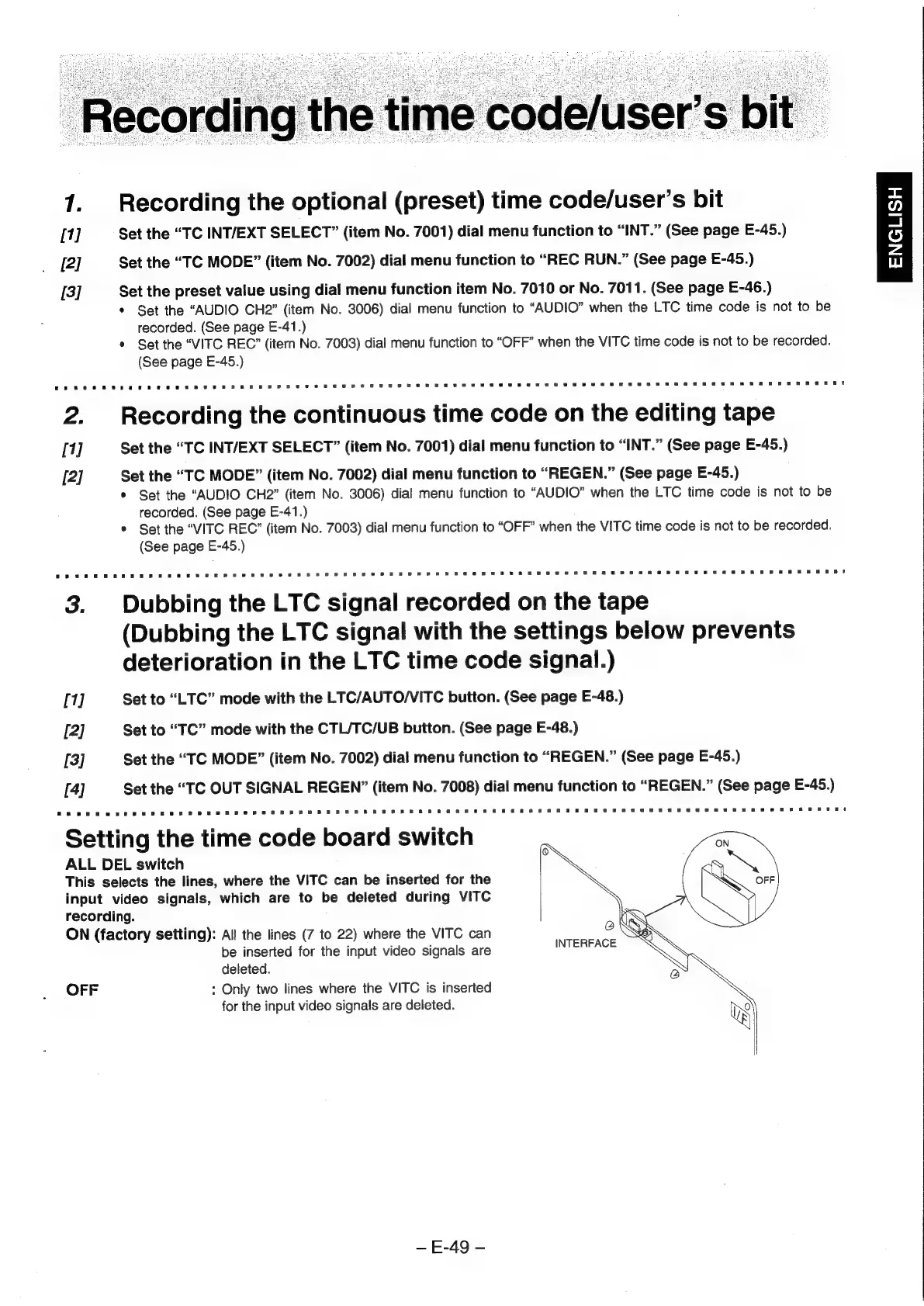
1.
Recording
the
optional
(preset)
time
code/user’s
bit
[1]
Set
the
“TC
INT/EXT
SELECT”
(item
No.
7001)
dial
menu
function
to
“INT.”
(See
page
E-45.)
[2]
Set
the
“TC
MODE”
(item
No.
7002)
dial
menu
function
to
“REC
RUN.”
(See
page
E-45.)
[3]
Set
the
preset
value
using
dial
menu
function
item
No.
7010
or
No.
7011.
(See
page
E-46.)
*
Set
the
“AUDIO
CH2”
(item
No.
3006)
dial
menu
function
to
“AUDIO”
when
the
LTC
time
code
is
not
to
be
recorded.
(See
page
E-41.)
*
Set
the
“VITC
REC”
(item
No.
7003)
dial
menu
function
to
“OFF”
when
the
VITC
time
code
is
not
to
be
recorded.
(See
page
E-45.)
2.
Recarding
the
continuous
time
code
on
the
editing
tape
[1]
Set
the
“TC
INT/EXT
SELECT”
(item
No.
7001)
dial
menu
function
to
“INT.”
(See
page
E-45.)
[2]
Set
the
“TC
MODE”
(item
No.
7002)
dial
menu
function
to
“REGEN.”
(See
page
E-45.)
*
Set
the
“AUDIO
CH2”
(item
No.
3006)
dial
menu
function
to
“AUDIO”
when
the
LTC
time
code
is
not
to
be
recorded.
(See
page
E-41.)
°
Set
the
“VITC
REC’
(item
No.
7003)
dial
menu
function
to
“OFF”
when
the
VITC
time
code
is
not
to
be
recorded.
(See
page
E-45.)
3.
Dubbing
the
LTC
signal
recorded
on
the
tape
(Dubbing
the
LTC
signal
with
the
settings
below
prevents
deterioration
in
the
LTC
time
code
signal.)
[1]
Set
to
“LTC”
mode
with
the
LTC/AUTO/VITC
button.
(See
page
E-48.)
[2]
Set
to
“TC”
mode
with
the
CTL/TC/UB
button.
(See
page
E-48.)
[3]
Set
the
“TC
MODE”
(item
No.
7002)
dial
menu
function
to
“REGEN.”
(See
page
E-45.)
[4]
Set
the
“TC
OUT
SIGNAL
REGEN”
(item
No.
7008)
dial
menu
function
to
“REGEN.”
(See
page
E-45.)
Setting
the
time
code
board
switch
ALL
DEL
switch
This
selects
the
lines,
where
the
VITC
can
be
inserted
for
the
input
video
signals,
which
are
to
be
deleted
during
VITC
recording.
ON
(factory
setting):
All
the
lines
(7
to
22)
where
the
VITC
can
be
inserted
for
the
input
video
signals
are
deleted.
OFF
:
Only
two
lines
where
the
VITC
is
inserted
for
the
input
video
signals
are
deleted.
~
E-49
-
ENGLISH