EasyManua.ls Logo

Panasonic AG-8700E - Page 7

Panasonic AG-8700E
66 pages
Print Icon
To Next Page IconTo Next Page
To Previous Page IconTo Previous Page
Loading...
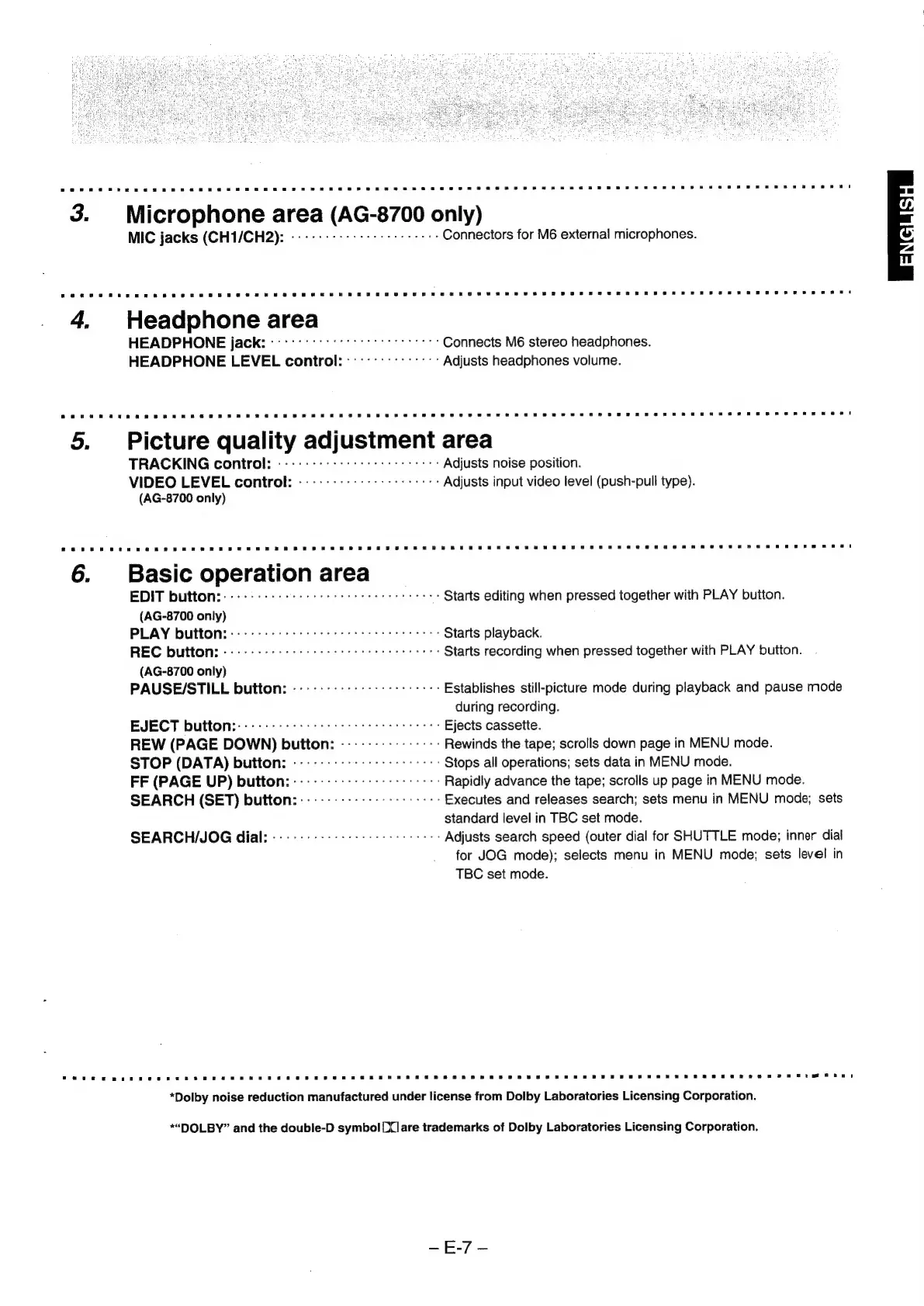
3.
Microphone
area
(AG-8700
only)
MIC
jacks
(CH1/CH2):
«----------
+s
sere
Connectors
for
M6
external
microphones.
4,
Headphone
area
HEADPHONE
jack:
'--
oct
Connects
M6
stereo
headphones.
HEADPHONE
LEVEL
control:
---::--------:
Adjusts
headphones
volume.
5.
Picture
quality
adjustment
area
TRACKING
control:
-------+-:+-
sss
se
Adjusts
noise
position.
VIDEO
LEVEL
control:
-----------------:+->
Adjusts
input
video
level
(push-pull
type).
(AG-8700
only)
6.
Basic
operation
area
EDIT
button:
.----
++
+s:
sr
crete
Starts
editing
when
pressed
together
with
PLAY
button.
(AG-8700
only)
PLAY
button:::---:-
ccc
e
cee
Starts
playback.
REC
button:
--------
essere
eee
Starts
recording
when
pressed
together
with
PLAY
button.
(AG-8700
only)
PAUSE/STILL
button:
----------:---ses
eee
Establishes
still-picture
mode
during
playback
and
pause
mode
during
recording.
EJECT
button::----------:
seer
etree
Ejects
cassette.
REW
(PAGE
DOWN)
button:
---------------
Rewinds
the
tape;
scrolls
down
page
in
MENU
mode.
STOP
(DATA)
button:
------
++.)
seer
Stops
all
operations;
sets
data
in
MENU
mode.
FF
(PAGE
UP)
button::-------
+--+:
0s
0s
se
Rapidly
advance
the
tape;
scrolls
up
page
in
MENU
mode.
SEARCH
(SET)
button:
------------
+--+:
00+:
Executes
and
releases
search;
sets
menu
in
MENU
mode;
sets
standard
level
in
TBC
set
mode.
SEARCH/JOG
dial:
--------:---
sss
secre
Adjusts
search
speed
(outer
dial
for
SHUTTLE
mode;
inner
dial
for
JOG
mode);
selects
menu
in
MENU
mode;
sets
level
in
TBC
set
mode.
*Dolby
noise
reduction
manufactured
under
license
from
Dolby
Laboratories
Licensing
Corporation.
*“DOLBY”
and
the
double-D
symbol
[X]are
trademarks
of
Dolby
Laboratories
Licensing
Corporation.

Related product manuals