27
Menu operations
Entering the menu data (continued)
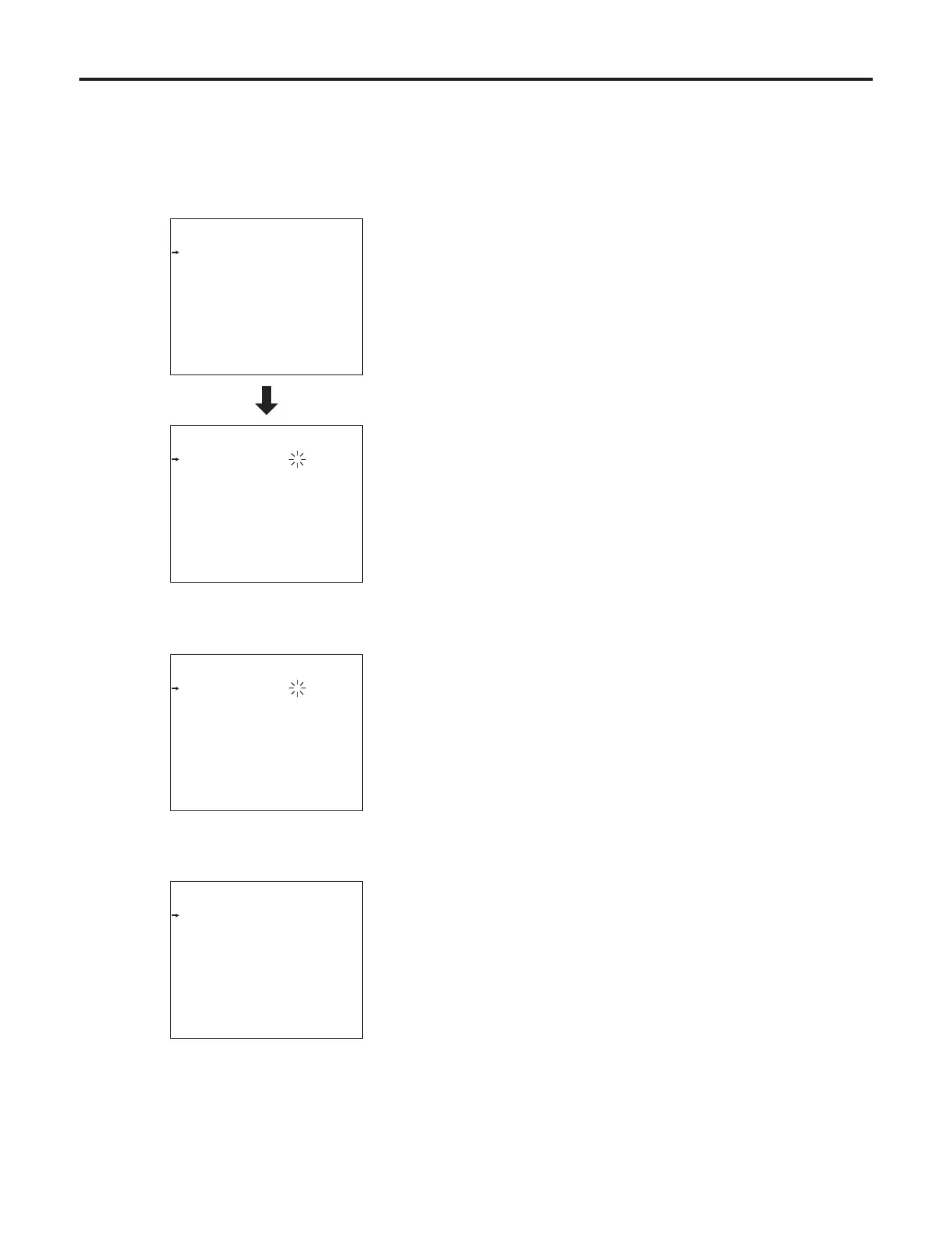
When the setting flashes one character at a time, press
the JOG dial to move the flashing toward the right.
1 When the JOG dial is pressed, flashing moves toward
the right.
Set t in g3
RET 1 I D A BC DE
RET 2 I D I JK LM
RET 3 I D Q RS TU
RET 4 I D Y Z0 12
Gai n S W L OW 0d B
Gai n S W M ID 6d B
Gai n S W H IG H 1 2d B
ID C ha ra c te r A BC DE FG H IJ
RET - C Se l ec t 1
RET - A+ RE T -B R ET -C
Set t in g3
RET 1 I D A BC DE
RET 2 I D I JK LM
RET 3 I D Q RS TU
RET 4 I D Y Z0 12
Gai n S W L OW 0d B
Gai n S W M ID 6d B
Gai n S W H IG H 1 2d B
ID C ha ra c te r A BC DE FG H IJ
RET - C Se l ec t 1
RET - A+ RE T -B R ET -C
2 Turn the JOG dial to change the setting.
Set t in g3
RET 1 I D A MC DE
RET 2 I D I JK LM
RET 3 I D Q RS TU
RET 4 I D Y Z0 12
Gai n S W L OW 0d B
Gai n S W M ID 6d B
Gai n S W H IG H 1 2d B
ID C ha ra c te r A BC DE FG H IJ
RET - C Se l ec t 1
RET - A+ RE T -B R ET -C
3 When the JOG dial is now pressed, the data is entered.
Set t in g3
RET 1 I D A MC DE
RET 2 I D I JK LM
RET 3 I D Q RS TU
RET 4 I D Y Z0 12
Gai n S W L OW 0d B
Gai n S W M ID 6d B
Gai n S W H IG H 1 2d B
ID C ha ra c te r A BC DE FG H IJ
RET - C Se l ec t 1
RET - A+ RE T -B R ET -C









 To Next Page