15
Performing the viewfinder adjustments
(The viewfinder is an optional accessory.)
Attaching the viewfinder
1 Check that the camera’s POWER switch is at the OFF
position.
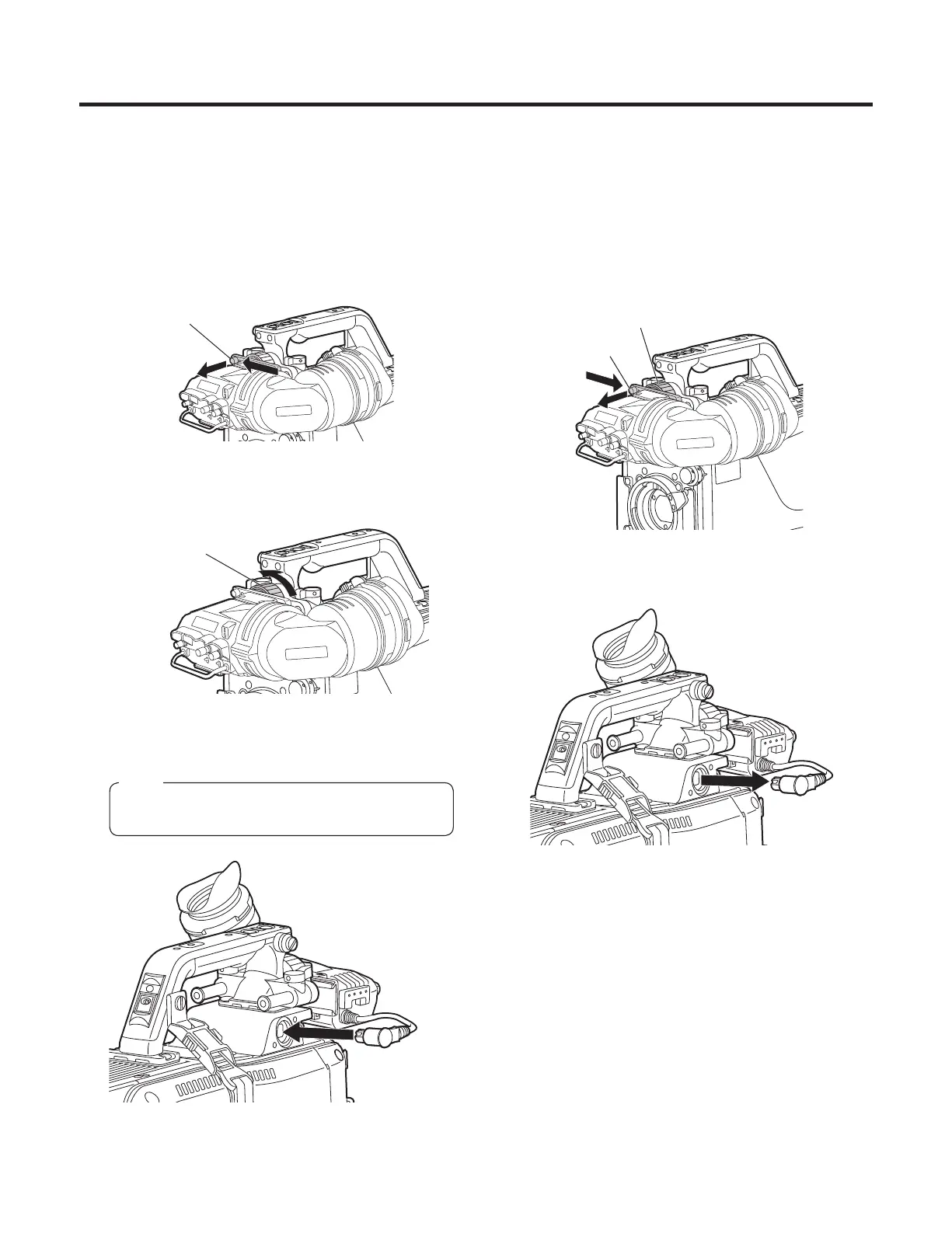
2 Pull up the knob on the mounting plate and slide the
plate to attach the viewfinder.
Pull up the knob
3 Tighten the stopper screw securely.
Stopper screw
4 Connect the plug to the VF connector.
When connecting the plug to the VF connector,
ensure that it is fully and securely inserted.
Note
Detaching the viewfinder
1 Check that the camera’s POWER switch is at the OFF
position.
2 Loosen the stopper screw, pull up the knob on the
mounting plate and slide the viewfinder along and off
the plate.
Stopper screw
Pull up the knob
3 Disconnect the plug from the VF connector.




 To Next Page