17
Connecting a microphone
When the microphone is mounted on
the viewfinder (optional accessory)
for use
A microphone such as the AJ-MC700 microphone kit
(optional accessory) can be mounted on the viewfinder.
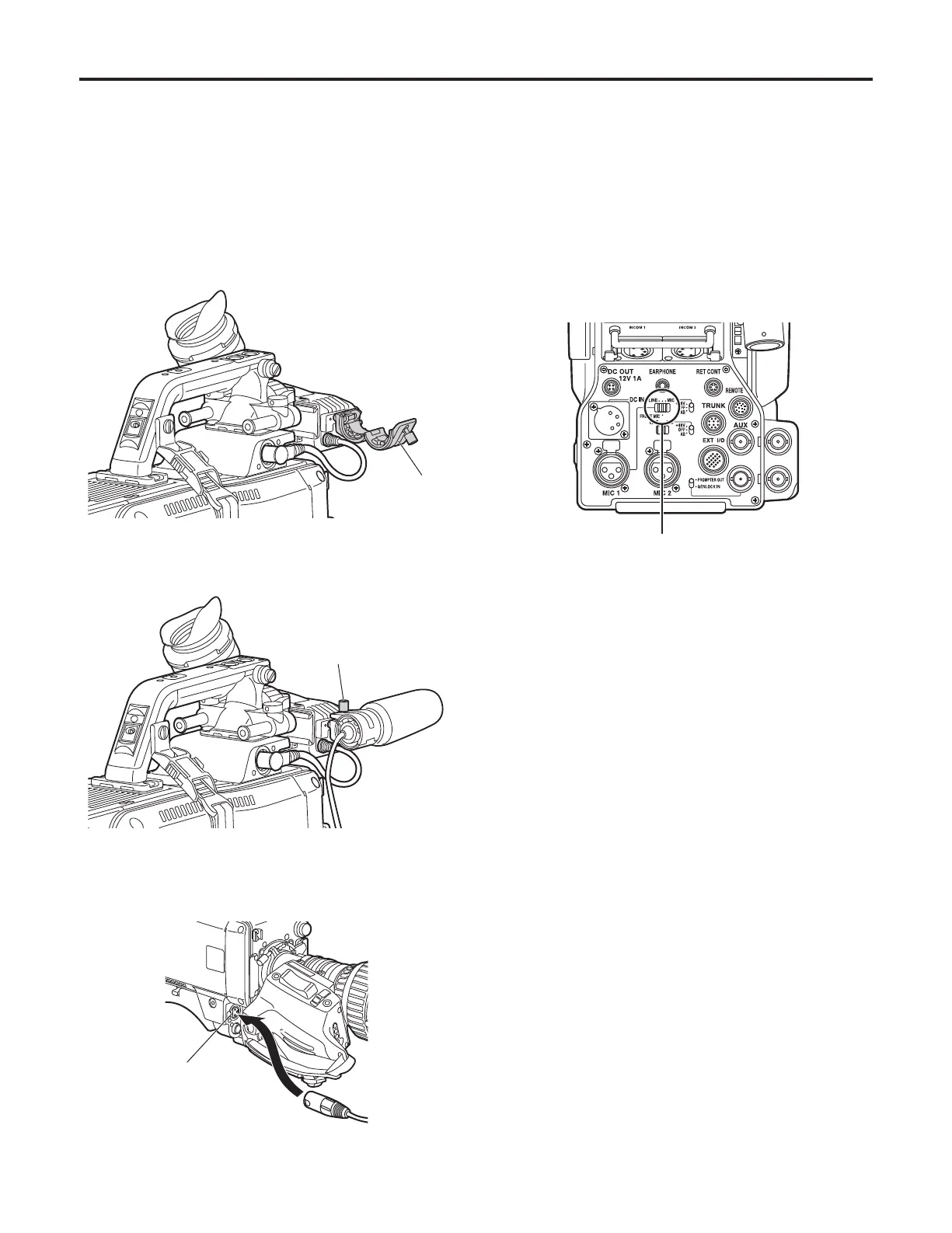
1 Open the microphone holder.
Microphone
holder
2 Mount the microphone and tighten up the clamp screw.
Clamp screw
3 Connect the microphone cable to the front MIC1
connector on the camera.
Front MIC1 connector
4 If the audio channel whose signals are to be recorded
so requires, set the MIC1 selector switch to FRONT
MIC.
MIC1 selector switch




 To Next Page