Operating Instructions
18
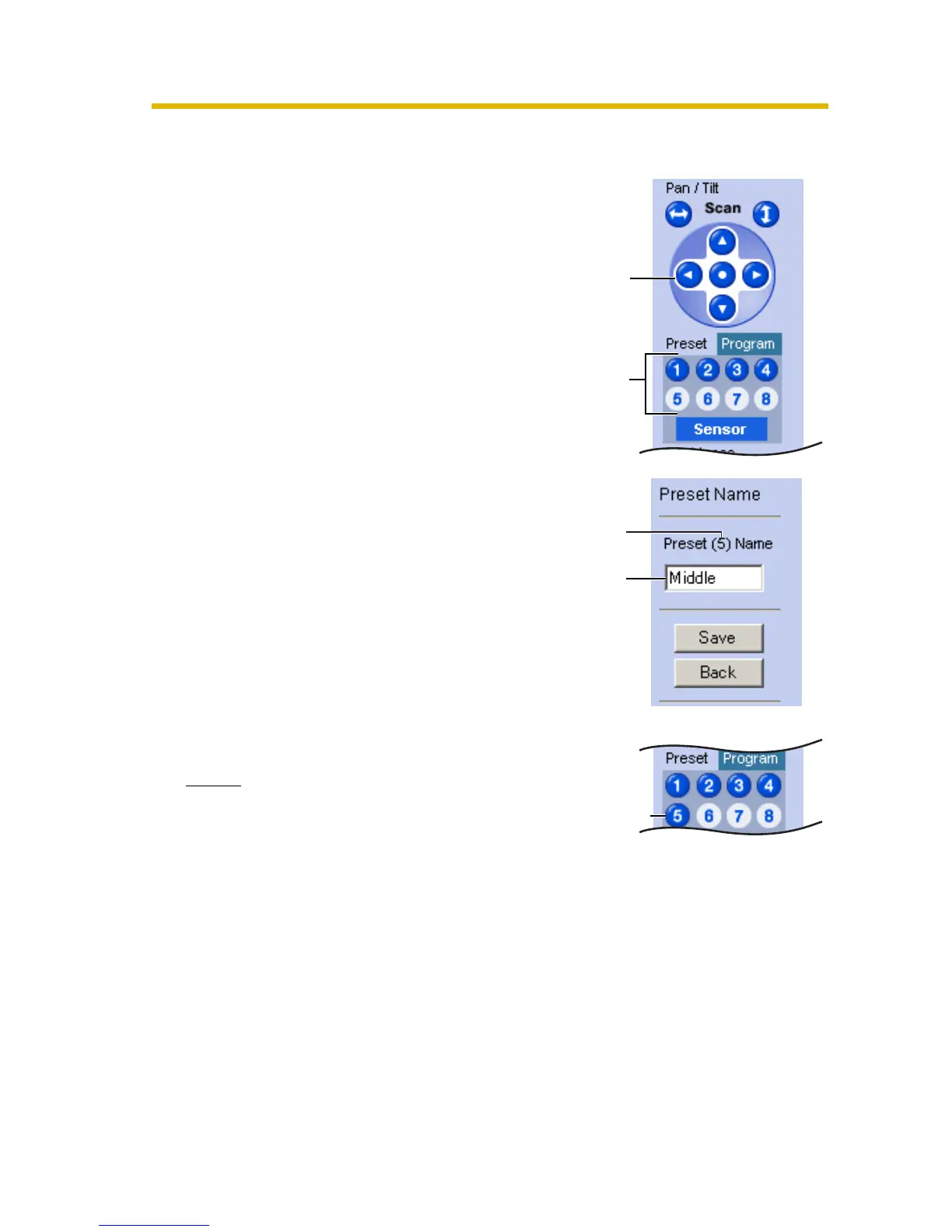
Registering a Preset Button
1.
Click [Program].
• [Program] switches to [Cancel].
Click [Cancel] to quit without saving
changes.
2. Pan and tilt the camera to a desired
position.
3. Click a preset button (1—8) to register.
E.g.:
Setting "Middle" for the preset 5.
4. Enter the preset name.
• Maximum 15 characters.
• Enter ASCII characters (see page
102) or characters in each
language. But [Space], ["], ['], [&], [<]
and [>] are not available.
5. Click [Save].
• When finished, "Success!" is
displayed.
• Clicking [Back] takes you back to the
previous page without changing the
settings.
6. Click [Back].
• The bar switches to the operation
bar.
Notes
• When registering preset buttons,
the camera also saves brightness
and white balance settings.
• Only an administrator can register
preset buttons.
Pan/Tilt
Setting
a name
The button
turns blue.
Preset
Preset
number











 To Next Page