Operating Instructions
54
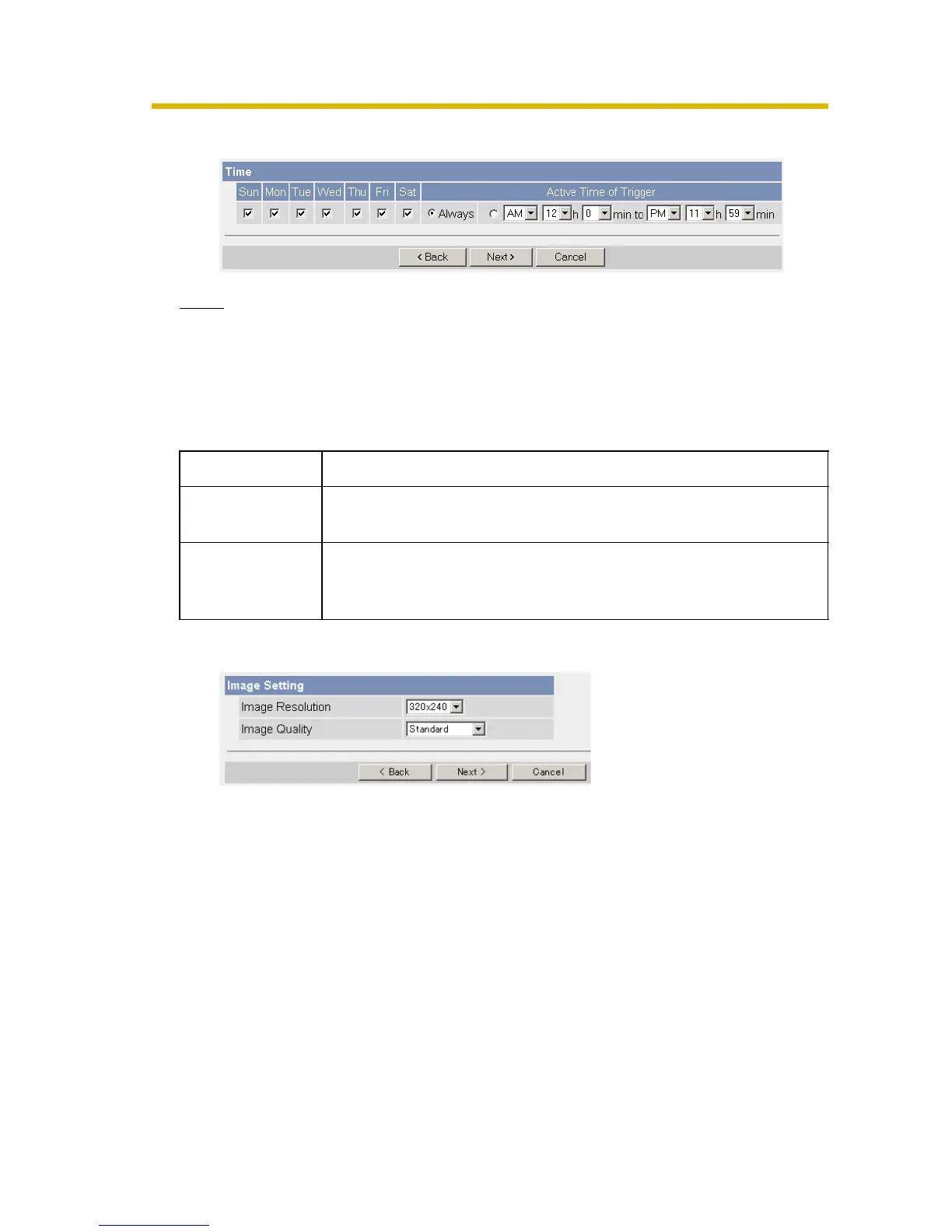
4. Set the time, and click [Next>].
Note
The timer works by an internal clock. Set the date and time before using timer
buffer/transfer (see page 36).
• Clicking [<Back] takes you back to the previous page.
• Clicking [Cancel] takes you back to the Image Buffer/Transfer page without
saving changes.
5. Set the image settings, and click [Next>].
• Clicking [<Back] takes you back to the previous page.
• Clicking [Cancel] takes you back to the Image Buffer/Transfer page without
saving changes.
Setting Description
A day of the
week
• Check the box to enable the day. Clear the box to disable it.
Active Time of
Trigger
• Select the [Always] option when you do not specify the time
period. If you specify the time period, select the time period
option and set the time period.











 To Next Page