Operating Instructions
9
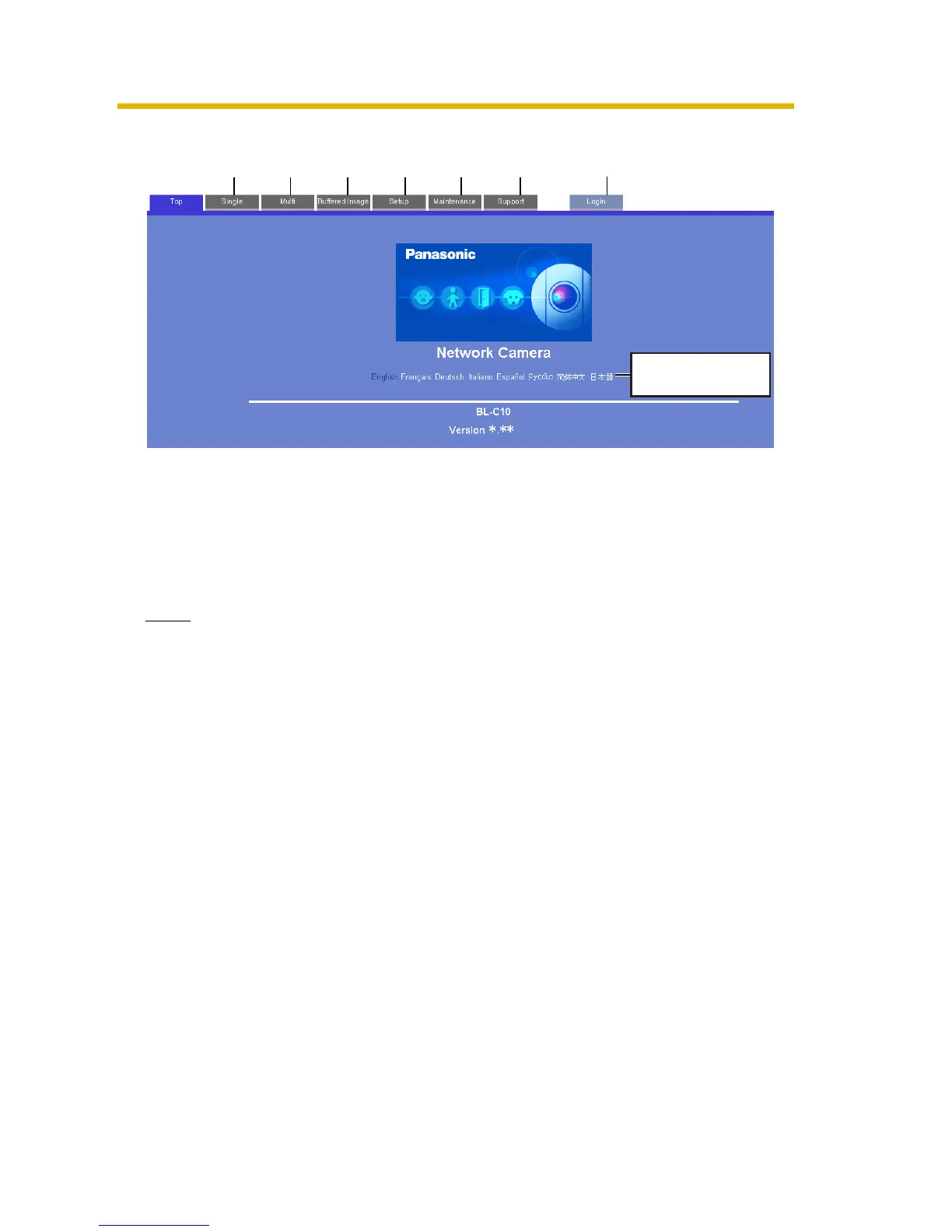
3. Click the following tabs to display each page.
Note
When users other than an administrator are accessing the camera, [Setup]
and [Maintenance] tab will not be displayed. Additionally, When [Do not permit
access from guest users] is set on the Security: Administrator page, [Login] tab
will not be displayed.
A To Single Camera page (page 10) B To Multi-Camera page (page 21)
C To Buffered Image page (page 23) D To Setup page (page 27)
E To Maintenance page (page 74) F To Support page (page 82)
GTo log in to the camera (page 45)
A B C D E F
Select a language
to display.
G











 To Next Page