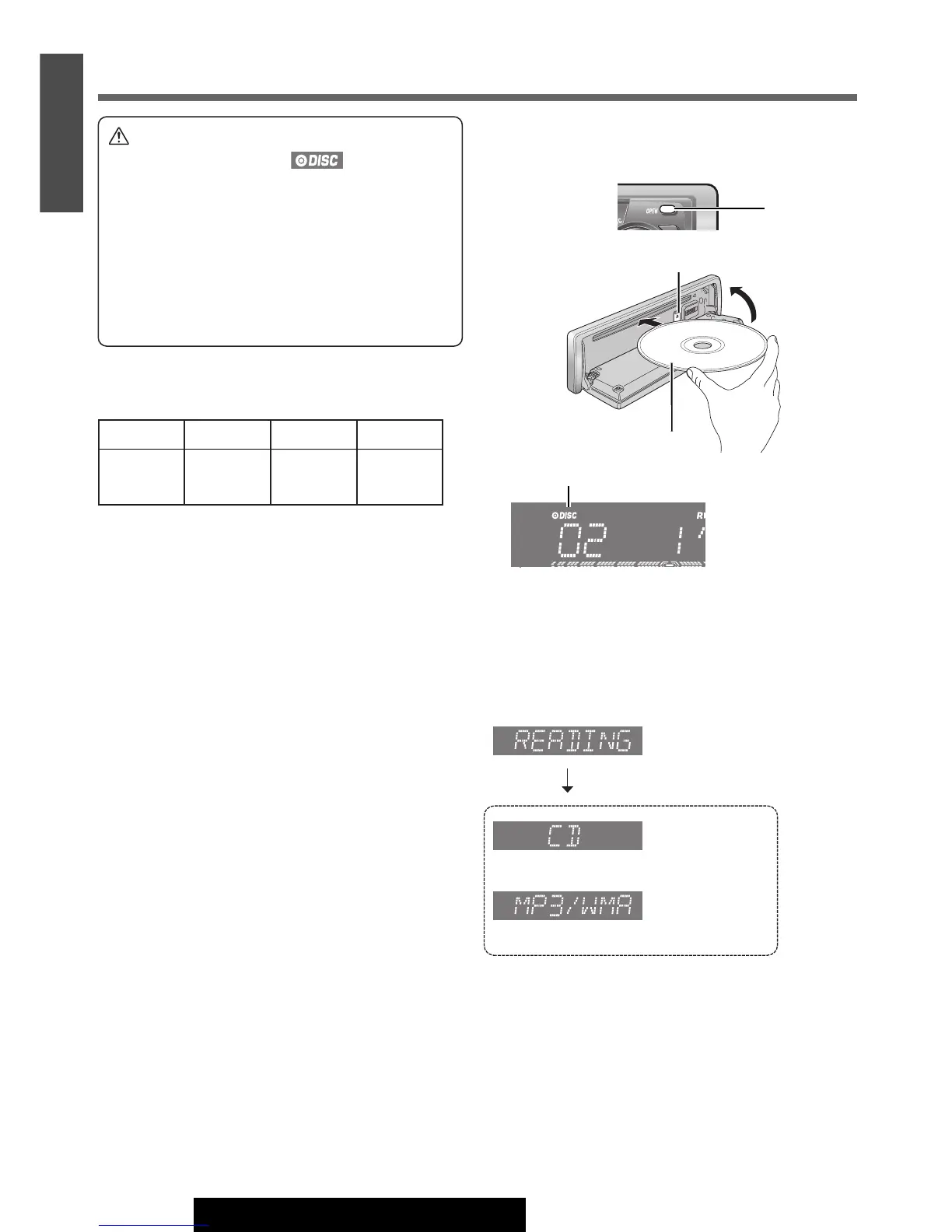
Disc Insert
q Press [OPEN].
w Insert a disc.
Note:
¡It may take some time to start playing.
e Close the face plate manually.
r Playback will start automatically after recognizing the
data of the loading disc.
OR
(
a Page 16 about MP3/WMA Player)
Disc Eject
q Press [OPEN].
w Press [u] and take the disc out.
e Close the face plate manually.
14
13
E
N
G
L
I
S
H
CQ-C3433U/C3403U/C3333U/C3303U
Before Disc Playback
Printed Side
Disc Indicator
[u] (Eject)
[OPEN]
CD-R CD-RW CD-TEXT CD-ROM
CD-DA CD-DA CD-DA –
MP3/WMA MP3/WMA – MP3/WMA
Caution
¡ Do not insert a disc when indicator lights
because a disc is already loaded.
¡ 8 cm {3”} discs are not available for this unit,
therefore, do not insert them.
¡ Do not use irregularly shaped discs.
¡ Do not use discs that have a seal or label attached.
¡ To avoid damaging the face plate, do not push it
down or place objects on it while it is open.
¡ Do not pinch your finger or hand in the face plate.
¡ Do not insert foreign objects into the disc slot.
Available Discs
Note:
¡ Refer to the section on “Notes on MP3/WMA” (a Page
18) and “Notes on Discs” (
a Page 25).
¡ The power will be turned on automatically when a disc
is loaded.
¡ A disc which has both CD-DA data and MP3/WMA data
on it may not be reproduced normally.




 To Next Page