Voice Solutions | Data Solutions | Mobile
T: 071-9667555
E:
W:
BUTTON PROGRAMING – ONE TOUCH DIALLING
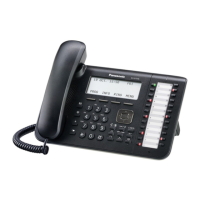
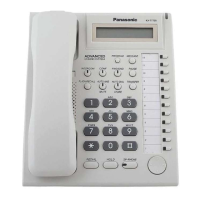
As an alternative of using your Personal Directory space you can assign spare DSS buttons to
frequently used numbers.
• Phone on idle, press PROGRAM button
• Press a spare DSS button
• Dial ‘2’ then ‘0’ then your desired phone number (max. 32 digits)
• Press ENTER or AUTODIAL/STORE button
• Confirmation tone
• Press EXIT
BUTTON PROGRAMING – EXTENSION
Create extension button at your phone which has not been assigned. Also use the same
procedure to change existing extensions.
• Press PROGRAM
• Press spare DSS button
• Dial ‘1’ followed by the extension number
• Press ENTER or AUTODIAL/STORE button
• Confirmation tone
• Press EXIT












 To Next Page