EasyManua.ls Logo

Panasonic ceCT-27D10 - Picture; Other Adjustments; Channels; Favorites

Panasonic ceCT-27D10
36 pages
Print Icon
To Next Page IconTo Next Page
To Previous Page IconTo Previous Page
Loading...
Special Features
PICTURE
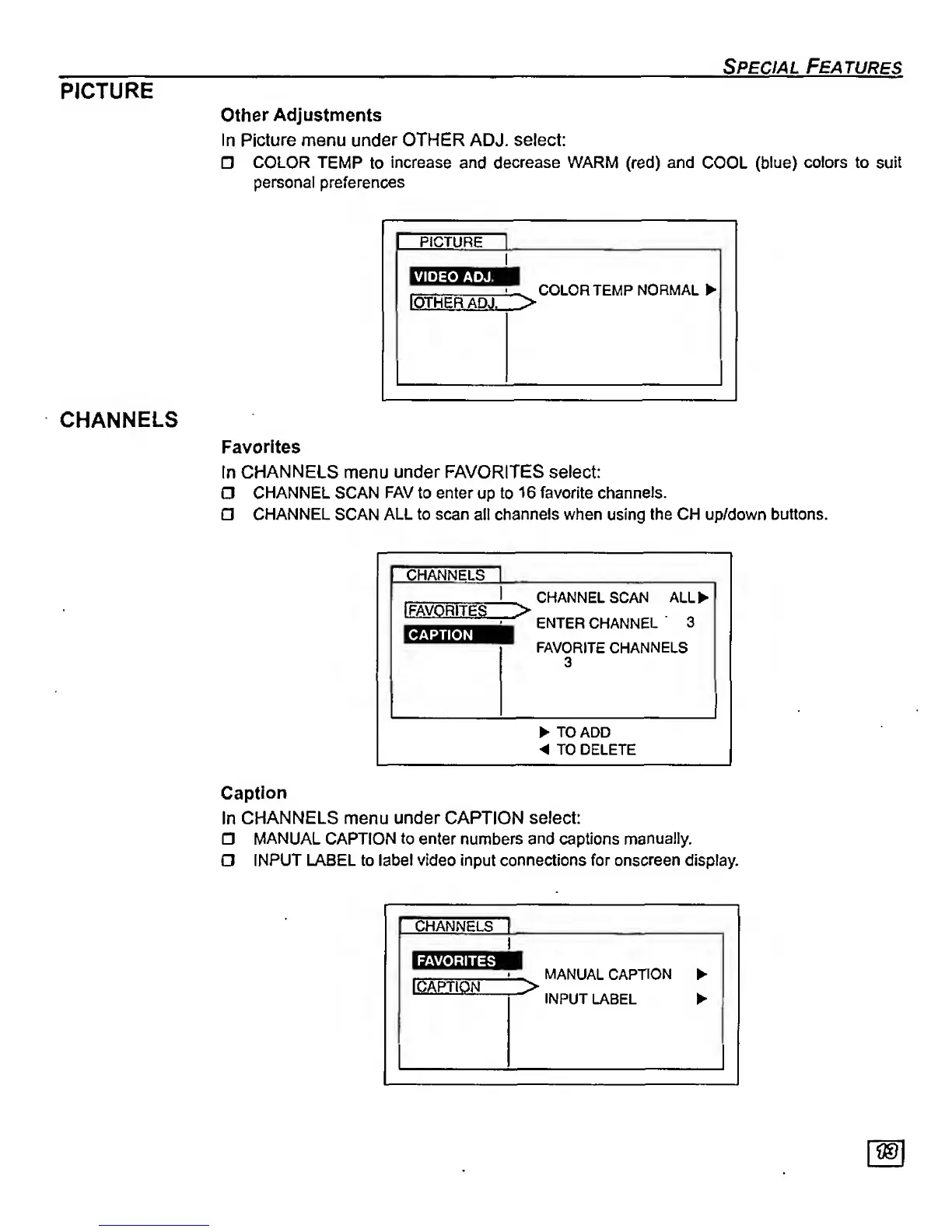
Other Adjustments
In
Picture menu under OTHER ADJ. select:
COLOR
TEMP
to
increase
and
decrease WARI\^
(red)
and
COOL
(blue)
colors to
suit
personal preferences
CHANNELS
PICTURE
VIDEO
ADJ.
IOTHERADJ.^>
COLOR TEMP
NORMAL
Favorites
In
CHANNELS
menu
under
FAVORITES
select:
O
CHANNEL SCAN FAV to enter
up
to
1
6 favorite
channels.
CHANNEL
SCAN
ALL to scan
all
channels when
using
the CH
up/down
buttons.
CHANNELS
I
FAVORITES
>
CAPTION
CHANNEL SCAN ALL^
ENTER CHANNEL
3
FAVORITE CHANNELS
3
TO ADD
< TO DELETE
Caption
In
CHANNELS
menu
under
CAPTION
select:
MANUAL
CAPTION
to enter
numbers
and
captions
manually.
n
INPUT LABEL
to
label video
input
connections for onscreen display.
CHANNELS
1
!
1
CAPTION
MANUAL CAPTION
INPUT
LABEL