EasyManua.ls Logo

Panasonic ceCT-27D10 - Troubleshooting Chart

Panasonic ceCT-27D10
36 pages
Print Icon
To Next Page IconTo Next Page
To Previous Page IconTo Previous Page
Loading...
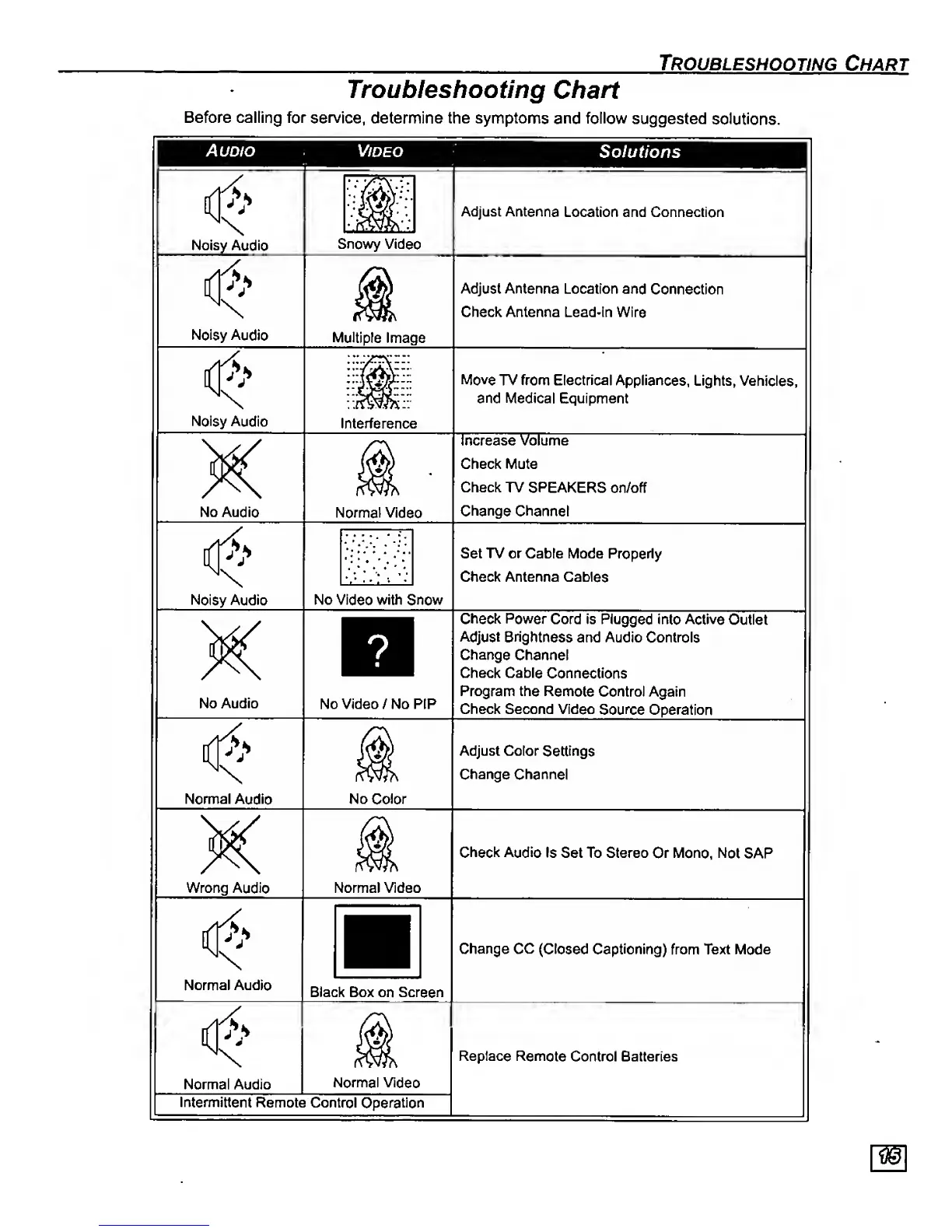
Troubleshooting
Chart
Troubleshooting
Chart
Before calling for
service,
determine the symptoms
and follow
suggested
solutions.
Audio
Noisy
Audio
Noisy Audio
Noisy Audio
No Audio
Noisy Audio
No Audio
Normal
Audio
Wrong
Audio
Normal Audio
Video
Solutions
Normal Audio
Nomnal
Video
Snowy Video
Multiple
Image
Interference
Normal Video
No Video
with
Snow
No
Video / No PIP
No
Color
Normal Video
Black Box on Screen
Intenmittent
Remote Control
Operation
Adjust
Antenna
Location and Connection
Adjust Antenna Location
and
Connection
Check Antenna Lead-in Wire
Move TV from Electrical
Appliances,
Lights, Vehicles,
and Medical Equipment
Increase Volume
Check Mute
Check TV
SPEAKERS
on/off
Change
Channel
Set TV or Cable Mode Properly
Check Antenna Cat}les
Check Power
Cord
is Plugged
into Active
Outlet
Adjust Brightness
and Audio
Controls
Change
Channel
Check Cable
Connections
Program the
Remote Control Again
Check Second
Video
Source
Operation
Adjust Color
Settings
Change
Channel
Check Audio
Is Set To Stereo
Or Mono, Not
SAP
Change CC
(Closed Captioning)
from Text
Mode
Replace
Remote
Control Batteries