49
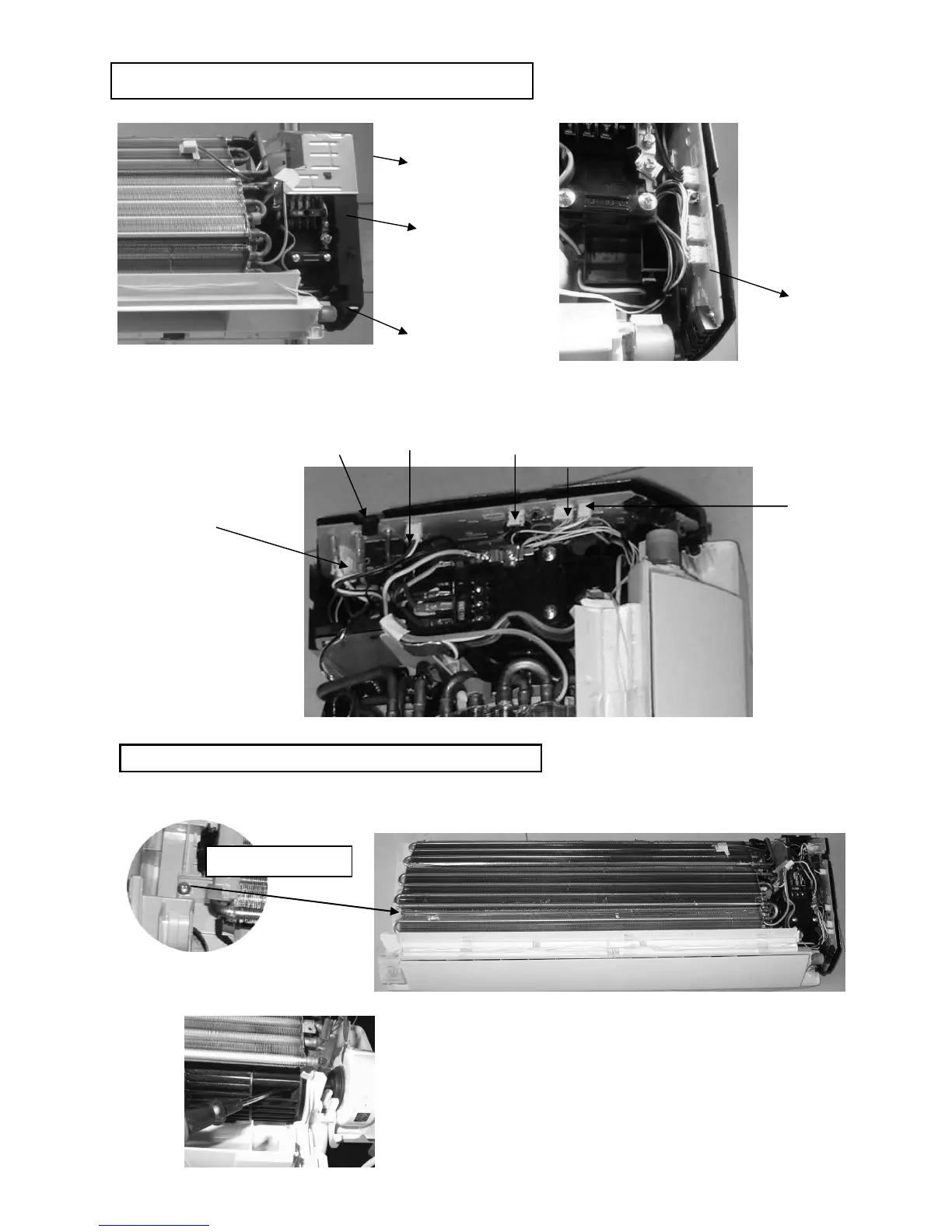
1. Remove top cover of C-box and PCB holder
2. Slightly pull out the supporting hook to the right side and pull up a bit the main PCB. Then release the lead wire
connected to CN-FM, CN-FB, CN-STM3, CN-HUMAN, CN-TH, AC2, AC4 on main PCB, disconnect the wire
connected to terminal 1(L), 3. The PCB can be taken out. Be careful to avoid cracking of the supporting hook.
1.Release fixing screws on both side, disassembly the fixing board from evaporator on the left side and pull out the
whole evaporator.
2.Loose the fixing screw of the cross flow fan.



 To Next Page