EasyManua.ls Logo

Panasonic CT-34WX50 - User Manual

Panasonic CT-34WX50
73 pages
Print Icon
To Next Page IconTo Next Page
Loading...
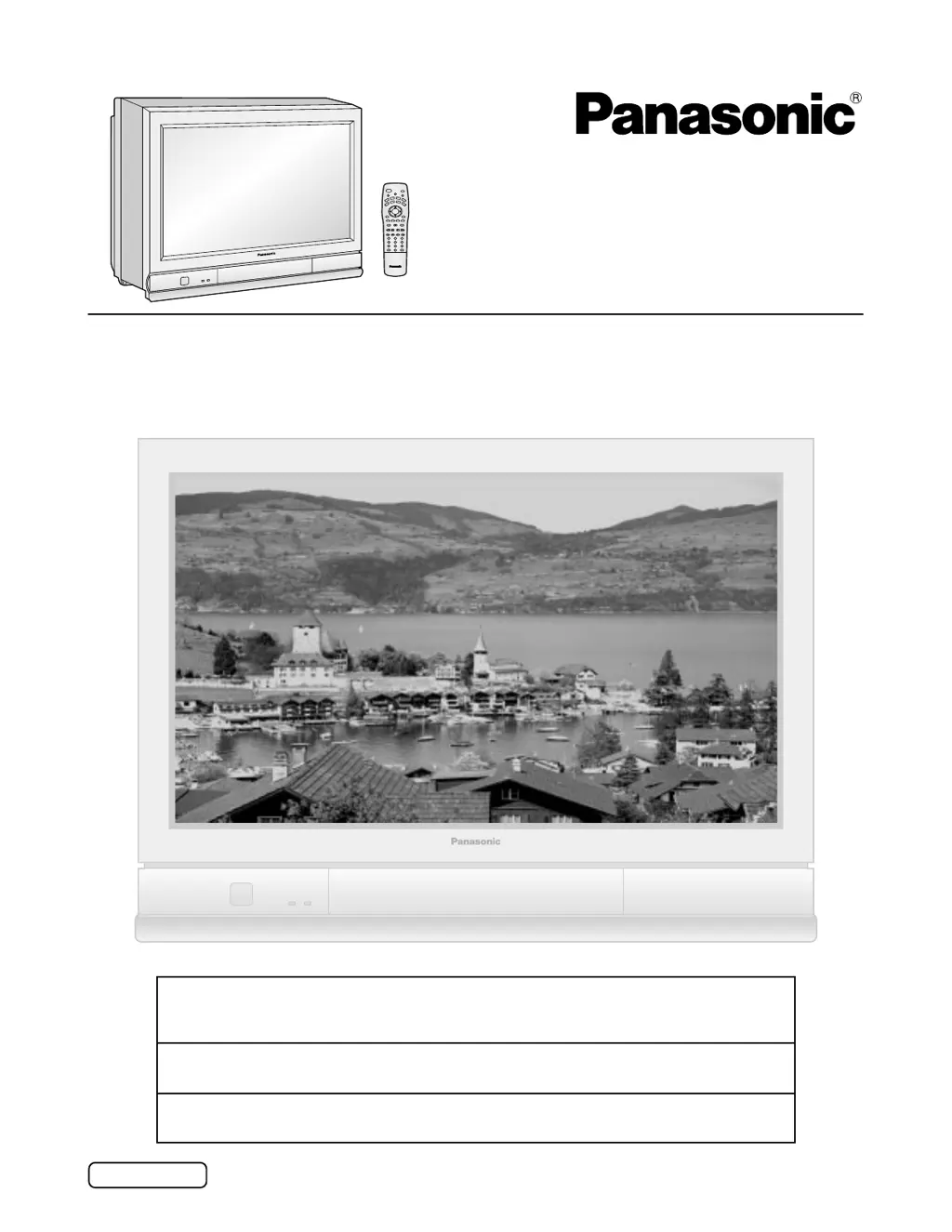
Wide Screen TV
Operating Instructions
Model No.
English
TQBC0213-2
CT-34WX50
For assistance, please call : 1-888-VIEW-PTV(843-9788)
or send e-mail to : consumerproducts@panasonic.com
or visit us at www.panasonic.co.jp/global/ (U.S.A)
For assistance, please call : 787-750-4300
or visit us at www.panasonic.com (Puerto Rico)
For assistance, please call : 1-800-561-5505
or visit us at www.panasonic.ca (Canada)

Table of Contents

Questions and Answers

  • N
    Norman LunaAug 12, 2025
    What to do if Panasonic CT-34WX50 power does not turn ON?
    • A
      Alexa ParkerAug 12, 2025
      If your Panasonic CRT TV isn't turning on, first ensure that the power plug is properly plugged in. If using the remote to turn on the TV, verify that the TV set is turned on.
  • J
    James BrownAug 16, 2025
    What to do if spots appear in Panasonic CT-34WX50 CRT TV images?
    • C
      Christina QuinnAug 16, 2025
      If spots appear in the images, images shake, or color patches appear in the four corners, this could be due to geomagnetism or interference from automobiles, trains, high voltage power lines, neon, motors, magnetic steel frames, or steel windows. To resolve this, turn off the power for approximately 20 minutes and then turn it back on, or try changing the TV's position. If the problem persists, the TV may require magnetic shielding.
  • T
    Tony PearsonAug 20, 2025
    Why is my Panasonic CT-34WX50 CRT TV image skewed?
    • B
      Benjamin ValdezAug 20, 2025
      A skewed image on your Panasonic CRT TV could be due to a geomagnetic effect. If the TV is installed facing south, the image might slant down to the right; if facing north, it might slant down to the left. To correct this, perform a geomagnetic correction using the Panasonic AUTO 4:3 NORMAL JUST setting.
  • K
    ktaylorAug 23, 2025
    What to do if Panasonic CRT TV remote control does not function?
    • C
      christopher73Aug 23, 2025
      If the remote control for your Panasonic CRT TV isn't working, first check if the batteries are dead or inserted incorrectly. Also, make sure the remote control sensor isn't in direct light from fluorescent lamps or other strong light sources.
  • A
    Andrew LucasAug 27, 2025
    How to fix doubled or tripled image on Panasonic CT-34WX50 CRT TV?
    • A
      abbottstevenAug 27, 2025
      If the image on your Panasonic CRT TV appears doubled or tripled, check if the antenna is facing the right direction. Also, consider whether the antenna might be receiving signals reflected off mountains or buildings.
  • G
    Gregory GreenAug 31, 2025
    Why is my Panasonic CT-34WX50 CRT TV image not clear?
    • K
      Kristen WilsonAug 31, 2025
      If the image on your Panasonic CRT TV is shaking, unclear, or shows color patches, or no color, check if the antenna or antenna cable is old, broken, or shorted. Ensure the antenna cable is connected properly. When using a VCR and selecting channels on the TV, verify that the TV/VIDEO mode for the VCR is set to TV.
  • T
    Tammy ThompsonSep 4, 2025
    What to do if image is cut off in ZOOM mode on Panasonic CT-34WX50 CRT TV?
    • C
      Carla TaylorSep 4, 2025
      If the image is cut off at the top and bottom during ZOOM or JUST modes on your Panasonic CRT TV, check if the screen position has been changed and adjust the screen positioning accordingly.
  • C
    Carol MendezSep 7, 2025
    How to remove channel number displayed on Panasonic CT-34WX50?
    • M
      Matthew DoyleSep 8, 2025
      To remove the displayed channel number on your Panasonic CRT TV, press the INFO/RECALL button. During VIDEO input, the channel number is displayed until an image is displayed.

Summary

Important Safety Instructions

Plug and Servicing Safety

Importance of grounding plug and servicing by qualified personnel.

Installation

Power Cord and Safety Precautions

Handling the power cord and preventing unit from falling.

Installation (Continued)

Antenna Connection to RF Terminal

Connecting an external antenna to the RF input terminal.

Antenna and Cable Connection Methods

Connecting home antenna or cable signals to the TV.

Connecting Peripheral Equipment via Input Terminals

Connecting VCRs and other devices to input terminals.

Component Video and AV Prog. Out Connections

Connecting component video sources and recording outputs.

Location of Controls

Illuminated Remote Control Overview

Description of remote control buttons and their functions.

Location of Controls (Continued)

TV Controls and Terminal Identification

Identification of physical controls and input/output terminals on the TV.

Power ON;OFF

Menu Adjustments Overview

Picture, Size, and Audio Adjustment Menus

Guide to adjusting picture, position, size, and audio settings.

Automatic Channel Programming

Scanning and Storing Channels Automatically

Guide for automatic channel scanning and programming.

Manual Channel Programming

Adding and Deleting Channels Manually

Guide for manual channel tuning and memory setup.

Aspect Ratio Controls

Aspect Ratio Modes Explained

Adjusting Screen Position and Size

Navigating to Screen Adjustment Menus

Steps to access screen position and size adjustments.

Screen Size and Position Adjustments

Audio Adjustments

Accessing and Adjusting Audio Settings

Guide to adjusting bass, treble, balance, and surround sound.

Audio Settings Details

Picture Adjustments

Basic Picture Setting Adjustments

Adjusting picture, brightness, color, tint, and sharpness.

Picture Adjustment Details

Advanced Picture Adjustments

Fine-Tuning Picture Settings

Advanced adjustments for professional picture quality.

Parental Lock Feature (V-Chip)

Setting Up Program Blocking

Configuring parental controls using rating systems.

Motion Picture Rating Lock

Locking and Unlocking Movie Ratings

Setting parental controls based on movie ratings.

TV Parental Status Lock

Setting Parental Controls for TV Programs

Configuring parental controls for TV broadcast ratings.

Operating Peripheral Equipment with Remote

Programming Remote Control with Access Codes

Setting up the remote for external devices using codes.

Operating Peripheral Equipment with Remote (Continued)

Remote Setup Using Step-and-Set Method

Programming the remote without specific codes.

Remote Control Key Function Reference

Final part of the reference for remote control key operations.

Troubleshooting Common Issues

Power and Remote Control Problems

Solutions for power not turning on or remote malfunction.

Image Quality and Display Issues

Troubleshooting distorted, shaky, or discolored images.

Troubleshooting Common Issues (Continued)

Product Specifications

Panasonic CT-34WX50 Specifications

General IconGeneral
Screen Size34 inches
Aspect Ratio16:9
TypeCRT TV
Resolution1080i
Display TechnologyCRT
HDTV CompatibilityYes
Scan Format1080i
Comb Filter3D Y/C Digital
Speakers2 (Built-in)
InputsComposite, S-Video, Component

Related product manuals