EasyManua.ls Logo

Panasonic CU-2473KR - Automatic Operation Mode; Temperature and Fan Speed in Auto

Panasonic CU-2473KR
22 pages
Print Icon
To Next Page IconTo Next Page
To Previous Page IconTo Previous Page
Loading...
@
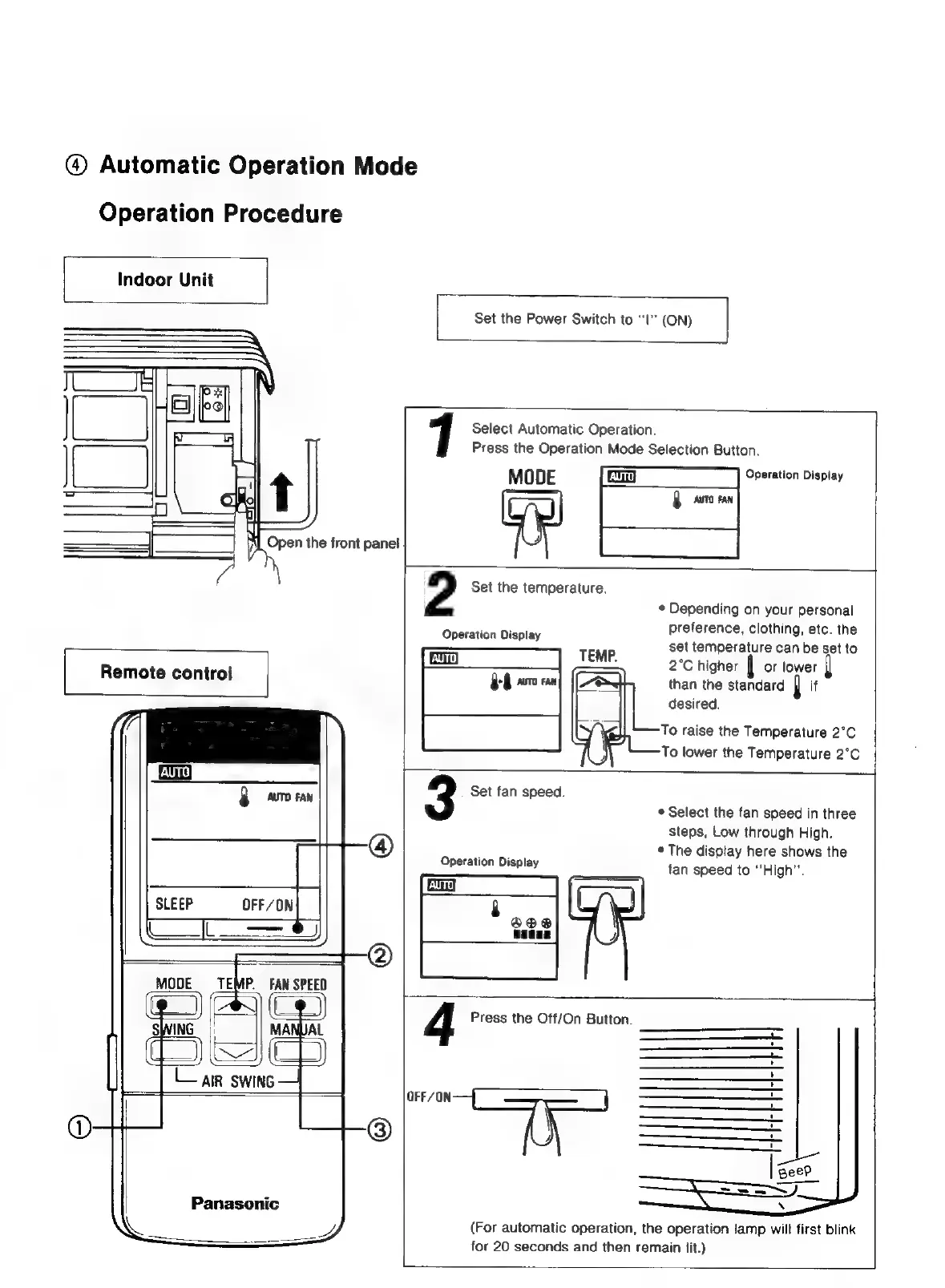
Automatic
Operation
Mode
Operation
Procedure
Indoor
Unit
|
Set
the
Power
Switch
to
“I
(ON)
Open
the
front
panel
Select
Automatic
Operation.
Press
the
Operation
Mode
Selection
Button.
MODE
Operation
Display
rr
1
2
Set
the
temperature.
Operation
Display
*
Depending
on
your
personal
preference,
clothing,
etc.
the
set
temperature
can
be
set
to
TEMP.
i
2°C
higher
|
or
lower
than
the
standard
J
it
desired.
To
raise
the
Temperature
2°C
To
lower
the
Temperature
2°C
3
Set
fan
speed.
*
Select
the
fan
speed
in
three
steps,
Low
through
High.
*
The
display
here
shows
the
fan
speed
to
“High”.
Operation
Display
Lair
swine
Panasonic
OFF/ON
4
Press
the
Off/On
Button.
(For
automatic
operation,
the
operation
lamp
will
first
blink
for
20
seconds
and
then
remain
lit.)

Related product manuals