EasyManua.ls Logo

Panasonic CU-2473KR - Timer Setting Procedures; Setting the ON-TIMER; Setting the OFF-TIMER

Panasonic CU-2473KR
22 pages
Print Icon
To Next Page IconTo Next Page
To Previous Page IconTo Previous Page
Loading...
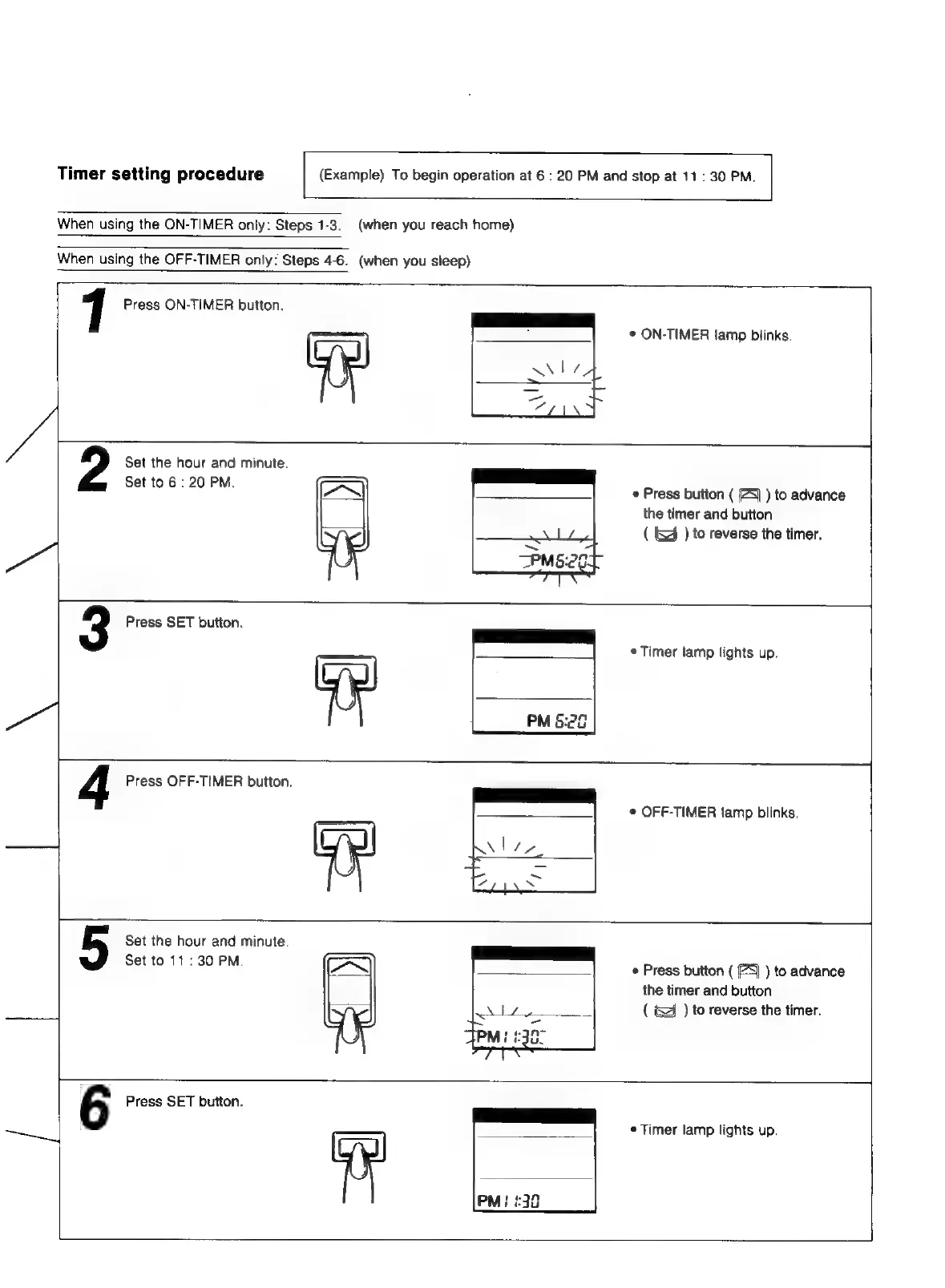
Timer
setting
procedure
(Example)
To
begin
operation
at
6
:
20
PM
and
stop
at
11:
30
PM.
When
using
the
ON-TIMER
only:
Steps
1-3.
(when
you
reach
home)
When
using
the
OFF-TIMER
only:
Steps
4-6.
(when
you
sleep)
1
Press
ON-TIMER
button.
©
ON-TIMER
lamp
blinks.
Set
the
hour
and
minute.
Set
to
6
:
20
PM.
3
Press
SET
button.
ye
¢
Press
button
(
(4)
)
to
advance
the
timer
and
button
(
&
)
to
reverse
the
timer.
*
Timer
lamp
lights
up.
4
Press
OFF-TIMER
button.
--
©
OFF-TIMER
lamp
blinks.
Set
the
hour
and
minute.
Set
to
11:
30
PM.
e
Press
button
(
5)
)
to
advance
the
timer
and
button
(
)
to
reverse
the
timer.
6
Press
SET
button.
—~_]
¢
Timer
lamp
lights
up.

Related product manuals