EasyManua.ls Logo

Panasonic CU-2473KR - Sleep Mode Auto Control; Sleep Mode Operation Details

Panasonic CU-2473KR
22 pages
Print Icon
To Next Page IconTo Next Page
To Previous Page IconTo Previous Page
Loading...
(5)
Sleep
Mode
Auto
Control
Setting
Sleep
Mode
operates
to
match
your
sleeping
condition.
Remote
Controi
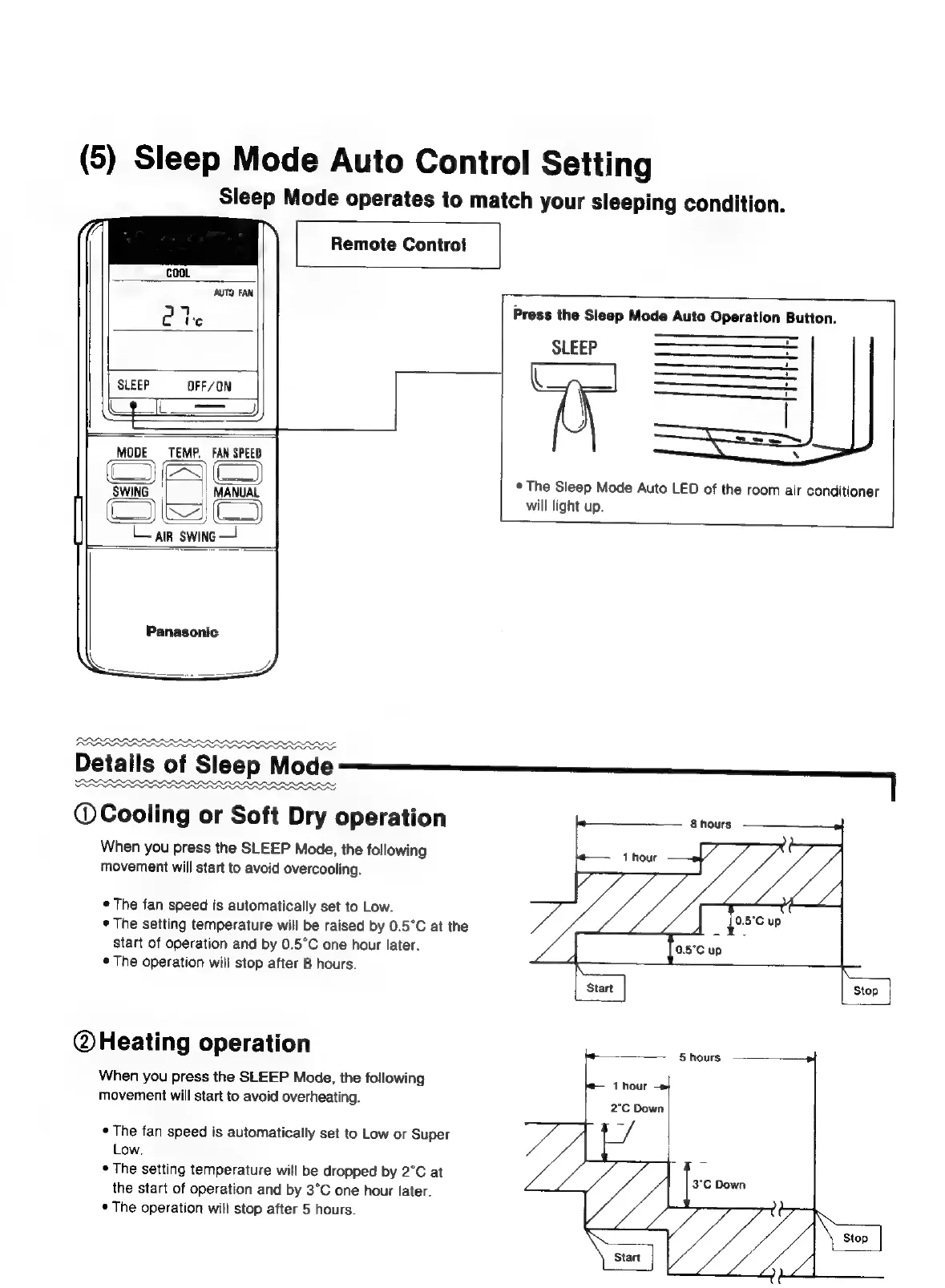
Press
the
Sleep
Mode
Auto
Operation
Button.
SLEEP
SLEEP
OFF/ON
MODE
TEMP.
FAN
SPEED
(
=
NG!
<—
L
*
The
Sleep
Mode
Auto
LED
of
the
room
air
conditioner
|
<<
will
light
up.
A
P
if
Lain
swing
Panasonic
Details
of
Sleep
Mode
PARRARAAO
Oe
@Cooling
or
Soft
Dry
operation
When
you
press
the
SLEEP
Mode,
the
following
movement
will
start
to
avoid
overcooling.
©
The
fan
speed
is
automatically
set
to
Low.
*
The
setting
temperature
will
be
raised
by
0.5°C
at
the
start
of
operation
and
by
0.5°C
one
hour
later.
*
The
operation
will
stop
after
8
hours.
@Heating
operation
When
you
press
the
SLEEP
Mode,
the
following
movement
will
start
to
avoid
overheating.
¢
The
fan
speed
is
automatically
set
to
Low
or
Super
Low.
¢
The
setting
temperature
will
be
dropped
by
2°C
at
the
start
of
operation
and
by
3°C
one
hour
later.
¢
The
operation
will
stop
after
5
hours.

Related product manuals