EasyManua.ls Logo

Panasonic CU-2473KR - Heating Operation Mode; Setting Temperature and Fan Speed

Panasonic CU-2473KR
22 pages
Print Icon
To Next Page IconTo Next Page
To Previous Page IconTo Previous Page
Loading...
@
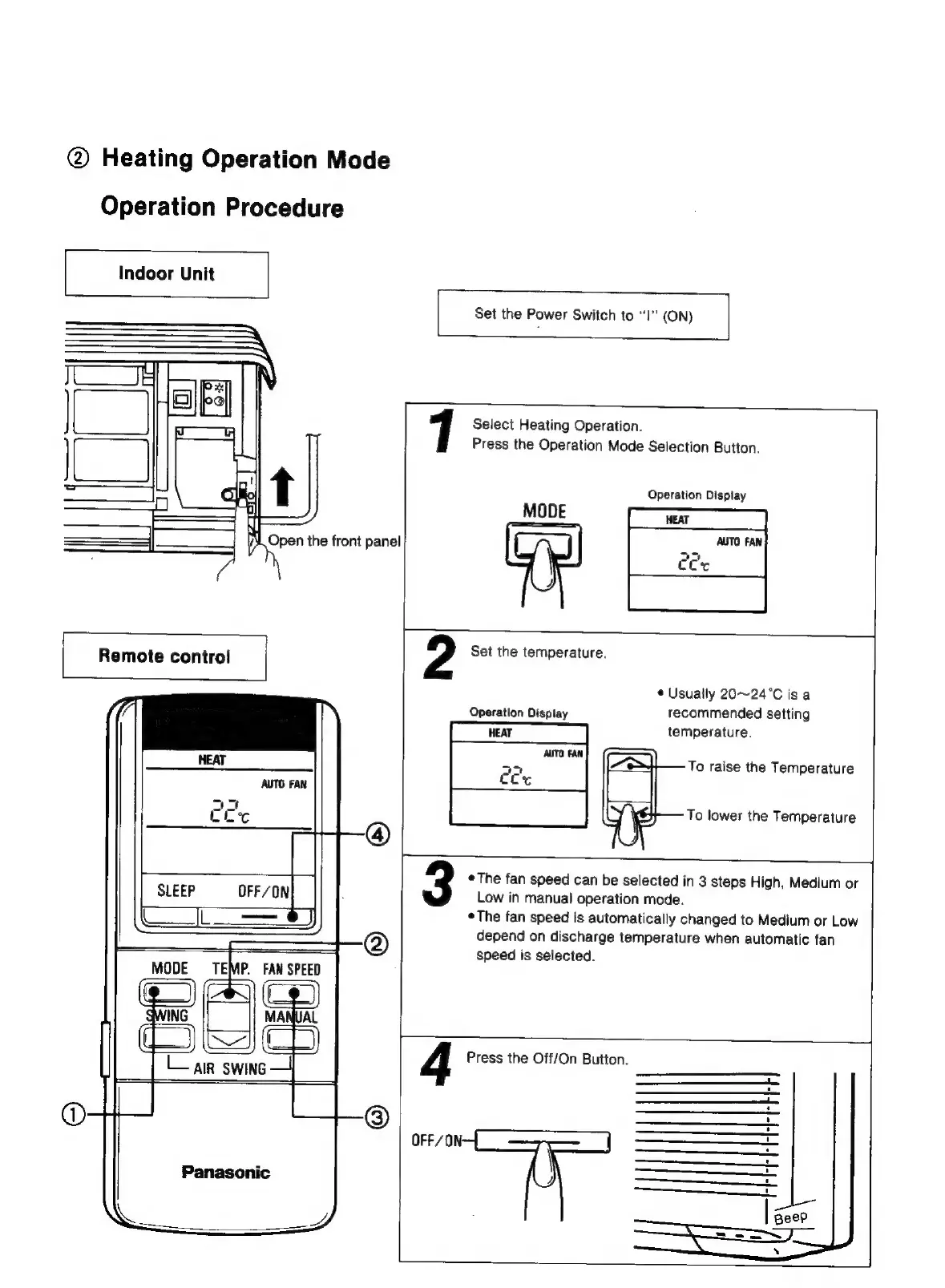
Heating
Operation
Mode
Operation
Procedure
|
Indoor
Unit
Open
the
front
panel
Remote
contro!
MODE
TEMP.
FAN
SPEE
Panasonic
|
Set
the
Power
Switch
to
“l’"
(ON)
1
Select
Heating
Operation.
Press
the
Operation
Mode
Selection
Button.
Operation
Display
MODE
Set
the
temperature.
¢
Usually
20~24°C
is
a
Operation
Display
recommended
setting
temperature.
To
raise
the
Temperature
To
lower
the
Temperature
3
The
fan
speed
can
be
selected
in
3
steps
High,
Medium
or
Low
in
manual
operation
mode.
©The
fan
speed
is
automatically
changed
to
Medium
or
Low
depend
on
discharge
temperature
when
automatic
fan
speed
is
selected.
1
4
OFF/0
Press
the
Off/On
Button.
—_——
on
iy
ry
—_—_—
+
_—
————
oO
=
-—eoo————
—_--_
et

Related product manuals